Meesho Label Crop Tool: How to Crop Shipping Labels Faster and More Accurately
Shipping labels are an important part of every Meesho seller’s order fulfillment process. But when multiple labels are downloaded together in a PDF, preparing them for printing can take extra time. Sellers may need to separate pages, crop unnecessary areas, adjust the layout, and prepare labels in a printer-friendly format.
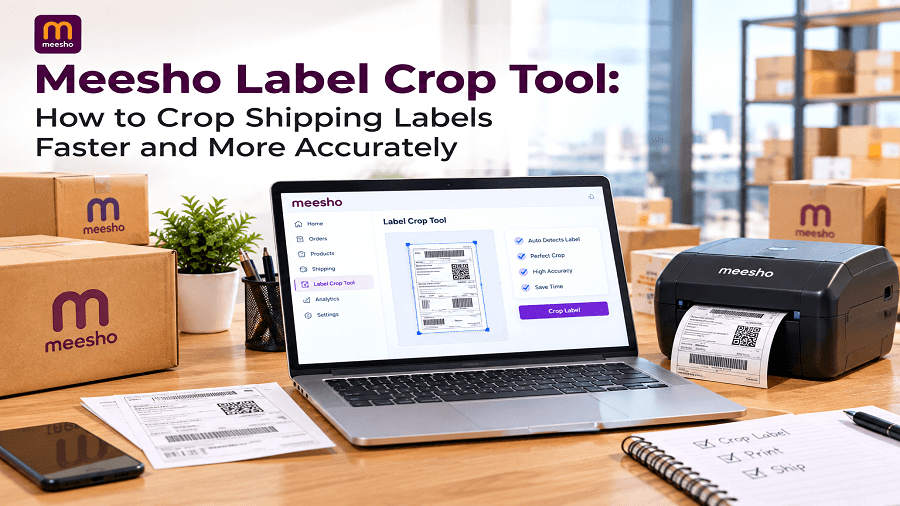
Shipping labels are an important part of every Meesho seller’s order fulfillment process. But when multiple labels are downloaded together in a PDF, preparing them for printing can take extra time. Sellers may need to separate pages, crop unnecessary areas, adjust the layout, and prepare labels in a printer-friendly format.
This is where a Meesho Label Crop Tool can make the process easier. Instead of manually editing every label, sellers can crop and prepare multiple Meesho shipping labels in a more consistent way.
For sellers processing several orders each day, a simple label-cropping workflow can reduce repetitive work and help keep shipping preparation organized.
What Is a Meesho Label Crop Tool?
A Meesho Label Crop Tool is an online utility designed to help Meesho sellers crop and organize shipping labels from downloaded PDF files.
When Meesho shipping labels contain extra page space, invoice sections, or unwanted areas, manually cropping each page can become repetitive. A dedicated tool can simplify this process by helping sellers prepare the required label area without editing every page individually.
For example, a seller may download a PDF containing multiple labels. Instead of opening the PDF in an image or document editor and adjusting each page separately, the seller can upload the file to a label cropping tool and prepare the labels in a more consistent format.
In simple terms:
Meesho Label Crop Tool → Upload labels → Select or apply the required crop → Process labels → Download the prepared file
This makes the process particularly useful for sellers handling multiple orders.
Why Do Meesho Sellers Need to Crop Shipping Labels?
Meesho sellers often work with PDF documents that contain more information than they need for a particular printing workflow. A label may include additional sections, blank spaces, or other content that makes the page less convenient to print.
Manually handling these pages can create several problems:
More time spent preparing shipping documents
Repetitive editing for every order
Inconsistent cropping between labels
Extra pages or unwanted content during printing
Greater chances of accidentally cutting important information
Difficulties when processing labels in bulk
When order volume increases, these small tasks can consume a significant amount of working time.
A Meesho shipping label crop tool provides a simpler way to prepare the required label sections before printing.
How Meesho PDF Labels Can Become Difficult to Manage
Meesho PDF labels are convenient because sellers can download shipping information digitally. However, a PDF containing several pages can require additional preparation before physical printing.
Consider a seller with 30 orders.
If every label needs to be opened, cropped, saved, and checked separately, the seller has to repeat the same steps many times.
This becomes even more inconvenient when labels have slightly different layouts or when the seller needs to prepare a large batch quickly.
A cropping workflow helps turn this repetitive process into a more structured task.
How a Meesho Label Crop Tool Works
The exact interface can vary between tools, but the basic workflow is straightforward.
1. Download Your Meesho Shipping Labels
Start by downloading the required shipping-label PDF from your Meesho seller workflow.
Make sure the file contains the labels you want to process.
2. Upload the PDF
Open the Meesho Label Crop Tool and upload the downloaded PDF.
3. Identify the Label Area
The tool can be used to identify the section of the page that should remain.
The goal is to keep relevant shipping information while removing unnecessary areas around the label.
4. Crop the Labels
Apply the required crop to the pages.
For sellers processing several labels, applying a consistent cropping method can save time compared with manually adjusting every page.
5. Review the Output
Before printing, review the processed labels.
Check that important information such as:
Recipient details
Order information
Shipping information
Barcodes
QR codes
Product or SKU information
has not been removed accidentally.
6. Download and Print
Once the labels look correct, download the prepared file and send it to your printer.
This creates a simple workflow from Meesho PDF labels to print-ready shipping documents.
Manual Cropping vs. Bulk Label Cropping
There is a major difference between processing labels one at a time and preparing them as a batch.
Manual Cropping
With manual editing, a seller generally needs to:
Open the PDF.
Select a page.
Adjust the crop.
Save the result.
Repeat the process for the next page.
Check the final document.
This approach may work for one or two labels, but it becomes tedious as the number of orders increases.
Bulk Label Cropping
Bulk label cropping is designed for situations where multiple labels need similar processing.
Instead of treating every page as a separate editing task, sellers can process a group of labels through a single workflow.
This can help improve:
Processing speed
Consistency
Document organization
Printing preparation
Daily order handling
For sellers with frequent orders, bulk processing can be much more convenient than repeating the same manual steps.
Benefits of Using a Meesho Label Crop Tool
Faster Label Preparation
The biggest advantage is reducing repetitive PDF editing.
A dedicated workflow can help sellers prepare labels more quickly, especially when processing multiple orders.
Consistent Cropping
When the same type of label is processed repeatedly, consistent cropping helps create a cleaner output.
This is useful when labels need to be printed in batches.
Easier PDF Management
Instead of using complex PDF editing software for a basic task, sellers can use a purpose-built utility for their label workflow.
Better Printing Preparation
Removing unnecessary areas can make shipping labels easier to organize before printing.
Sellers can review the final document and make sure the required information is visible.
Useful for High-Order Workflows
A seller processing only a few orders may not notice much difference. However, sellers managing dozens or hundreds of orders can benefit more from reducing repetitive document preparation.
Meesho Labels A4 PDF: What Sellers Should Know
Many sellers work with Meesho labels A4 PDF files when preparing shipping documents.
An A4 document can contain additional page space around the actual shipping label. Depending on the seller’s printing setup, that space may not be necessary.
Cropping can help isolate the useful label area and create a more practical document for the next step in the fulfillment process.
However, sellers should always check the output before printing. The crop should never remove information required for shipment processing.
How to Crop Meesho Labels Without Losing Important Information
Cropping is useful, but accuracy matters.
When you crop Meesho labels, follow these simple practices:
Keep Barcodes and QR Codes Visible
Barcodes and QR codes should remain completely visible and readable.
Avoid cropping too close to these areas.
Check Recipient Information
Make sure names, addresses, and other delivery information remain intact.
Review Multiple Pages
When processing a batch, inspect several pages instead of checking only the first one.
Use a Consistent Crop Area
If the labels have the same layout, use a consistent cropping approach whenever possible.
Preview Before Printing
A quick preview can help identify missing information, incorrect cropping, or unexpected page formatting.
Who Can Use a Meesho Label Crop Tool?
A label cropping tool can be useful for different types of Meesho sellers.
New Meesho Sellers
New sellers can simplify their document preparation workflow without learning advanced PDF editing software.
Small Businesses
Small businesses handling daily orders can reduce repetitive administrative work.
High-Volume Sellers
Sellers processing large numbers of orders can benefit from batch-oriented workflows.
Ecommerce Teams
Teams managing several seller accounts or fulfillment activities can use Meesho seller tools to organize routine tasks.
How a Label Crop Tool Fits Into the Meesho Seller Workflow
A simple order fulfillment workflow may look like this:
Receive Order → Prepare Product → Download Shipping Label → Crop/Prepare Label → Print → Pack → Attach Label → Dispatch
The cropping stage is only one part of the process, but improving small steps can make the complete workflow easier to manage.
Instead of treating PDF editing as a separate technical task, sellers can include label preparation as part of their normal order-processing routine.
Meesho Seller Tools Can Simplify Daily Tasks
Selling on Meesho involves more than uploading products and receiving orders.
Sellers may also need tools for:
Product image preparation
Product listing optimization
Profit calculations
Shipping label preparation
QR code creation
PDF processing
Image editing
This is why specialized Meesho seller tools can be useful. Each tool can address a specific repetitive task instead of forcing sellers to handle everything manually.
A label cropping tool is particularly useful for sellers who regularly download and print shipping documents.
Tips for Faster Meesho Shipping Label Processing
If you process many orders, a few workflow improvements can save time.
Organize Downloaded PDFs
Keep shipping-label files in clearly named folders so they are easier to locate.
Process Labels in Batches
Instead of cropping one label every time an order is ready, process multiple labels together when practical.
Check Printer Settings
Make sure your printer settings match the intended paper size and label format.
Review the First Batch
After changing your workflow, test a small batch before processing a large number of labels.
Keep the Original PDF
Save the original file until you have confirmed that the cropped version is correct.
Is a Meesho Label Crop Tool Better Than Manual PDF Editing?
For occasional use, manual PDF editing may be sufficient.
However, when sellers repeatedly process shipping documents, a dedicated tool can make the workflow more convenient.
The main difference is repetition.
If you need to crop one PDF once, manual editing may not be a problem. If you need to crop multiple Meesho labels every day, a dedicated workflow can reduce unnecessary steps.
The right option depends on order volume, label format, and how frequently the seller needs to prepare shipping documents.
Common Mistakes When Cropping Meesho Shipping Labels
Even a simple cropping task can cause problems if it is done too quickly.
Common mistakes include:
Cutting off barcodes
Removing recipient information
Cropping inconsistent areas across pages
Printing without previewing the final file
Using the wrong paper size
Deleting the original PDF too early
A quick review before printing can prevent many of these issues.
Conclusion
Preparing shipping labels does not need to involve repetitive manual PDF editing every time an order is ready for dispatch. For Meesho sellers managing multiple orders, a Meesho Label Crop Tool can simplify the process of cropping, organizing, reviewing, and preparing shipping labels for printing.
From individual orders to bulk label cropping, the right workflow can help reduce repetitive work and make daily fulfillment tasks easier to manage.
Ready to crop your shipping labels faster? Use the Genimager Meesho Label Crop Tool today and simplify your Meesho label preparation process.
Frequently Asked Questions About Meesho Label Crop Tools
1. What is a Meesho Label Crop Tool?
A Meesho Label Crop Tool is an online utility that helps sellers crop and prepare shipping-label PDFs by removing unnecessary areas from the document.
2. Can I crop multiple Meesho labels at once?
Yes, a tool that supports batch processing can help sellers handle multiple labels together. This is useful for bulk label cropping when several orders need to be prepared.
3. What are Meesho PDF labels?
Meesho PDF labels are digital shipping documents that contain information needed for processing and dispatching orders. Sellers can download them and prepare them for printing.
4. How do I crop Meesho labels?
Download the required shipping-label PDF, upload it to a suitable cropping tool, select the required label area, process the pages, review the result, and download the prepared file.
5. What should I check before printing cropped labels?
Check the label dimensions, recipient information, barcode, QR code, order details, and overall readability. Reviewing the final PDF before printing helps prevent avoidable errors.