Transform Images into Motion
Generate polished AI videos from a reference image and prompt.
Reference Image
Text Prompt
Automatic Video Caption Studio
Create editable timed captions, apply dynamic styles, and export a ready-to-share captioned MP4.
Private & Secure
Protected uploads
Fast Generation
Optimized for speed
High Quality Output
Cinematic results
Cool Vehicle Pose
Turn a static vehicle photo into a cinematic motion scene with confident pose, lighting, and camera movement.
Step Process
Image prompt
Edit the image so the person is stepping out of the car, standing beside it with a confident and stylish pose. Keep the lighting consistent, add a cinematic vibe with subtle shadows, and make the pose look natural like a luxury lifestyle photoshoot.
Video prompt
Use the motorcycle and rider in the picture to generate a fast riding scene in the rain. Show raindrops, puddle splashes toward the lens, and then cut to a rear tracking shot of the motorcycle.
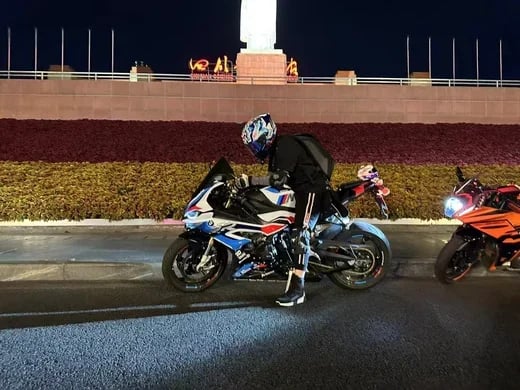 Original
Romantic Female Charm
Transform a portrait into graceful motion with elegant posing, subtle movement, and expressive framing.
Step Process
Video prompt
Animate the portrait with a slow cinematic camera move, natural hair and fabric motion, soft facial expression, and warm lighting. Keep the subject identity consistent and make the movement elegant.
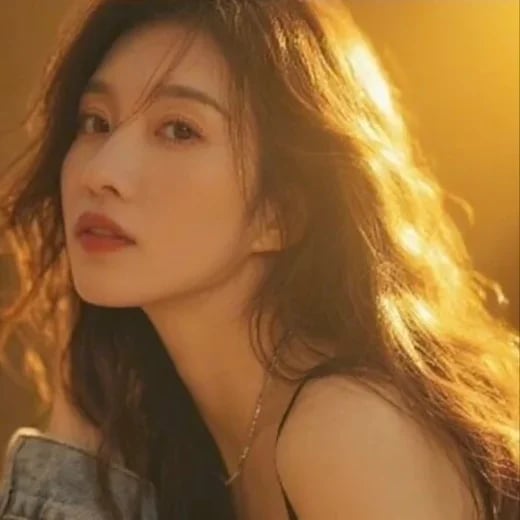 Original
Planning an image-to-video generation
A reference image anchors the opening look while a prompt describes the motion and scene changes. Results are generated media, so review the complete clip for visual consistency, unexpected details, and suitability before publishing.
How to use this tool
- Choose a clear reference image with the subject and composition you want to preserve.
- Describe one main action, camera movement, and atmosphere in direct language.
- Generate a preview, review the full clip, and adjust the prompt if motion or framing needs correction.
Tips and checks
- Describe motion that can happen within a short clip rather than a sequence of unrelated events.
- Avoid contradictory directions such as a locked camera and a fast camera orbit.
- Check rights and permissions for reference images, people, and music you use.