How Marketplace Sellers Can Create More Product Image Options From a Single Photo
Creating each version manually can take additional editing time. With an AI image variation workflow, sellers can use one product image as a reference and generate multiple visual alternatives to review.
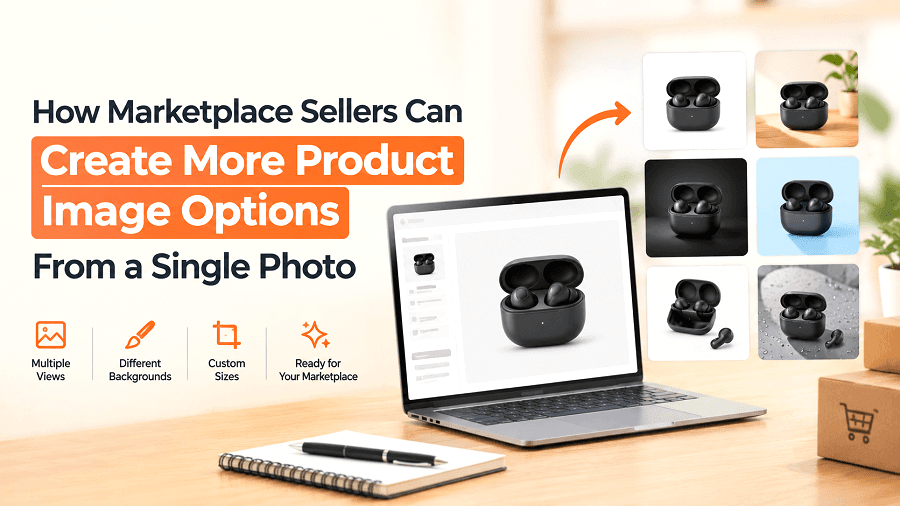
A single product photograph does not always provide enough visual options for an online catalog. Sellers may want different backgrounds, compositions, lighting styles or presentations while still starting with the same original product.
Creating each version manually can take additional editing time. With an AI image variation workflow, sellers can use one product image as a reference and generate multiple visual alternatives to review.
Start With One Product Image
The starting point is an existing product photograph.
Instead of creating every product visual from the beginning, sellers can upload one reference image and describe the type of variation they want. GenImager's AI Image Variant Generator can create up to four variations from a reference image.
This makes the workflow useful when a seller wants to explore several visual directions without preparing every version manually.
What Can Change in a Product Image?
The purpose of creating variations is not necessarily to change the product itself. It is to explore different ways of presenting it visually.
Backgrounds
A seller can explore alternative background treatments to create different product presentations.
Lighting
Different lighting directions or visual treatments can create alternative versions of the same product image.
Composition
The product can be presented through different compositions or visual arrangements, depending on the intended use.
Presentation Style
Sellers can explore different ways of presenting the same product while using the original image as the visual reference.
The generated result should always be checked against the actual product because AI-generated images can sometimes alter product details.
A Simple Variation Workflow
Choose the Reference Image
Upload a clear product photograph in a supported format. The product should be visible enough to provide a useful reference for the generation process.
Describe the Variation
Use the prompt to explain what you want to change or explore. For example, the direction can focus on the background, lighting, composition or overall presentation.
Select the Number of Variations
GenImager allows sellers to select between one and four image variations. This gives sellers the option to generate several alternatives from the same reference image.
Compare the Results
Review the generated images side by side and identify which variations are most useful for the intended workflow.
The goal is not simply to generate more images. It is to find useful alternatives that still represent the product accurately.
Where Different Variations Can Be Useful
Different visual treatments can serve different content needs.
Main Product Presentation
A clean variation may work as a straightforward product presentation where the product needs to remain the primary visual focus.
Catalog Alternatives
Additional variations can give sellers more options when preparing a broader set of product visuals.
Promotional Content
Some variations may be useful for marketing or promotional material where a different visual presentation is appropriate.
Social Content
Alternative product presentations can also provide additional creative options for social media content.
Whether a generated image can be used for a particular marketplace listing depends on that marketplace's current image requirements.
What to Check Before Using an AI Variation
AI-generated product images should be reviewed carefully before being used commercially.
Check the:
Product shape
Product color
Material and texture
Size and proportions
Product details
Accessories or included components
Background and overall presentation
If the generated image changes an important product characteristic, it should not be treated as an accurate representation of the physical item.
From One Photo to Multiple Visual Options
The practical advantage of an AI image variation workflow is the ability to explore several visual directions from an existing product image.
For marketplace sellers, this can reduce the need to manually create every visual variation while giving them more options to work with.
Create More Product Image Options With GenImager
A single product photo does not always have to remain a single visual asset. With GenImager, sellers can explore different image variations from an existing product image and create more options for their marketplace, catalog, promotional and social content.
If you want to turn existing product photos into more flexible visual assets, try GenImager's AI Image Variant Generator and create your product image variations.