How Meesho Sellers Can Add Store QR Codes to Shipping Labels
Meesho sellers can use QR codes as a simple way to give customers access to their store or another supported destination. Adding a store QR code to shipping-label materials can connect the physical order experience with an online destination. GenImager's Meesho QR Sticker tool helps sellers create QR stickers for supported store links and prepare them for use with shipping-label workflows.
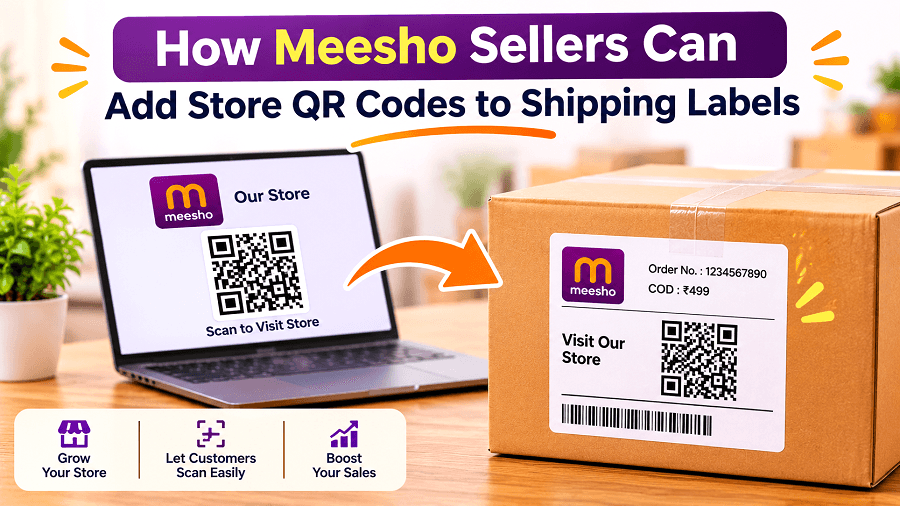
Meesho sellers can use QR codes as a simple way to give customers access to their store or another supported destination. Adding a store QR code to shipping-label materials can connect the physical order experience with an online destination.
GenImager's Meesho QR Sticker tool helps sellers create QR stickers for supported store links and prepare them for use with shipping-label workflows.
The Challenge
Connecting Physical Orders With an Online Store
A shipped order gives sellers a physical touchpoint with the customer. Without an additional link or reference, that interaction may end when the package is delivered.
Creating QR Labels Consistently
Generating QR codes and placing them into a repeatable sticker or label workflow can become an additional manual task when processing many orders.
How GenImager Can Help
1. Add Your Store Link
Enter the supported store URL or destination you want customers to reach when they scan the QR code.
2. Generate the QR Sticker
Use the QR Sticker tool to generate a QR-based label from the provided link.
3. Prepare the Sticker
Review the generated QR sticker and ensure the QR code remains clear and scannable at the intended print size.
4. Use It With Your Shipping Workflow
Prepare the sticker or label according to your packaging workflow and place it where appropriate without covering required shipping information.
What You Can Create / Accomplish
Meesho sellers can use the workflow to create:
Store QR codes
QR stickers for packaging
Scannable store-link labels
QR-based customer touchpoints
Printable QR label assets
QR codes should be tested before being used at scale to ensure the destination works correctly and the printed code can be scanned.
Meesho Seller Applications
Store Promotion
Use a QR code to provide customers with a direct way to reach a supported store destination.
Packaging Inserts and Labels
Use QR stickers as part of an order-packaging workflow where appropriate.
Repeat Customer Touchpoints
A QR code can provide an additional digital touchpoint after a customer receives an order.
Want to make your Meesho store easier for customers to access? Use GenImager’s Meesho QR Sticker tool to create a QR code for your store link.