Marriage Biodata Generator
Create a personal marriage biodata with designs, adjustable photo crop, custom sections, language options and a live A4 preview.
Choose your biodata template
51 printable designs with portrait, traditional and minimal layouts.
Labels appear in the selected language. Your personal details remain as entered.
Your biodata
Updates while you edit · A4 page
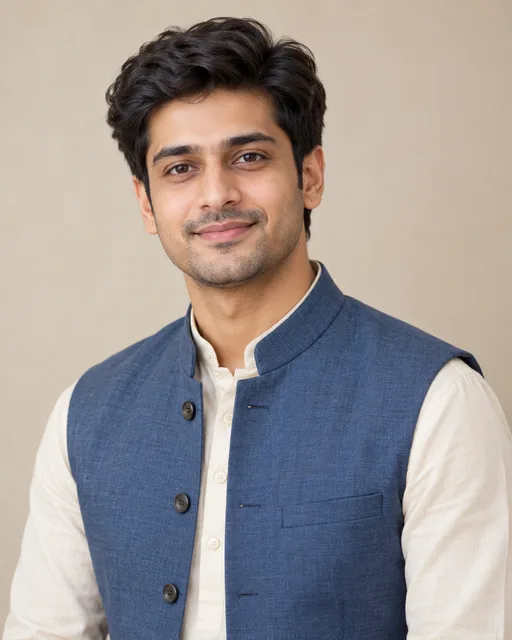
Rohan Shah
Gujarati · Hindu
About me
I am a curious, family-oriented person who enjoys thoughtful conversations, design and exploring new places.
Education & career
Education: B.E. in Computer Engineering
Occupation: Product Designer
Company / workplace: Example Studio
Family details
Father's name: Rakesh Shah
Father's occupation: Business owner
Mother's name: Nina Shah
Mother's occupation: Teacher
Brothers: None
Sisters: 1
Hobbies & interests
Hobbies and interests: Travel, reading and music
Partner preferences
Partner preferences: Looking for a kind, thoughtful partner who values family and personal growth.
Your details and uploaded photos stay in this browser while you work. Review the PDF and remove any details you do not want to share.
Create a marriage biodata that feels personal
Bring the details you choose to share into a clear, printable profile. Start with a design, build your sections, then check the live A4 preview.
From blank page to PDF
- Choose a layout, type style and label language.
- Add personal, education, career and family details you want included.
- Crop an optional portrait and add sections such as languages or interests.
- Review the preview. Google sign-in is required when downloading the PDF.
Choose only useful details
A marriage biodata commonly introduces a person, their education and work, family background and a way to make contact. Birth and horoscope details, community, income, hobbies and partner preferences are optional. Leave out details you do not want to share.
Field labels are available in English, Hindi, Marathi, Gujarati, Bengali, Tamil, Telugu, Kannada, Malayalam and Punjabi. The builder changes labels; it does not translate the details you type.
Marriage biodata maker FAQs
Details about templates, languages, sign-in and downloading.
How do I make a marriage biodata online?
Enter the details you want to share, choose a design, and review the live A4 preview. Select Download PDF to save a copy on your device.
What details should I include in a marriage biodata?
Common details include a name, education, work, family background and contact method. Birth, community, horoscope, hobbies and partner preference fields are optional; include only what you are comfortable sharing.
Can I create a biodata for a boy or a girl?
Yes. The layout is not gender-specific. Use the labels and optional fields that suit the person, and leave the rest blank.
Do I need to sign in to use this biodata maker?
You can edit your biodata and preview it without signing in. Google sign-in is required when you choose Download PDF. Your draft is saved in this browser on this device.
Which languages can I use for my biodata?
The biodata headings and field labels can be shown in English, Hindi, Marathi, Gujarati, Bengali, Tamil, Telugu, Kannada, Malayalam or Punjabi. Type your personal details in the language you prefer; entered text is not automatically translated.
Can I download my biodata as a PDF?
Yes. Choose Download PDF and continue with Google sign-in to create an A4 PDF from the selected template and details you entered. Check the file before sharing it.