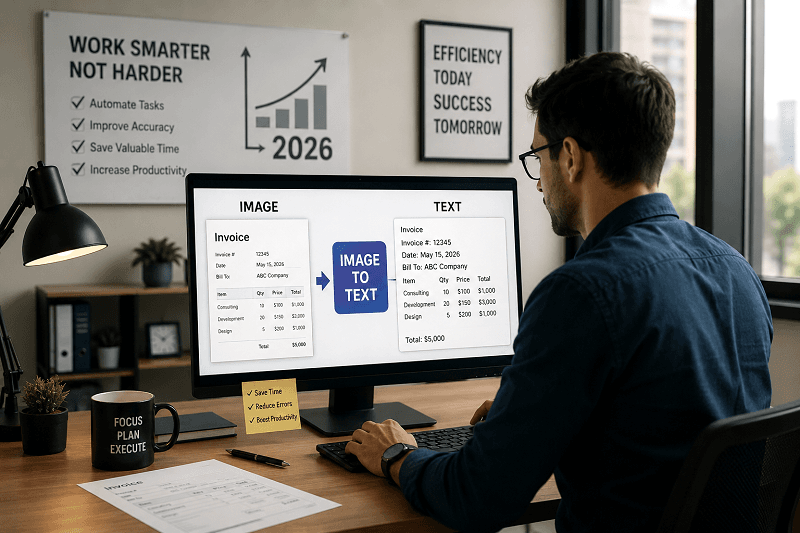
Still spending hours typing data from images and documents?
Businesses need an image-to-text converter to automate manual tasks and streamline daily operations. These AI-powered tools instantly extract text, helping teams save time, reduce errors, and improve productivity.
This guide is designed for business owners, teams, and professionals seeking to streamline workflows and enhance document management in 2026.
What Is an Image to Text Converter?
An image-to-text converter is a tool that uses OCR (Optical Character Recognition) and AI to extract text from images, scanned files, or screenshots and turn it into editable content. For example, it can convert a photo of an invoice into usable text within seconds.
Key Capabilities:
Converts images to editable text
Works on scanned documents and screenshots
Saves manual effort and time
Why Every Business Needs It in 2026
1. Saves Time by Eliminating Manual Typing
Manual data entry is slow and repetitive. Image-to-text tools instantly extract text from images, allowing teams to complete tasks faster and focus on higher-value work.
2. Boosts Team Productivity
When employees spend less time typing, they can handle more tasks. This improves overall efficiency and helps businesses meet deadlines without increasing workload.
3. Reduces Human Errors
Typing data manually often leads to mistakes. OCR tools provide accurate text extraction, reducing errors in invoices, reports, and records.
4. Automates Data Entry Processes
Businesses can automate repetitive workflows such as document processing and data input. This reduces dependency on manual work and improves consistency.
5. Improves Document Management
Digitized text is easier to store, search, and organize. Businesses can quickly find information without scanning physical files.
Use Cases of the Image-to-Text Converter in Business
1. E-commerce
Extract product details, descriptions, and pricing from images to update listings quickly.
2. Accounting
Convert invoices, receipts, and financial documents into editable text for faster processing.
3. Legal
Digitize contracts and legal documents, making them searchable and easier to manage.
4. Healthcare
Convert patient records and reports into digital text for better data organization and access.
Manual Data Entry vs Image to Text Converter
Feature | Manual Entry | Image to Text Tool |
|---|---|---|
Speed | Slow | Instant |
Accuracy | Error-prone | High |
Cost | High | Low |
Scalability | Limited | High |
This comparison shows why businesses are shifting toward AI-powered document automation tools.
How to Use an Image to Text Converter
Upload your image or document.
Let the AI scan and extract text.
Review and edit the extracted content.
Copy or download the final text.
This process takes seconds and removes the need for manual typing.
Key Features to Look For
When choosing the best image-to-text converter for business use, look for:
High OCR accuracy
Multi-language support
Batch processing capability
Cloud-based access
Strong data security
These features ensure reliable performance and smooth workflow integration.
How Genimager Helps Businesses
Many businesses struggle with slow data entry and unorganized documents.
Genimager provides a fast and accurate image-to-text converter that simplifies document processing. It allows teams to extract text from images instantly, automate workflows, and reduce manual effort without technical complexity.
By using Genimager, businesses can improve efficiency, reduce errors, and manage documents more effectively.
Conclusion
In 2026, image-to-text converters are essential for businesses that want faster workflows and better productivity. They help reduce manual work, improve accuracy, and simplify document management.
Start using Genimager today to save time, streamline your workflow, and make your business operations more efficient.
FAQs
1. What is the best image-to-text converter for businesses?
The best tool depends on accuracy, speed, and features like batch processing. Tools like Genimager offer reliable performance for business use.
2. Is OCR accurate for business documents?
Yes, modern OCR tools use AI to deliver high accuracy, especially for clear images and structured documents.
3. Can I convert scanned invoices to text?
Yes, image-to-text converters can extract text from scanned invoices and make them editable within seconds.
4. Are image-to-text tools secure?
Most tools use encryption and secure processing. Always choose a trusted platform with strong privacy measures.