Text-to-Image vs Image-to-Image: Which AI Workflow Should You Use?
Text-to-image AI creates visuals from written prompts, while image-to-image AI uses an existing image as a reference for generating or transforming a result. Neither method is automatically better for every project. The right choice depends on your starting point, the amount of visual guidance you have, and the details your final image needs to preserve.
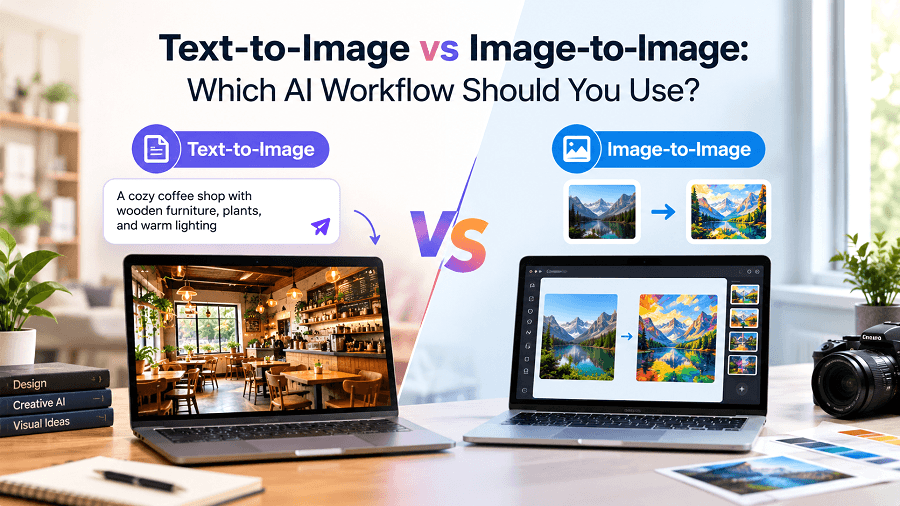
Creating an image with artificial intelligence can start with a simple idea or an existing photograph. You might want to generate an original product scene from a written description, or you may already have an image that needs a different background, style, or visual treatment. Choosing the right workflow can help you get closer to your desired result.
Understanding text-to-image vs image-to-image AI is useful for content creators, designers, marketers, ecommerce sellers, and businesses that need visual content. Although both approaches use AI to generate images, they start with different inputs and suit different creative tasks.
Text-to-image AI creates visuals from written prompts, while image-to-image AI uses an existing image as a reference for generating or transforming a result. Neither method is automatically better for every project. The right choice depends on your starting point, the amount of visual guidance you have, and the details your final image needs to preserve.
In this guide, we explore how both workflows work, when to use each one, and how GenImager can support your image creation process in 2026.
What Is Text-to-Image AI?
Text-to-image AI converts written instructions into visual content. You describe the subject, setting, composition, lighting, colours, and artistic style, and the AI model generates an image based on your prompt.
For example, imagine you need a visual for a blog about modern office design. You could enter this prompt:
“Create a photorealistic modern home office with a wooden desk, a laptop, a comfortable chair, soft natural window lighting, neutral colours, and a clean professional composition.”
The AI generates a new scene based on the description without requiring an existing photograph as the starting point.
Text-to-image AI works best when you want to:
Create original visual concepts from scratch.
Explore different scenes, styles, and compositions.
Generate blog illustrations and social media graphics.
Develop advertising concepts and campaign visuals.
Experiment with creative ideas before producing final assets.
The quality of the result depends on the clarity of your prompt, the model's capabilities, and how well the generated image matches your requirements.
What Is Image-to-Image AI?
Image-to-image AI uses an existing image as a reference to guide the generation process. Depending on the tool and model, the reference can influence the subject, composition, colours, style, or overall appearance of the output.
For example, an ecommerce seller might upload a photograph of a ceramic mug and request a lifestyle scene with a light wooden table and soft morning sunlight.
The reference gives the AI visual information that a text prompt alone may not provide. However, the result can still differ from the original image.
Image-to-image AI works best when you want to:
Explore variations of an existing image.
Use a reference photograph to guide a new visual.
Experiment with different artistic styles.
Develop alternative backgrounds or creative directions.
Refine an existing visual concept without describing every detail from scratch.
Always review the output when accurate product features, facial likeness, logos, or other identifying details matter.
Text-to-Image vs Image-to-Image: Key Differences
Although both approaches generate images with AI, they serve different purposes.
Factor | Text-to-Image | Image-to-Image |
Starting point | Written prompt | Existing image and instructions |
Main purpose | Create a new visual concept | Guide a result using a visual reference |
Creative direction | Primarily described in text | Influenced by the reference and prompt |
Best suited for | Original scenes, illustrations, and concepts | Variations, transformations, and reference-led workflows |
Main challenge | Describing the desired image clearly | Maintaining important details while changing the image |
Common applications | Blog visuals, advertising concepts, creative artwork | Product concepts, style variations, and image refinement |
Neither approach guarantees a perfect result. Both may require prompt adjustments, multiple generations, or manual editing.
When Should You Use Text-to-Image AI?
Choose text-to-image when you have an idea but do not need to start from an existing image.
1. Creating Original Marketing Visuals
Marketing teams can use text-to-image generation to explore concepts for social media campaigns, blog graphics, promotional content, and seasonal creative projects.
For example, a business launching a summer campaign could describe a bright outdoor scene with fresh colours, natural lighting, and space for a headline to be added later.
This approach makes it easier to explore creative directions before committing to a final design.
2. Generating Blog and Website Images
Writers and publishers often need images that communicate a particular idea. A detailed prompt can help generate illustrations for topics such as technology, productivity, education, and business.
Describe the subject, mood, composition, and intended placement to make the result more relevant to the content.
3. Exploring New Product Photography Concepts
Sellers can use text-to-image AI to explore potential product photography styles, settings, and lighting arrangements.
For example, a seller might generate concepts for a minimalist studio, a warm lifestyle scene, or a premium-looking product display.
However, generated concepts should not be treated as accurate photographs of a real product unless every relevant detail has been verified.
4. Developing Creative Artwork
Artists and content creators can describe imaginative settings, fictional environments, characters, or visual styles to explore new ideas.
Text-to-image generation is particularly useful when there is no existing reference image and creative flexibility is a priority.
When Should You Use Image-to-Image AI?
Image-to-image AI is often a better starting point when you already have a photograph, illustration, or visual reference that should influence the final output.
1. Creating Variations of an Existing Image
Suppose you have a product photograph with suitable framing but want to explore different creative directions. A reference-based workflow can help you test alternative settings or styles.
Review each result carefully because AI may change details you intended to keep.
2. Exploring Different Visual Styles
Designers can use an existing image as a reference while experimenting with styles such as cinematic photography, editorial illustration, retro artwork, or soft studio lighting.
The extent of the transformation depends on the model and the instructions provided.
3. Developing Product Lifestyle Concepts
Ecommerce teams can use real product photographs as references when exploring potential lifestyle scenes.
For example, a desk lamp could serve as the reference for a home-office concept. The generated result should be checked for changes to the lamp's shape, colour, controls, and other product details.
For a live marketplace listing, follow the applicable image requirements and use accurate product representation.
4. Refining an Existing Creative Direction
If an existing image already captures the subject and general composition you want, image-to-image may be more suitable than describing the entire scene again.
Explain which aspects should change and which should remain similar. This provides useful guidance, but it does not guarantee exact preservation.
Text-to-Image vs Image-to-Image for Business and Ecommerce
Businesses can benefit from both workflows, depending on the type of visual content they need.
For Ecommerce Sellers
Text-to-image can help explore product photography concepts, backgrounds, and lifestyle settings. Image-to-image can provide a reference-led starting point when working with an actual product photograph.
Product accuracy should always take priority over visual appeal. Check labels, dimensions, materials, colours, accessories, and other details before publishing commercial images.
For Marketing Teams
Text-to-image is useful for developing original campaign ideas, while image-to-image can help create variations based on existing creative assets.
Teams should establish a consistent visual direction and review generated images for brand accuracy, misleading details, and applicable usage rights.
For Content Creators and Bloggers
Text-to-image works well for generating illustrations based on article topics. Image-to-image is useful when a creator wants to explore alternative styles or develop variations from an existing visual reference.
Both workflows can support a repeatable content process when prompts, output quality, and image requirements are reviewed consistently.
How to Choose the Right AI Image Workflow
Use these simple questions to decide which workflow to try first.
Choose text-to-image if:
You are starting with an idea rather than an existing image.
You want to explore original scenes and compositions.
You need a visual based on a written description.
You want to test several creative concepts.
Choose image-to-image if:
You already have a useful photograph or illustration.
You want an existing image to guide the output.
You need to explore visual variations of a reference.
You want to experiment with a different style or setting.
Consider testing both workflows if you have a reference image but also want to explore completely new concepts. Start with the method that best matches your goal, evaluate the result, and adjust your prompt or approach as needed.
The best workflow is the one that produces a suitable result with an acceptable amount of editing and review.
Common AI Image Generation Mistakes to Avoid
Writing Vague Prompts
Instructions such as “create a beautiful image” leave many decisions to the model. Add details about the subject, setting, lighting, composition, and intended style.
Expecting Exact Reference Preservation
Image-to-image generation may alter proportions, text, labels, and other visual details. Inspect the result when accuracy matters.
Giving Conflicting Instructions
A prompt that asks for several incompatible styles or compositions can produce an unclear result. Prioritise the most important visual requirements.
Ignoring the Intended Use
An image for a blog header may need a wide composition, while a product catalogue image may need a clear view of the item. Decide where the image will be used before generating it.
Publishing Without Reviewing
Even realistic AI-generated images can contain errors. Review every output for unwanted objects, inconsistent details, inaccurate product features, and suitability for its intended purpose.
How GenImager Can Help You Create AI Images
GenImager supports text-based image generation and reference-image workflows, helping users explore creative concepts and work toward their desired visual results.
You can begin with a written prompt when developing a new idea or use a reference image when you want an existing visual to guide the generation process. The right starting point depends on the task and the available workflow.
For more useful results, define your goal, write clear instructions, and inspect each generated image before using it in a campaign, article, or product catalogue.
Conclusion: Choose the Right Workflow and Create with GenImager
Text-to-image and image-to-image AI offer two useful ways to approach image creation. Text-to-image starts with your ideas and written instructions, while image-to-image uses an existing visual to guide a new result.
Understanding the difference helps you select an appropriate workflow for marketing visuals, product photography concepts, blog illustrations, and other creative projects.
Ready to turn your next idea into a visual? Explore GenImager and start experimenting with text prompts and reference images to create visuals tailored to your next project.
Frequently Asked Questions
1. Is text-to-image better than image-to-image AI?
Neither is universally better. Text-to-image is suitable for generating new images from written descriptions, while image-to-image is useful when an existing visual should guide the output. Your project requirements determine the better choice.
2. Can image-to-image AI edit an existing photograph?
Yes, supported image-to-image workflows can transform or generate variations from an existing image. The extent of editing depends on the tool and model, and the result may change details beyond the requested transformation.
3. Does image-to-image AI preserve the original product exactly?
Not necessarily. A reference image can guide generation, but the output may change the product's shape, colour, label, or proportions. Verify the final result before using it commercially.
4. Which AI image workflow is better for ecommerce?
Text-to-image is useful for exploring creative concepts, while image-to-image can help when a real product photograph should guide the result. The final image must accurately represent the product and meet the relevant marketplace requirements.
5. Can I use text-to-image and image-to-image together?
You can use both approaches during a broader creative project if the available tools support the required steps. For example, you might generate a concept from text and then explore reference-based variations. The workflow depends on the tool's capabilities.
6. How can I write better AI image prompts?
Describe the subject, setting, lighting, composition, and desired style. For reference-based generation, explain what you want to change and which important elements should remain similar. Review the result and refine the prompt when necessary.