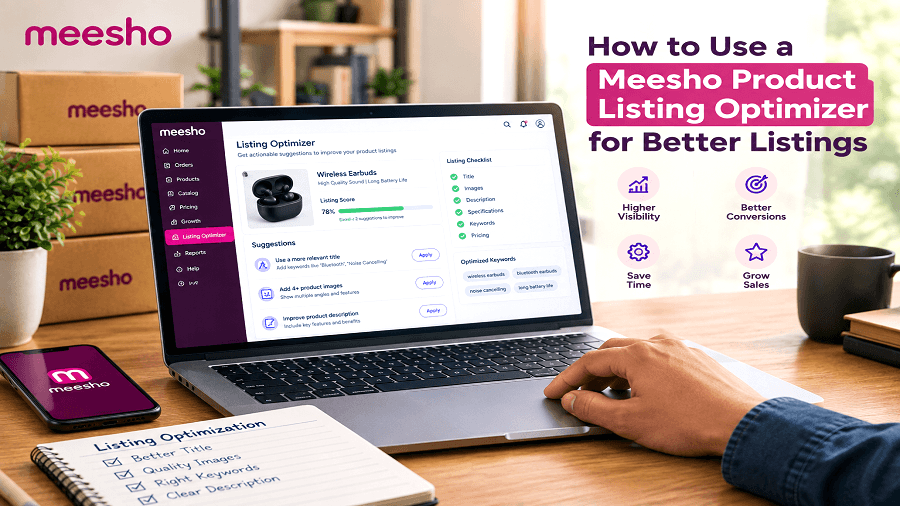
Selling on Meesho requires more than uploading a product photo and adding a few lines of text. A clear product title, useful description, accurate features, and relevant keywords can make your catalog easier for shoppers to understand and easier for marketplace systems to categorize.
Creating every listing manually, however, can take considerable time—especially when you manage many products.
A Meesho Product Listing Optimizer can help simplify this process. Instead of starting with an empty listing form, you can upload a product image, provide verified product details, and generate a structured draft containing a product title, description, features, and keyword ideas.
In this guide, you will learn how to use a Meesho listing optimizer, what information to provide, how to improve product titles and descriptions, and what to check before publishing a listing.
What Is a Meesho Product Listing Optimizer?
A Meesho Product Listing Optimizer is an AI-powered tool that helps sellers create product listing content from a product image and additional product information.
Instead of manually writing every section, sellers can use an AI Meesho listing tool to prepare a first draft of:
Product titles
Product descriptions
Product features
Keyword ideas
Basic listing content
GenImager's tool starts with a product photo and allows sellers to provide additional confirmed details. It then creates a listing draft that the seller can review before transferring the information to the Meesho Supplier Panel.
For example, if you sell wireless earbuds, you can upload a clear image of the earbuds and provide verified information such as Bluetooth version, battery capacity, charging case details, color, connectivity features, and pack quantity. The AI can then organize these details into a structured product listing.
Why Use a Meesho Listing Optimizer?
Creating product listings manually can become repetitive when you have dozens or hundreds of products.
A listing optimizer can help organize this process by turning product information into structured content.
1. Save Time on Listing Creation
Instead of writing every title and description from scratch, you can start with an AI-generated draft.
This is especially useful for sellers managing multiple SKUs or frequently adding new products.
For example, a seller with several wireless earbud models can provide the specifications for each model and use an AI-generated draft as a starting point for their individual listings.
2. Create More Consistent Listings
A structured workflow can help maintain a similar format across your catalog.
For example, product listings can consistently include:
Product type
Material
Color
Size
Design
Quantity
Important features
For electronics such as wireless earbuds, sellers may also include:
Bluetooth version
Battery capacity
Charging time
Playback time
Connectivity type
Charging case details
Controls
Compatibility
Consistency can make a catalog easier for shoppers to scan.
3. Get Product Title Ideas
A product title should clearly explain what the customer is looking at.
A Meesho Product Title Optimization workflow can help sellers create titles based on attributes such as:
Product type
Color
Material
Pattern
Size
Quantity
Design
Intended use
Key specifications
The goal should be clarity rather than adding as many keywords as possible.
4. Generate Description Ideas
A Meesho Product Description should provide useful information about the product.
Instead of writing vague statements such as "high-quality product," sellers can provide specific details about the item. AI can then organize those facts into readable copy.
For wireless earbuds, useful information could include connectivity, battery capacity, charging case, controls, color, compatibility, and pack quantity when these details have been verified.
How to Use a Meesho Product Listing Optimizer
The process is straightforward. Here is a practical workflow for creating a listing with GenImager.
Step 1: Prepare a Clear Product Photo
Start with a clear product image.
Before uploading, make sure:
The product is clearly visible.
The image is not unnecessarily blurry.
Important packaging information is readable when relevant.
The product shown matches the item you intend to list.
A better source image gives the AI more useful visual information to work with.
For wireless earbuds, make sure the earbuds and charging case are clearly visible if both are included with the product.
Step 2: Upload the Product Image
Open the Meesho Product Listing Optimizer and upload your product photo.
The tool uses the image as the starting point for generating listing content. You do not need to begin by manually writing a title or description.
This photo-first approach can be particularly useful when you are creating listings for products that have similar characteristics.
For example, if you have several wireless earbud models with different colors or specifications, you can upload the relevant product image for each model and provide the correct details separately.
Step 3: Add Confirmed Product Details
The image may not provide every fact required for an accurate listing.
For example, a photo can show the design and color of wireless earbuds, but it cannot reliably establish their exact Bluetooth version, battery capacity, playback time, charging speed, or warranty.
Add confirmed information such as:
Product type
Brand name, when applicable
Color
Bluetooth version
Battery capacity
Playback time
Charging case capacity
Charging type
Compatibility
Controls
Pack quantity
Warranty information, when verified
Wireless Earbuds Example
Suppose you sell a pair of black wireless earbuds.
You could provide confirmed information such as:
Product: Wireless Earbuds
Color: Black
Connectivity: Bluetooth
Bluetooth Version: 5.3
Charging Port: USB Type-C
Playback Time: Up to 30 hours with charging case
Controls: Touch controls
Compatibility: Android and iOS devices
Pack: 1 pair of earbuds with charging case
The AI can use these details along with the product image to create a listing draft.
The seller should still verify every specification before publishing the listing.
Step 4: Generate Your Listing
After uploading the image and adding confirmed details, select Optimize listing.
The tool can generate a draft containing:
Product title
Product description
Product features
Keyword ideas
Step 5: Review the Generated Product Title
A product title should tell shoppers what the product actually is.
A useful structure is:
Product Type + Key Attribute + Important Specification + Main Feature
Wireless Earbuds Product Title Example
Instead of:
Earbuds Wireless Earbuds Bluetooth Earbuds Best Earbuds Bluetooth Earphones
use a clearer title such as:
Wireless Earbuds with Bluetooth 5.3 and USB Type-C Charging Case
This title communicates the product type and relevant specifications without unnecessary keyword repetition.
This is also where Meesho Product Title Optimization becomes useful. Instead of inserting as many keywords as possible, focus on natural product-specific information.
Check that the generated title accurately represents:
Product type
Brand name, when applicable
Color
Connectivity
Bluetooth version
Charging type
Key features
Other important specifications
Remove information that cannot be verified.
Step 6: Review the Meesho Product Description
Your description should answer basic customer questions about the product.
A useful description can explain:
What the product is
Design or appearance
Connectivity
Battery information
Charging method
Main features
Compatibility
Quantity
Important product specifications
Example Meesho Product Description for Wireless Earbuds
"These black wireless earbuds feature Bluetooth 5.3 connectivity and come with a USB Type-C charging case. The earbuds support touch controls and are compatible with Android and iOS devices. The complete pack includes one pair of earbuds and a charging case. Please check the product specifications and compatibility details before ordering."
Step 7: Check the Keyword Suggestions
The optimizer can provide keyword ideas related to the product.
For wireless earbuds, relevant keyword ideas may include:
Wireless earbuds
Bluetooth earbuds
Bluetooth earphones
Wireless earphones
Earbuds with charging case
Bluetooth 5.3 earbuds
USB Type-C wireless earbuds
Use only terms that accurately describe the product.
Do not repeat the same keyword throughout the title and description simply to increase keyword frequency.
Good marketplace copy should prioritize clarity and accuracy over keyword repetition.
Step 8: Verify Every Product Attribute
This is one of the most important steps.
AI can help create a first draft, but sellers should verify the final information themselves.
Check:
Product category
Brand name
Model name
Color
Bluetooth version
Battery capacity
Playback time
Charging type
Compatibility
Quantity
Pack size
Features
Product claims
Warranty information
For example, if the earbuds look like they support noise cancellation, do not automatically claim "Active Noise Cancellation" unless the actual product specification confirms it.
Similarly, do not add a specific battery capacity or playback time simply because it is common for similar products.
Step 9: Copy or Export the Listing
After reviewing the result, you can use the generated sections in your Meesho catalog.
GenImager allows users to copy individual sections, copy the complete result, or download the result as JSON.
How to Write Better Meesho Listings With AI
Using an AI tool does not mean every generated sentence should be published without editing.
A better approach is:
Product image → Verified information → AI draft → Human review → Final listing
This workflow combines automation with seller verification.
Use Specific Product Information
Instead of:
"Stylish wireless earbuds for everyone."
Use:
"Black wireless earbuds with Bluetooth 5.3 connectivity, touch controls, and a USB Type-C charging case."
The second example gives shoppers useful information without unnecessary promotional language.
Avoid Keyword Stuffing
Do not create sentences such as:
"Wireless earbuds, Bluetooth earbuds, Bluetooth earphones, wireless earphones, best earbuds."
This makes the copy difficult to read.
Instead, incorporate relevant terms naturally into meaningful sentences.
Don't Add Information the Image Cannot Prove
A product photo may show color and design, but it may not prove:
Bluetooth version
Battery capacity
Playback time
Charging speed
Noise cancellation
Warranty
Water resistance
Compatibility
Certification
Provide these details only when verified.
Meesho Product Listing Optimizer vs. Manual Listing Creation
A manual workflow typically requires the seller to:
Inspect the product.
Write a title.
Write a description.
Identify features.
Think of relevant keywords.
Review the copy.
Enter the information into the seller panel.
With a Meesho Product Listing Optimizer, the first five steps can be streamlined into an AI-assisted drafting process.
Manual Workflow | AI-Assisted Workflow |
Start with a blank form | Start with a product image |
Write title manually | Generate a title draft |
Write description from scratch | Generate a description draft |
Find descriptive keyword ideas | Receive keyword suggestions |
Create feature points manually | Generate feature suggestions |
Review final copy | Review and correct AI draft |
For example, when listing wireless earbuds, a seller can provide the product image and verified specifications once, then use the generated title, description, features, and keyword ideas as a starting point.
The goal is not to remove seller review. Instead, it is to make the first draft faster and easier to organize.
Who Can Benefit From an AI Meesho Listing Tool?
An AI listing tool can be useful for different types of Meesho sellers.
New Sellers
New sellers can use a structured workflow to understand what information belongs in a product listing.
Sellers With Multiple Products
If you regularly upload new SKUs, generating first drafts can reduce repetitive writing work.
Electronics Sellers
Electronics sellers can provide details such as connectivity, battery capacity, compatibility, charging type, model information, and verified technical specifications.
Fashion Sellers
Clothing sellers can provide details such as fabric, color, pattern, sleeves, fit, and pack information.
Home and Kitchen Sellers
Sellers can provide dimensions, capacity, material, quantity, and product use.
Resellers
Resellers handling several products can use image-based listing generation as a starting point for catalog content.
Combine Listing Optimization With Other Meesho Seller Tools
Listing content is only one part of managing a Meesho catalog.
GenImager also provides a collection of Meesho Seller Tools covering different parts of the seller workflow, including product images, profit and loss analysis, QR stickers, and label preparation.
For example, sellers may use:
Meesho Product Listing Optimizer for listing copy
AI image tools for catalog image variations
Profit & Loss Calculator for financial analysis
QR Sticker Tool for shipping-label QR workflows
Label Crop Tool for preparing shipping labels
Using focused tools for different tasks can help organize repetitive seller activities.
Common Mistakes to Avoid When Using a Meesho Listing Generator
1. Publishing AI Text Without Reviewing It
Always compare the generated content with the actual product.
2. Adding Unsupported Claims
Never allow AI to invent certifications, materials, product benefits, or performance claims.
For wireless earbuds, verify claims about battery life, noise cancellation, water resistance, Bluetooth version, and other technical specifications.
3. Repeating Keywords Too Often
Relevant keywords should appear naturally.
4. Using an Unclear Product Image
Poor images can make it harder for an image-based tool to identify useful product information.
5. Ignoring Seller Panel Requirements
Marketplace fields and requirements can change. Check the current requirements shown in your seller account before publishing.
Meesho Product Listing Optimization Checklist
Before publishing a new listing, use this quick checklist:
Product image is clear and relevant
Product title accurately describes the item
Brand and model information are verified
Color is correct
Technical specifications are verified
Description matches the actual product
Keywords are relevant and natural
Quantity or pack size is correct
Product category is correct
Seller-panel requirements have been checked
This final review can help prevent inaccurate information from reaching your catalog.
Final Thoughts
Creating high-quality Meesho listings becomes easier when you have a repeatable process. Instead of starting every product listing from a blank page, you can use a Meesho Product Listing Optimizer to create an initial title, description, feature list, and keyword ideas from your product photo and verified details.
The most effective workflow is simple: upload a clear image, provide accurate product facts, generate the listing, review every detail, and then publish the corrected version through your seller account.
If you want to speed up your catalog workflow, try the GenImager Meesho Product Listing Optimizer. Upload your product image, add the details that matter, and generate a structured listing draft you can review and use for your Meesho catalog.
Create better product listings with GenImager and spend less time starting every listing from scratch.
Frequently Asked Questions About Meesho Product Listing Optimizers
1. What is a Meesho Product Listing Optimizer?
A Meesho Product Listing Optimizer is an AI-assisted tool that helps create a product listing draft from a product image and additional verified information. GenImager can generate a title, description, features, and keyword ideas for sellers to review.
2. How does a Meesho listing generator work?
You upload a clear product image, add confirmed product details, and select the listing optimization option. The AI then creates a draft that can be reviewed and transferred to your Meesho seller catalog.
3. Can I generate a Meesho Product Description from an image?
Yes. GenImager allows sellers to upload a product image and add confirmed details such as specifications, dimensions, and pack quantity before generating a description draft.
4. Is the Meesho Product Listing Optimizer free?
GenImager states that signed-in users without an active plan receive one successful listing per day, while active plans have their own daily allowances. The available allowance should be checked on the current plan information.
5. Can I use the same AI listing for every product?
It is better to create content based on the specific product. Each product should have accurate information about its specifications, color, quantity, features, and other relevant attributes.
s.