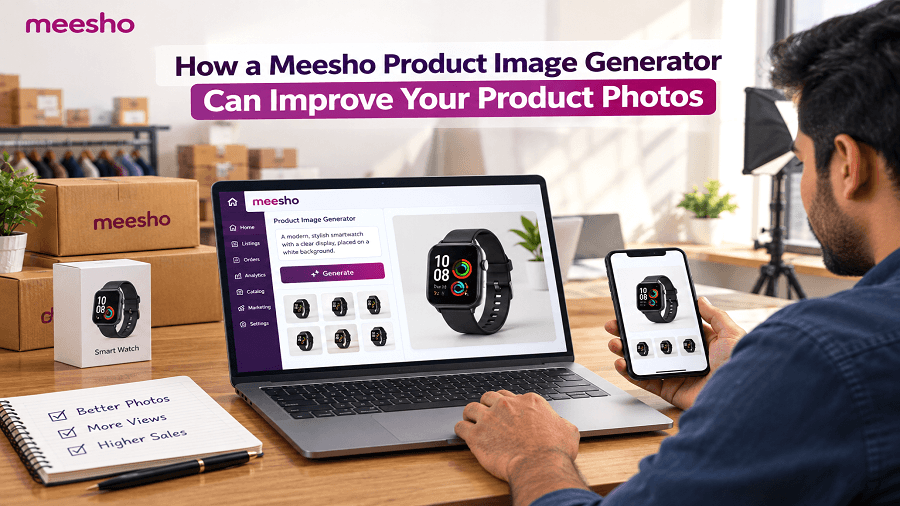
Product photos are one of the first things shoppers notice when browsing an online marketplace. On Meesho, clear and attractive visuals can help sellers present their products more effectively and make listings easier to understand.
However, creating quality product photos for every SKU can take considerable time. Sellers may need to remove distracting backgrounds, adjust lighting, create consistent visuals, and prepare multiple images for their catalogs.
This is where a Meesho Product Image Generator can help. AI-powered image tools can assist sellers in creating, editing, and improving product visuals without requiring advanced design skills or expensive photography setups.
What Is a Meesho Product Image Generator?
A Meesho Product Image Generator is an AI-powered tool that helps sellers create or enhance product images for their online listings.
Depending on the tool, sellers can upload an existing product photo and use AI to improve its appearance, change the background, create new visual variations, or prepare images for different listing requirements.
For example, a seller can start with a simple product photograph and use AI to:
Remove an unwanted background
Create a cleaner product backdrop
Improve the overall visual presentation
Generate alternative product scenes
Create consistent images across multiple products
Prepare images for Meesho catalog photos
The goal is not simply to create attractive pictures. It is to make product information easier for shoppers to understand while reducing the manual work involved in preparing listing images.
Why Product Photos Matter for Meesho Sellers
Online shoppers cannot physically inspect a product before placing an order. Product images therefore play an important role in showing its appearance, design, color, size, and important details.
A strong set of Meesho product photos can help communicate these details more clearly.
Poor-quality images can have the opposite effect. Blurry photos, inconsistent backgrounds, poor lighting, or distracting elements may make a product look less polished.
For sellers managing several SKUs, maintaining consistent image quality can also become difficult. Editing every photo manually requires time and repetitive effort.
AI image tools provide a faster way to handle many of these tasks.
How AI Can Improve Meesho Product Photos
1. Create Cleaner Product Backgrounds
The background can significantly affect how clearly a product is visible.
AI-powered product background removal tools can separate the product from its original background and place it on a cleaner setting. This can make the main product easier to see and reduce unnecessary visual distractions.
A seller can then create a simple product presentation that keeps attention focused on the item.
2. Improve Visual Consistency
When a catalog contains products photographed in different locations, the images may have different lighting, backgrounds, and compositions.
A Meesho product image creator can help sellers create a more consistent visual style across their product catalog.
Consistent images make a store look more organized and can make it easier for shoppers to compare products.
3. Create Multiple Image Variations
Different product images can communicate different types of information.
For example, one image may show the product clearly against a simple background, while another can demonstrate how the product looks in a realistic setting.
AI tools can help create visual variations without requiring a separate photoshoot for every concept.
This can be particularly useful for sellers who want to test different presentation styles for their listings.
4. Save Time on Image Editing
Traditional product photography often involves taking photos, selecting the best shots, removing backgrounds, adjusting images, and preparing final files.
For sellers with many products, these repetitive tasks can consume valuable time.
AI-powered tools can automate or simplify several editing steps, allowing sellers to prepare Meesho listing images more efficiently.
The time saved can then be used for other activities such as catalog management, customer support, inventory planning, and marketing.
Using a Bulk Product Image Generator for Multiple SKUs
Managing images for one product is relatively simple. Managing hundreds of products is a different challenge.
A bulk product image generator can be useful for sellers who regularly need to process large numbers of product images.
Instead of handling every image individually, sellers can use AI-based workflows to create or edit multiple visuals more efficiently.
This can be useful for:
Large product catalogs
Seasonal collections
New product launches
Multiple product variations
Regular catalog updates
Before using any generated image, sellers should check that the final visual accurately represents the actual product. Images should not add features, colors, accessories, or specifications that the product does not have.
AI Product Images vs. Traditional Product Photography
AI does not necessarily replace traditional photography. Instead, it can complement it.
Traditional photography is useful when sellers need highly accurate images of a physical product, especially when precise colors, textures, dimensions, or product details matter.
AI tools can then assist with tasks such as background editing, visual variations, and presentation improvements.
For many sellers, combining an original product photo with AI-powered editing can provide a practical workflow.
The original product remains the source of truth, while AI helps improve the way it is presented.
How to Create Better Meesho Listing Images With AI
A simple workflow can help sellers get better results from an AI image tool:
Step 1: Start with a clear product photo
Use a sharp image where the product is fully visible.
Step 2: Remove distracting elements
Use background removal or editing features to create a cleaner presentation.
Step 3: Choose an appropriate background
Select a simple background that keeps the product easy to understand.
Step 4: Create useful variations
Generate additional visuals only when they provide meaningful information about the product.
Step 5: Check accuracy
Compare the generated image with the actual product before publishing.
Step 6: Prepare the final listing images
Use the strongest visuals that clearly communicate the product's appearance and features.
This approach can help sellers create polished visuals without making the process unnecessarily complicated.
Can a Meesho Product Image Generator Increase Conversions?
A product image generator does not guarantee higher conversions. However, better product presentation can support the shopping experience.
When shoppers can quickly understand what a product looks like, they have more visual information available when evaluating a listing.
Better images may help sellers:
Present products more clearly
Reduce visual distractions
Build a consistent catalog
Highlight important product details
Create more engaging listing visuals
Produce images more efficiently
Conversion performance still depends on several factors, including price, product quality, reviews, ratings, delivery experience, product descriptions, and customer expectations.
Therefore, AI-generated images should be treated as one part of a broader product listing strategy.
How Genimager Can Help With Product Image Creation
Genimager provides AI-powered image generation and editing tools that can help sellers create better product visuals.
Instead of spending hours working through complicated editing software, sellers can use AI-assisted workflows to generate and modify images more efficiently.
For ecommerce sellers, this can be useful when creating product visuals, improving backgrounds, generating creative variations, or preparing images for different marketing requirements.
Genimager can also be explored alongside other Meesho seller tools to build a more efficient workflow for product listing and catalog management.
The key is to use AI thoughtfully: start with an accurate product image, provide clear instructions, and always review the final result before publishing.
Best Practices for AI-Generated Meesho Product Images
For better results, keep these practices in mind:
Use high-quality original product photos.
Keep the actual product appearance accurate.
Avoid adding features that the product does not have.
Use backgrounds that complement rather than distract from the product.
Maintain a consistent visual style across your catalog.
Create variations only when they add useful information.
Review every AI-generated image before publishing.
Keep product details, colors, and proportions as accurate as possible.
Final Thoughts
A Meesho Product Image Generator can simplify the process of creating and improving ecommerce visuals. From background removal and image editing to creating variations and processing multiple products, AI can reduce repetitive work and help sellers maintain a more consistent catalog.
The most effective approach is to combine accurate original product photography with AI-powered enhancement. This allows sellers to improve presentation while keeping their product images trustworthy and relevant.
If you are managing multiple SKUs or regularly creating Meesho product images, an AI-powered workflow can make product photography faster and easier.
Ready to Create Better Product Photos?
Stop spending hours on repetitive image editing. Try Genimager to create, enhance, and transform your product visuals with AI. Create better product images, simplify your workflow, and prepare more engaging ecommerce visuals in less time.