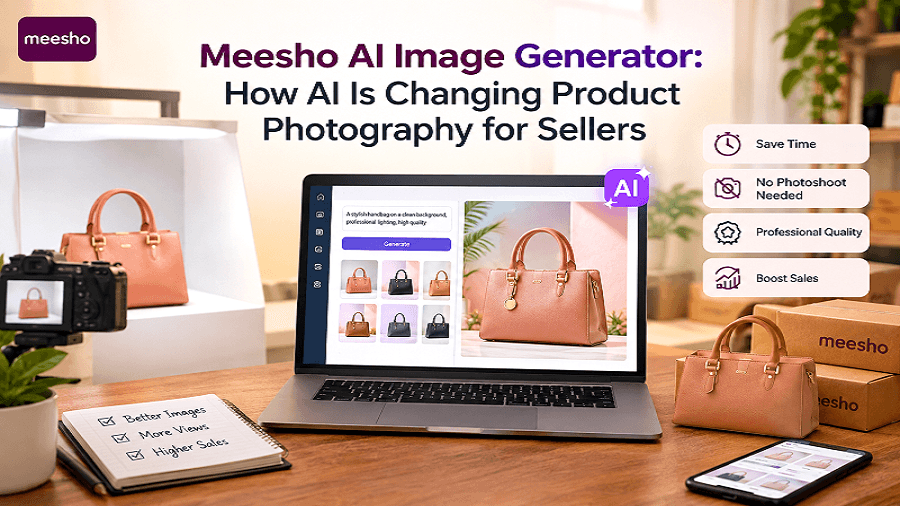
For Meesho sellers, product images can have a major impact on how shoppers notice, understand, and compare products. However, creating professional-looking visuals for every product can take time, money, and photography skills.
This is where a Meesho AI Image Generator can help.
AI-powered image tools allow sellers to create, improve, and customize product visuals using simple prompts or existing product photos. Instead of arranging a complete photoshoot for every catalog update, sellers can use AI to create cleaner backgrounds, lifestyle scenes, marketing visuals, and better Meesho product images.
For small businesses, resellers, manufacturers, and online sellers, this makes product photography for sellers faster and more accessible.
In this guide, we will explain how AI is changing product photography, how sellers can use AI product images for Meesho catalogs, what benefits to expect, and how to create better visuals without making the process complicated.
What Is a Meesho AI Image Generator?
A Meesho AI Image Generator is an AI-powered image creation tool that can help sellers create or enhance product visuals for their online catalogs and marketing campaigns.
Depending on the tool, sellers can start with a text prompt, an existing product photo, or both. AI can then generate new backgrounds, compositions, scenes, or visual variations around the product.
For example, a seller selling handbags could use an AI image generator to create:
A clean white-background product image
A lifestyle image featuring the handbag in a suitable setting
Different background variations
Social media promotional visuals
Seasonal marketing images
Product banners and advertisements
The goal is not simply to create attractive images. The goal is to make Meesho catalog images clearer, more professional, and more useful for online shoppers.
Why Product Photography Matters for Meesho Sellers
Online shoppers cannot physically touch or examine a product before placing an order. Product images therefore help communicate important information visually.
Good product photography can help shoppers understand:
Product appearance
Color and design
Shape and size
Material details
Product usage
Available variations
Overall presentation
Poor-quality images can make even a good product look less appealing or difficult to understand.
For Meesho sellers, this becomes particularly important because shoppers often compare multiple products before deciding what to purchase.
Professional photography can improve presentation, but traditional photography may involve photographers, equipment, studio space, models, props, editing, and repeated photoshoots.
AI offers another approach.
How AI Is Changing Meesho Product Photography
AI is changing ecommerce photography by reducing the amount of manual work required to produce different types of product visuals.
Instead of creating every image from scratch, sellers can use AI to assist with common photography and editing tasks.
1. Create Professional Product Backgrounds
A simple product photo can be transformed with an AI-generated background.
For example, a seller could upload a shoe photo and create a clean studio background or a suitable lifestyle environment.
This can make the image more visually appealing while keeping attention on the product.
2. Generate Lifestyle Product Images
Lifestyle photography shows products in realistic contexts.
For example:
A handbag on a modern table
Home decor inside a living room
Clothing displayed in a suitable fashion setting
Kitchen products placed in a kitchen environment
Accessories presented in an organized workspace
AI can help sellers create these scenes without arranging a complete physical photoshoot.
3. Create Multiple Image Variations
One product photo can potentially become several visual variations.
A seller may create:
Different backgrounds
Different compositions
Promotional banners
Lifestyle scenes
Seasonal designs
Social media creatives
This can be especially useful when managing a large product catalog.
4. Improve Existing Product Photos
Not every seller starts with a professional photograph.
AI image editing can help improve an existing image by adjusting the background, removing distractions, enhancing presentation, or placing the product into a more suitable visual setting.
This can save time compared with manually editing every image.
AI Product Images vs Traditional Product Photography
Traditional product photography still has an important role in ecommerce. For some products, professional photography may be the best choice, especially when exact physical details, textures, or colors need to be represented accurately.
AI, however, can complement traditional photography.
Traditional Photography | AI Product Images |
Requires photography setup | Can start from an existing image |
May require equipment | Usually requires an AI tool |
Physical location may be needed | Digital backgrounds can be created |
New scenes require additional setup | Multiple scenes can be generated |
Editing may require manual work | AI can automate many edits |
Useful for exact product representation | Useful for variations and creative visuals |
The best approach depends on the product, budget, and desired result.
For many Meesho sellers, AI can work as a practical addition to their existing product photography workflow.
How Meesho Sellers Can Use AI Image Generators
AI can support different stages of the ecommerce image creation process.
Step 1: Start With a Clear Product Photo
Use a clear image where the product is visible and not heavily obstructed.
The better the source image, the easier it is to create useful visual variations.
Step 2: Describe the Desired Scene
A detailed prompt can tell the AI what type of image you want.
For example:
“Create a clean ecommerce product image of this handbag on a minimal beige studio background with soft natural lighting.”
The prompt should describe the product setting, background, lighting, composition, and visual style.
Step 3: Generate Several Variations
Instead of using the first result, create multiple versions and compare them.
Look for images where:
The product remains accurate
The background is clean
The product is easy to see
Lighting looks natural
The composition is not distracting
Step 4: Review the Product Carefully
AI-generated visuals should always be reviewed before publishing.
Check details such as:
Product shape
Color
Patterns
Logos
Text
Accessories
Product proportions
AI can sometimes introduce visual changes that do not accurately represent the original product.
Step 5: Use the Best Image for Your Catalog
Select images that communicate the actual product clearly rather than choosing an image simply because it looks attractive.
Accuracy should remain a priority in ecommerce product photography.
What Makes a Good Meesho Catalog Image?
A strong catalog image should make the product easy to understand within seconds.
Here are some useful principles:
Keep the Product Clearly Visible
Avoid backgrounds or decorative elements that compete with the product.
Use Consistent Presentation
If you have several products in the same category, try to maintain a similar visual style.
Consistency can make a catalog look more organized.
Avoid Misleading Visuals
AI should not be used to make a product appear significantly different from what the customer will receive.
The image should represent the actual product as accurately as possible.
Prioritize Image Quality
Blurry, distorted, or poorly composed images can reduce the perceived quality of a product.
High-quality Meesho product images should be clear and easy to inspect.
Benefits of AI Ecommerce Photography for Sellers
AI ecommerce photography can offer several practical advantages.
Faster Content Creation
Sellers can create image variations without organizing a new photoshoot every time.
Lower Production Requirements
AI tools can reduce the need for expensive equipment, studio setups, props, and repeated photography sessions.
More Creative Options
A single product can be presented in different environments and visual styles.
Easier Catalog Updates
Sellers adding new products can create supporting visuals faster.
Better Marketing Content
The same product can be adapted into social media posts, advertisements, banners, and promotional creatives.
This makes an AI image generator useful beyond the Meesho catalog itself.
Can AI Replace Product Photography?
Not completely.
AI is better viewed as a tool that supports product photography rather than a complete replacement for every photography requirement.
Physical photography remains valuable when sellers need highly accurate representation of a product.
AI is particularly useful for:
Background creation
Image variations
Creative compositions
Lifestyle scenes
Marketing visuals
Image editing
Catalog content production
A combination of real product photography and AI editing can provide a practical workflow for many ecommerce businesses.
How Genimager Can Help With AI Product Images
Genimager provides AI-powered visual creation and editing tools that can help sellers create product visuals from prompts or reference images.
For ecommerce sellers, this can make it easier to experiment with different backgrounds, product scenes, promotional concepts, and visual variations.
Instead of creating every marketing image manually, sellers can use AI to speed up parts of the creative workflow.
Genimager can be useful for creating:
AI product images
Ecommerce marketing visuals
Product background variations
Social media creatives
Advertisement visuals
Product image edits
Different visual concepts from reference images
For sellers managing multiple products, having these capabilities in one workflow can make visual content creation more convenient.
Best Practices for Using a Meesho Image Creator
To get better results from a Meesho image creator, follow a few simple practices.
Use high-quality reference images: Start with clear product photos whenever possible.
Write specific prompts: Mention the background, lighting, setting, composition, and desired style.
Keep the product accurate: Do not allow AI changes that alter important product characteristics.
Create multiple options: Compare several versions instead of automatically selecting the first output.
Maintain consistency: Use similar visual styles across related products.
Check images manually: Always inspect the final image before adding it to a product listing.
Use AI beyond the catalog: Repurpose suitable visuals for social media, ads, email campaigns, and other marketing channels.
Is a Meesho AI Image Generator Worth Using?
For sellers who regularly create product images, an AI image generator can be a useful addition to their workflow.
It can help reduce repetitive editing work, create visual variations faster, and make professional-looking product presentation more accessible.
However, AI should support the actual product rather than misrepresent it. The strongest ecommerce visuals combine accuracy, clarity, consistency, and good design.
For Meesho sellers with a growing catalog, AI can make it easier to keep visual content fresh without treating every new image as a completely new photography project.
Final Thoughts
AI is making product photography for sellers more flexible and accessible. From creating clean backgrounds to generating lifestyle scenes and marketing variations, AI can reduce repetitive work while giving sellers more ways to present their products.
For Meesho sellers, the biggest opportunity is not simply creating more images. It is creating better, clearer, and more consistent product visuals that help shoppers understand what they are viewing.
Whether you sell fashion, accessories, home products, beauty items, electronics, or other categories, combining real product photos with AI-powered editing can help build a more efficient visual content workflow.
Ready to create better product visuals without complicated photography setups? Try Genimager and turn your product photos into polished ecommerce visuals, creative backgrounds, and marketing-ready images.
Frequently Asked Questions
1. What is a Meesho AI Image Generator?
A Meesho AI Image Generator is an AI-powered tool that helps sellers create or edit product visuals using text prompts, reference images, or existing product photos.
2. Can AI create Meesho product images?
Yes. AI tools can help create product backgrounds, lifestyle scenes, image variations, and other ecommerce visuals. Sellers should review the output to ensure the product remains accurate.
3. How can AI help Meesho sellers?
AI can help Meesho sellers create product visuals faster, generate different backgrounds, improve existing images, and produce marketing creatives for multiple channels.
4. Can AI replace professional product photography?
AI does not completely replace professional photography. It can complement photography by helping with editing, backgrounds, creative scenes, and image variations.
5. What should sellers check in AI-generated product images?
Sellers should check product shape, color, design, proportions, logos, text, and other important details to make sure the image accurately represents the real product.