How to Use AI Image Generation in Education: Create Stunning Visual Learning Experiences with Genimager
Education is evolving fast, and visual learning is now at the center of engagement. Traditional text-heavy content is no longer enough to capture attention or improve retention. This is where AI image generation in education becomes a transformative solution. In this guide, you’ll learn how to use AI-generated visuals to create interactive, engaging, and high-converting learning experiences using Genimager.
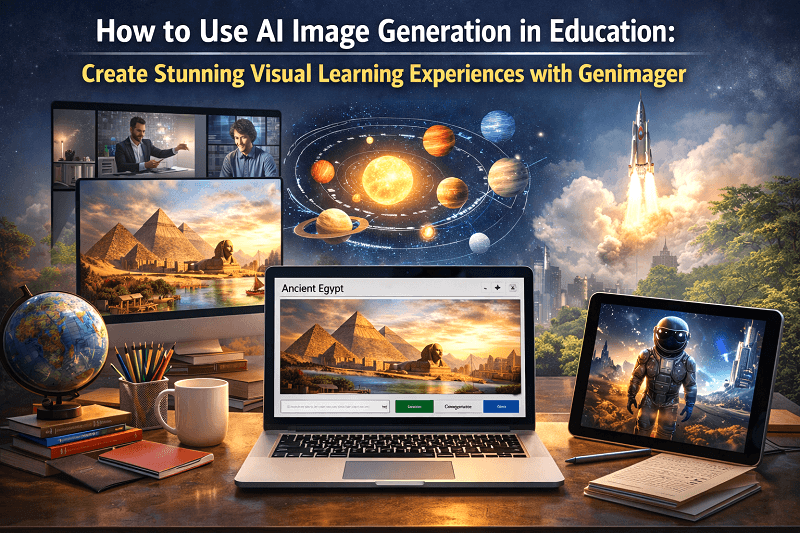
Education is evolving fast, and visual learning is now at the center of engagement. Traditional text-heavy content is no longer enough to capture attention or improve retention. This is where AI image generation in education becomes a transformative solution.
In this guide, you’ll learn how to use AI-generated visuals to create interactive, engaging, and high-converting learning experiences using Genimager.
What Is AI Image Generation in Education?
AI image generation uses advanced algorithms to create visuals from text prompts. In education, it helps teachers, course creators, and institutions transform complex topics into easy-to-understand visual content.
Why Visual Learning Matters More Than Ever
Studies show that people retain:
65% of visual content
Only 10% of text-based content
This makes AI-generated visuals a powerful tool for:
Increasing student engagement
Improving knowledge retention
Making learning more interactive and accessible
Benefits of AI Image Generation for Education
1. Simplifies Complex Concepts
AI visuals turn difficult topics into easy-to-understand graphics, diagrams, and illustrations.
2. Saves Time for Educators
No need for manual design, generate visuals instantly.
3. Enhances Online Courses
Makes e-learning content more dynamic and engaging.
4. Boosts Student Engagement
Interactive visuals capture attention better than plain text.
5. Cost-Effective Solution
Reduces dependency on expensive designers or stock images.
How to Use AI Image Generation in Education
Step 1: Define Your Learning Objective
Start by identifying what students want to learn. Clear goals help create relevant visuals.
Example:
Instead of “Photosynthesis,” use:
“Visual diagram explaining the process of photosynthesis step-by-step”
Step 2: Write High-Quality Prompts
The better your prompt, the better your output.
Prompt Example:
“Create a detailed educational illustration showing the water cycle with labels for evaporation, condensation, and precipitation.”
Step 3: Generate Visuals Using Genimager
Use Genimager to turn your prompts into high-quality educational images.
Create diagrams
Design infographics
Build concept visuals
Generate interactive learning graphics.
Step 4: Customize for Your Audience
Adapt visuals based on:
Student age group
Subject complexity
Learning style
Step 5: Integrate into Learning Content
Use AI-generated images in:
Online courses
Presentations
Study materials
Educational blogs
Use Cases of AI-Generated Visuals in Education
1. Infographics for Quick Learning
Summarize complex topics into visual formats.
2. Science & Technical Diagrams
Explain processes like:
Human anatomy
Physics laws
Chemical reactions
3. Geography & History Visuals
Bring maps, timelines, and historical events to life.
4. E-Learning Course Content
Make lessons more interactive and visually appealing.
5. Interactive Learning Materials
Create visual quizzes and concept-based graphics.
Best Practices for Creating High-Converting Educational Visuals
Use clear and simple designs.
Focus on one concept per visual.
Add labels and annotations.
Maintain consistent style and branding.
Optimize images for mobile and fast loading
How AI Visuals Improve Engagement & Conversions
AI-generated visuals:
Increase time on page.
Reduce bounce rates
Improve course completion rates.
Boost student satisfaction
For educators and platforms, this directly leads to:
Higher enrollments
Better learning outcomes
Increased revenue
Future of AI Visuals in Education
AI is not just a trend t’s the future of learning.
Expect:
Personalized visual content
Real-time AI-generated learning materials
Immersive visual classrooms
Educators who adopt AI early will have a competitive advantage.
Final Thoughts
AI image generation is transforming education by making learning more visual, engaging, and effective. Whether you’re an educator, course creator, or institution, integrating AI-generated visuals can significantly enhance your content.
Ready to transform your educational content into high-impact visual learning experiences?
Use Genimager to create stunning AI-generated visuals in seconds.
Boost student engagement and retention effortlessly.
Turn your ideas into powerful educational graphics
Start using Genimager today and redefine the future of learning with AI-powered visuals.
FAQ
1. How can AI image generation be used in education?
AI image generation helps create visual aids like diagrams, infographics, and illustrations that improve understanding and engagement.
2. What are the benefits of AI-generated visuals for students?
They enhance retention, simplify complex topics, and make learning more interactive and enjoyable.
3. Can AI images improve online course performance?
Yes, AI visuals increase engagement, reduce drop-offs, and improve course completion rates.
4. What is the best way to create AI educational images?
Use clear prompts, focus on learning objectives, and generate visuals using tools like Genimager.
5. Are AI-generated images SEO-friendly?
Yes, when optimized with alt text, keywords, and proper formatting, they improve search rankings and visibility.