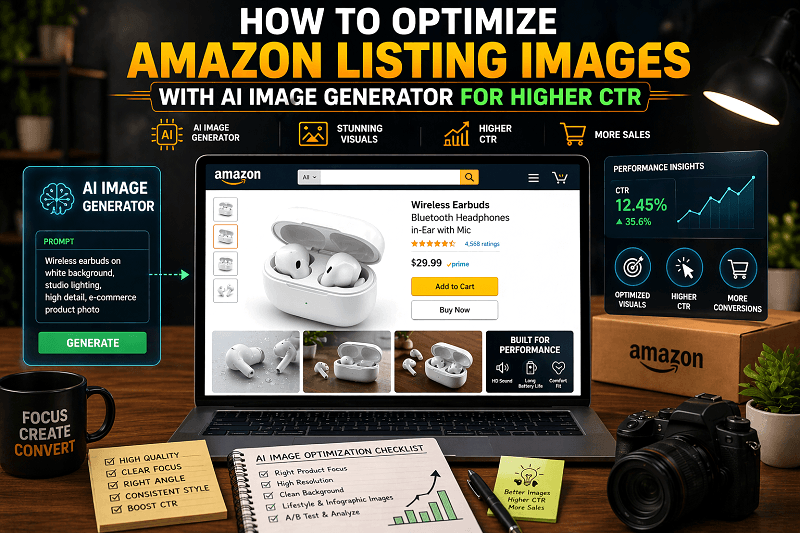
Why Amazon Listing Images Matter More Than Ever in 2026
In 2026, Amazon shoppers make decisions in seconds, and visuals are the first thing they notice. Before reading titles or bullet points, users scan product images. That means your images directly influence whether someone clicks your listing or scrolls past it.
Role of Visuals in Buying Decisions
High-quality visuals help customers quickly understand the product, its features, and its value. Strong AI-generated visuals can communicate benefits faster than text, making them essential for modern e-commerce success.
Impact of Images on CTR and Conversions
Optimized images increase:
Click-through rate (CTR)
Time spent on listing
Conversion rate
Listings with compelling visuals consistently outperform those with basic or low-quality images.
Shift from Traditional Photography to AI-Generated Visuals
Traditional product photography is expensive and time-consuming. Today, sellers are switching to a AI image generator for Amazon listing solutions to create professional visuals quickly, test variations, and scale campaigns efficiently.
What Is an AI Image Generator for Amazon Listings?
An AI image generator for Amazon listing is a tool that converts text prompts into high-quality product visuals. By describing the product, environment, and style, sellers can generate customized images instantly.
Key Features for E-commerce Sellers
1. Background Generation
Create clean white backgrounds or lifestyle environments without photoshoots.
2. Lifestyle Image Creation
Generate real-world usage scenes to improve customer connection.
3. High-Resolution Outputs
Produce zoom-ready images that meet Amazon’s quality standards.
Why Optimizing Amazon Listing Images Is Crucial for Higher CTR
Users scroll quickly and click only when an image stands out. The main image acts as a hook, while additional images build trust and drive conversions.
Key Metrics Affected by Image Optimization
CTR (Click-Through Rate): Better visuals attract more clicks from search results.
Conversion Rate: Clear and informative images help customers make buying decisions.
Engagement: High-quality AI visuals keep users engaged and reduce bounce rates.
Benefits of Using an AI Image Generator for Amazon Listing Images
1. Faster Image Creation
Generate multiple images in minutes instead of days.
2. Cost Efficiency
Save on studio, equipment, and editing costs.
3. Unlimited Creative Variations
Test different styles, backgrounds, and angles effortlessly.
4. Consistent Branding Across Listings
Maintain uniform design and brand identity across products.
Step-by-Step Guide to Optimize Amazon Listing Images Using AI
Step 1: Define Your Product and Target Audience
Understand:
Who your ideal customer is
What problem does your product solve
What visual style appeals to your audience
Step 2: Create High-Converting AI Image Prompts
Example Prompt Structure
Product + Background + Style + Lighting + Purpose
Example:
“Wireless earbuds on a clean white background, studio lighting, modern style, high detail, ecommerce product image”
Step 3: Generate Multiple Image Variations
Types of Variations to Test
Backgrounds (white, lifestyle, minimal)
Angles (top view, front view, close-up)
Lighting (soft, dramatic, natural)
Testing variations helps identify what drives the highest CTR.
Step 4: Optimize Images for Amazon Guidelines
Key Requirements
White background for main image
High resolution (minimum 1000px for zoom)
Product clearly visible and centered
The following guidelines ensure compliance and better ranking.
Step 5: A/B Test Your Images for Better CTR
Tools and Testing Strategies
Compare different creatives
Track CTR and conversions
Replace underperforming images
Continuous testing is key to improving performance.
Best AI Image Prompt Examples for Amazon Listings
1. Main Product Image Prompt
“Minimalist product on white background, studio lighting, sharp focus, high resolution, ecommerce style”
2. Lifestyle Image Prompt
“Product in real-life usage setting, natural lighting, lifestyle photography, warm tones, realistic detail”
3. Infographic Style Image Prompt
“Product with feature highlights, clean layout, icons, informative design, high clarity”
4. Promotional Banner Style Prompt
“Product with discount elements, bold colors, dynamic lighting, promotional style, high energy”
Types of Amazon Listing Images You Can Create Using AI
1. Main Product Images
Clean and simple images focused on the product.
2. Lifestyle Images
Show how the product is used in real life.
3. Infographics
Highlight key features and benefits visually.
4. Comparison Charts
Compare your product with your competitors.
5. Brand Story Images
Communicate your brand identity and values.
How Genimager Helps You Optimize Amazon Listing Images Faster
1. Pre-built Prompt Templates
Use ready-made prompts designed for e-commerce success.
2. AI Background Generator
Instantly create professional product environments.
3. High-Resolution Image Output
Generate images suitable for the Amazon Zoom feature.
4. Scalable Image Creation for Sellers
Create multiple visuals for different products quickly.
Advanced Tips to Increase CTR with AI-Generated Images
1. Use Contrast and Color Preferences
Bright and contrasting visuals grab attention.
2. Highlight Product Benefits Visually
Show features instead of describing them.
3. Focus on Clarity and Simplicity
Avoid cluttering and keep the message clear.
4. Optimize for Mobile Shoppers
Ensure images look good on smaller screens.
Future of AI in Amazon Listing Optimization
1. Personalized Product Images
AI will create visuals tailored to individual users.
2. Real-Time Image Generation
Instant updates are based on trends and performance data.
3. AI-Driven Conversion Optimization
Automated improvements based on analytics.
Conclusion
Optimizing Amazon listing images is no longer optional; it’s essential for success. With the help of an AI image generator for Amazon listing, sellers can create high-quality, engaging visuals that attract clicks and drive conversions.
By using structured prompts, testing variations, and following best practices, you can significantly improve your listing performance.
If you want to create powerful, AI-generated visuals and scale your e-commerce growth, start using Genimager today and turn your product images into conversions.
FAQs
1. How do AI image generators improve Amazon CTR?
AI image generators create visually appealing and high-quality images that attract attention, leading to more clicks and improved CTR.
2. What types of images convert best on Amazon?
Main product images, lifestyle visuals, and infographics typically perform best in driving conversions.
3. How to create Amazon product images without a photoshoot?
You can use an AI image generator for an Amazon listing to create professional product images by writing structured prompts and generating visuals instantly.
4. How do I write better AI prompts for Amazon product images?
Use a structured format, including product, background, lighting, style, and purpose, to ensure the generated image matches your marketing goal.
5. How can I test which Amazon images perform best?
You can run A/B tests using different image variations and track performance metrics like CTR and conversion rate to identify top-performing visuals.