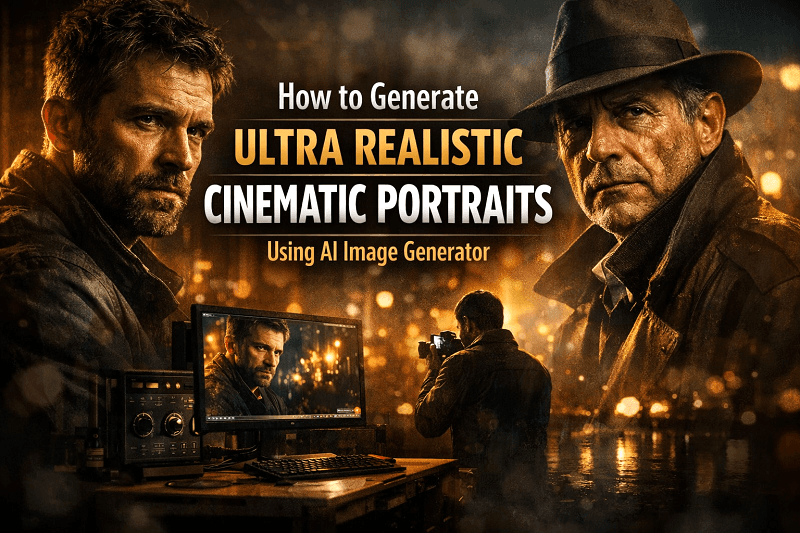
In today’s digital world, visuals are everything. Whether you are a content creator, marketer, or designer, having high-quality portraits can make your work stand out. But creating professional, cinematic portraits traditionally requires expensive equipment, lighting setups, and skilled photographers. With the latest AI technology, you can now generate ultra realistic cinematic portraits using AI image generators like Genimager. In this blog, we will explore how you can easily create stunning, lifelike portraits with AI and make your visuals stand out.
What Are Ultra Realistic Cinematic Portraits?
Ultra realistic cinematic portraits are images that look so lifelike and detailed that they appear almost real. These portraits go beyond standard photography by adding cinematic qualities such as dramatic lighting, depth, and mood. Think of portraits you see in movies, high-end magazines, or professional advertising campaigns.
The term "cinematic" emphasizes storytelling through visual style. Shadows, highlights, focus, and even the background contribute to a story, making the portrait more engaging. With AI, creating such high-quality images no longer requires a full studio setup. You can achieve professional-grade results with just a computer and the right AI tools.
These portraits are perfect for social media profiles, portfolio showcases, marketing campaigns, and even personal branding. AI tools make it possible to produce these images faster and at a fraction of the cost.
Why Use AI Image Generators for Cinematic Portraits?
AI image generators use advanced algorithms to create images from text prompts or minimal inputs. Here’s why you should consider using them for cinematic portraits:
Speed and Efficiency: Traditional portrait creation can take hours or even days. AI can generate a high-quality portrait in minutes.
Cost-Effective: No need for expensive cameras, lighting, or studio setups. AI reduces production costs significantly.
Creative Freedom: Experiment with different styles, moods, and aesthetics without physical limitations.
Consistency: AI allows you to maintain a consistent look across multiple images, perfect for branding or content campaigns.
Accessibility: Even beginners with no photography experience can create professional portraits
How to Generate Ultra Realistic Cinematic Portraits Using Ai Image Generator
Some AI image generator specifically designed for creating ultra realistic cinematic portraits. Here’s a simple step-by-step guide to generating your own AI visuals:
1. Define Your Portrait Style
Decide on the type of cinematic portrait you want. Do you want dramatic lighting, a soft film look, or a moody noir style? Writing a clear description helps the AI understand your vision.
2. Use Ultra Realistic Cinematic Portraits Prompts
Enter detailed prompts into tool. Include specifics like facial expressions, lighting direction, background, color tones, and mood.
For example:
“A close-up portrait of a man with soft cinematic lighting, subtle background blur, and dramatic shadows, ultra realistic cinematic portrait style.”
3. Customize Settings
Adjust settings like resolution, aspect ratio, and style presets. Higher resolution options give more detail, which is essential for ultra realistic portraits.
4. Generate the Portrait
Click on “Generate,” and let the AI create your image. In just a few seconds, it will produce a high-quality cinematic portrait based on your prompt.
5. Refine and Enhance
You can regenerate the portrait or tweak prompts to refine the image further. It allows you to experiment until you achieve the perfect visual.
By following these steps, even beginners can create professional-grade portraits without any photography experience.
Tips to Enhance Ultra Realistic AI Portraits
Creating AI-generated portraits is easy, but you can take your images to the next level with a few simple tips:
1. Be Specific in Your Prompts
The more details you provide, the better the AI understands your vision. Include lighting, facial expression, background, mood, and even clothing style.
2. Experiment with Angles and Composition
AI can simulate different camera angles and focal lengths. Try various perspectives to see what looks most cinematic.
3. Use Reference Images
Upload a reference image . This can guide the AI in replicating a particular style or mood.
4. Post-Processing
Even ultra realistic AI portraits can benefit from light editing. Adjust contrast, color grading, or sharpen details to enhance realism.
These tips help you get the most out of AI image generators, producing visuals that rival professional photography.
Benefits of Using GenImager for AI Visuals
Using Genimager offers unique advantages when creating ultra realistic cinematic portraits:
High-Quality Output: The AI generates lifelike images with excellent detail and clarity.
User-Friendly Interface: You don’t need technical skills to create stunning portraits.
Variety of Styles: Experiment with cinematic, editorial, portrait, and artistic styles.
Fast Rendering: Get results in seconds instead of hours.
Safe and Secure: Your creations remain private, and Genimager ensures high-quality image safety.
These benefits make Genimager the go-to choice for artists, marketers, and anyone looking to create top-tier AI visuals.
Common Use Cases for Ultra Realistic Cinematic Portraits
Ultra realistic cinematic portraits have versatile applications across industries:
1. Social media and Branding
Stand out on platforms like Instagram, LinkedIn, or YouTube with professional-looking portraits.
2. Marketing Campaigns
Use cinematic visuals to make advertisements more engaging and memorable.
3. Portfolio Creation
Designers, models, and photographers can quickly generate high-quality portfolio content.
4. Entertainment Industry
Ideal for concept art, character design, or movie poster previews.
5. Personal Projects
From gifts to creative personal projects, AI portraits add a professional touch.
With AI, creating visually striking content has never been easier or more accessible.
Conclusion
Creating ultra realistic cinematic portraits is now easier than ever with AI image generators like Genimager. You can make professional-looking images in minutes without needing special equipment or photography skills. By using clear prompts and exploring different styles, anyone can create portraits that look lifelike and cinematic. These AI visuals are perfect for social media, branding, portfolios, or personal projects. With features like fast generation, high quality, and easy customization, Genimager gives you full creative control.
Start using Genimager today to make your cinematic portrait ideas come alive and create visuals that truly stand out.