How to Create Stunning Product Mockups With AI: A Step-by-Step Guide 2026
Your product may be great, but shoppers cannot experience it through a screen. They judge what they can see. That makes product mockups more than decorative assets. They help customers understand how a product looks, fits, or feels before they buy. The good news? You do not need a studio, expensive equipment, or advanced Photoshop skills. With an AI product mockup generator such as GenImager, you can turn a basic product image into polished visuals for ecommerce stores, landing pages, ads, social media, and campaigns.
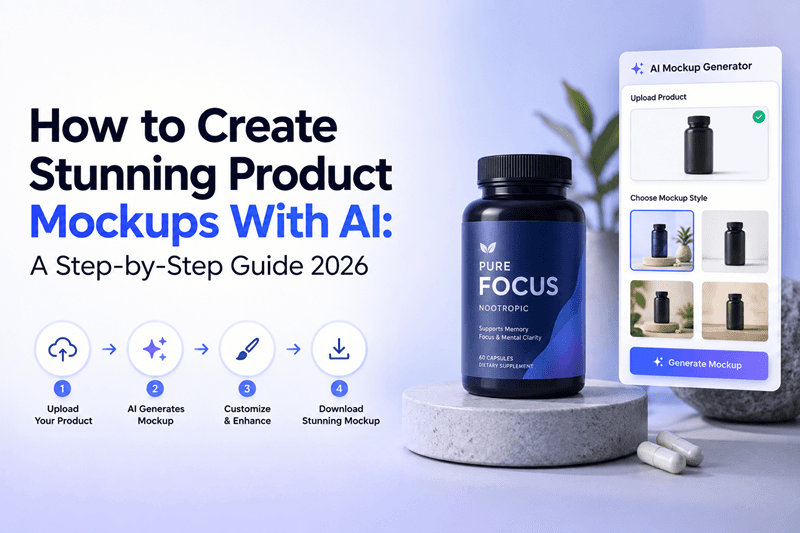
Your product may be great, but shoppers cannot experience it through a screen. They judge what they can see. That makes product mockups more than decorative assets. They help customers understand how a product looks, fits, or feels before they buy.
The good news? You do not need a studio, expensive equipment, or advanced Photoshop skills. With an AI product mockup generator such as GenImager, you can turn a basic product image into polished visuals for ecommerce stores, landing pages, ads, social media, and campaigns.
In this guide, you will learn how to create product mockups using AI, write better prompts, avoid common mistakes, and turn one product image into multiple marketing visuals.
What Is an AI Product Mockup?
An AI product mockup is a digitally created scene that presents a product in a realistic setting. Instead of manually arranging backgrounds, lighting, shadows, and props, AI image generation can create or transform the scene based on your instructions.
You can create mockups for:
Product packaging and labels
Apparel and accessories
Cosmetics and skincare
Food and beverage products
Electronics and gadgets
Books and stationery
Ecommerce listings and ads
The goal is simple: make the product look believable, relevant, and ready for customers.
Why Use AI for Product Mockups?
Traditional product photography can require photographers, locations, props, lighting, editing, and repeated shoots. AI makes visual experimentation much faster.
For growing brands, key benefits include:
Faster production: Generate multiple concepts without rebuilding every scene.
Lower creative costs: Reduce dependence on repeated photoshoots and manual editing.
More variations: Test studio, lifestyle, seasonal, premium, and social-first concepts.
Better content velocity: Create visuals for product pages, campaigns, blogs, and ads from the same source asset.
Easy experimentation: Compare backgrounds, compositions, and visual styles before publishing.
GenImager's product-visual workflow supports prompt-based creation, background generation, and multiple variations for ecommerce use cases.
How to Create Product Mockups Using AI
1. Start With a Clean Product Image
Your source image matters. Use a sharp, well-lit photo with visible product details. A transparent PNG is especially useful when available.
Before generating a mockup, check:
Product edges are clear
Branding is readable
The product is not distorted
Resolution is sufficient
Unwanted objects are removed
Think of your original image as the foundation. Better inputs make believable outputs easier to achieve.
2. Define the Mockup Scene
Do not ask AI to “make a product mockup” and stop there. Describe the environment you want.
Specify the setting, camera angle, lighting, surface, props, mood, composition, and brand style.
Prompt example:
“Create a premium skincare product mockup featuring the uploaded bottle on a light stone bathroom counter, soft morning light, subtle shadows, minimal beige styling, clean luxury aesthetic, realistic photography, product centered and clearly visible.”
Specific prompts give you more control over the final composition.
3. Choose a Background That Supports the Product
A good background creates context without stealing attention.
For ecommerce, try a clean studio background. For lifestyle campaigns, place the product in a realistic environment where customers might use it. For seasonal promotions, experiment with relevant colors, textures, or props.
Keep one rule in mind: the product should remain the hero.
4. Generate Multiple Versions
Your first result does not have to be your final result.
Create variations using different:
Angles
Lighting conditions
Backgrounds
Props
Cropping
Color palettes
Lifestyle settings
One product can become a visual library for product pages, Instagram, paid ads, email campaigns, and blog content. This is one of the biggest advantages of AI product mockups.
5. Refine for Brand Consistency
AI gives you creative flexibility, but your brand still needs consistency.
Keep these elements aligned across your product mockup design:
Brand colors
Packaging appearance
Lighting style
Image composition
Tone and mood
Logo and label details
Consistent visuals help customers recognize your products across channels.
AI Product Mockup Prompt Formula
Want better results without writing prompts from scratch?
Use this simple formula:
Product + Setting + Composition + Lighting + Style + Quality + Focus
Example:
“Wireless earbuds on a modern office desk, three-quarter angle, soft natural window lighting, clean professional composition, premium commercial photography, realistic reflections, sharp product details, product as the main focus.”
Then change only the setting or style to create new concepts. This makes AI product photography easier to repeat across campaigns.
Common AI Mockup Mistakes to Avoid
Even powerful AI tools can produce weak visuals when instructions or source images are poor.
Avoid:
Vague prompts
Overcrowded backgrounds
Unrealistic shadows
Excessive props
Distorted packaging
Incorrect product colors
Unreadable labels
Low-resolution exports
Always inspect the final image before publishing. If the product looks inaccurate, regenerate it instead of hiding the issue with extra design elements.
Where Can You Use AI Product Mockups?
One strong mockup can support several marketing channels.
Ecommerce: Product listings, collection pages, and promotional banners.
Social media: Instagram posts, Pinterest graphics, and campaign creatives.
Paid advertising: Multiple concepts for creative testing.
Email marketing: Product launches, seasonal promotions, and featured-product campaigns.
Websites: Hero sections, landing pages, product pages, and feature visuals.
This turns product visualization into a scalable content system instead of a one-time design task.
Conclusion: Turn Product Images into Marketing Assets
Learning how to create product mockups using AI can help brands move from one product photo to a library of professional visual assets. The winning workflow is not simply generating attractive images. It is creating accurate, on-brand, platform-ready visuals designed to encourage action.
Start with a strong product image, write specific prompts, test multiple scenes, and refine the best outputs for your audience.
Ready to create realistic product mockups without a complicated design workflow? Explore GenImager and turn your product ideas into high-quality visuals built for modern marketing.