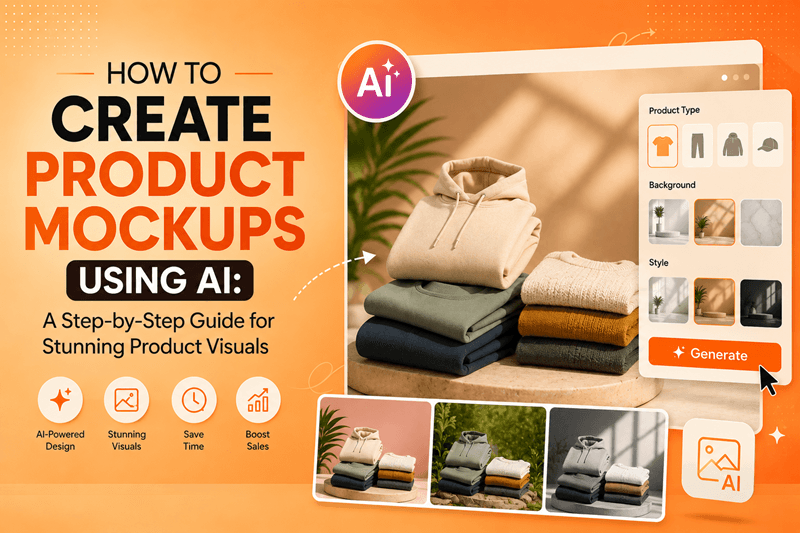
In today's competitive online marketplace, first impressions matter more than ever. Whether you sell physical products, digital downloads, apparel, cosmetics, electronics, or handmade goods, your product visuals often determine whether visitors click, browse, or buy.
The good news is that you no longer need expensive design software or professional photography to create eye-catching product images. With modern AI technology, anyone can create realistic, high-quality product mockups in minutes.
If you've been wondering how to create product mockups using AI, this guide will walk you through the complete process, along with practical tips to help your products stand out and convert more customers.
What Is an AI Product Mockup?
An AI product mockup is a digitally generated product presentation created using artificial intelligence. Instead of manually editing images in complex software, AI automatically generates realistic product scenes based on your prompts, uploaded images, or branding preferences.
These mockups can include:
Product packaging
T-shirts and apparel
Coffee mugs
Books and magazines
Phone cases
Cosmetic bottles
Food packaging
Electronics
Social media product ads
Ecommerce product listings
The result is professional-quality marketing visuals created in a fraction of the traditional time.
Why More Businesses Are Using AI for Product Mockups
AI has completely transformed the product design workflow.
Instead of spending hours on photography, lighting, editing, and graphic design, businesses can now produce multiple product concepts almost instantly.
Some of the biggest advantages include:
Faster content creation
Lower design costs
No advanced design skills required
Consistent branding across campaigns
Endless creative variations
Easy A/B testing for marketing campaigns
High-quality visuals for websites and social media
This makes AI especially valuable for ecommerce brands, startups, agencies, creators, and small businesses.
Step-by-Step: How to Create Product Mockups Using AI
Step 1: Choose the Right AI Mockup Tool
Your first step is selecting an AI platform designed for generating product visuals.
Look for features such as:
AI image generation
Prompt-based editing
Background replacement
High-resolution exports
Multiple design styles
Commercial usage rights
A modern AI image platform like GenImager allows you to create professional product visuals quickly without relying on complicated editing software.
Step 2: Prepare Your Product Image
For the best results, start with:
A clear product photo
Transparent PNG if available
High resolution
Good lighting
Clean edges
The better your source image, the more realistic your final mockup will appear.
Step 3: Write a Detailed AI Prompt
AI performs best when you provide clear instructions.
Instead of writing:
"Create a product mockup."
Try something like:
"Generate a luxury skincare bottle displayed on a white marble countertop with soft natural lighting, minimal shadows, green plant accents, premium branding, realistic reflections, and modern lifestyle aesthetics."
Specific prompts help AI produce more accurate and visually appealing results.
Step 4: Select the Right Background
The background should complement your product rather than distract from it.
Popular options include:
Minimal white studio setup
Wooden tabletop
Modern office desk
Kitchen counter
Outdoor lifestyle scene
Luxury marble surface
Soft pastel environment
Abstract gradient background
Choose a setting that matches your brand identity and target audience.
Step 5: Customize Colors and Branding
Once your AI mockup is generated, personalize it by adjusting:
Brand colors
Logo placement
Packaging labels
Typography
Shadows
Lighting
Textures
Consistency across every product image builds trust and strengthens brand recognition.
Step 6: Generate Multiple Variations
One of AI's biggest strengths is speed.
Instead of creating a single mockup, generate several versions featuring different:
Camera angles
Backgrounds
Color palettes
Lighting styles
Seasonal themes
Marketing concepts
Having multiple variations allows you to test which visuals perform best across your website, social media, and advertising campaigns.
Best Practices for Creating High-Converting AI Product Mockups
Want your mockups to look professional instead of obviously AI-generated?
Follow these proven tips.
Keep the Product as the Hero
Avoid cluttered scenes.
Your product should remain the focus while the background enhances its presentation.
Use Natural Lighting
Soft lighting creates realistic images and helps customers better understand your product.
Maintain Brand Consistency
Use the same fonts, colors, and design language across all product images.
This creates a stronger and more memorable customer experience.
Match the Platform
Design different mockups for different channels.
For example:
Square images for Instagram
Vertical visuals for Stories
Landscape banners for websites
Clean white backgrounds for ecommerce marketplaces
Test Different Styles
Modern consumers respond differently to visual styles.
Experiment with:
Luxury
Minimalist
Lifestyle
Bold
Vintage
Editorial
Seasonal
Small design changes can significantly impact click-through rates.
Common Mistakes to Avoid
Even with AI, certain mistakes can reduce the effectiveness of your product mockups.
Avoid:
Overcrowded backgrounds
Unrealistic lighting
Poor-quality source images
Inconsistent branding
Excessive visual effects
Low-resolution exports
Generic prompts
Improving these areas can dramatically enhance the quality of your marketing visuals.
Who Can Benefit from AI Product Mockups?
AI product mockups are useful for nearly every industry.
They are especially valuable for:
Ecommerce stores
Amazon sellers
Shopify businesses
Etsy shop owners
Marketing agencies
Graphic designers
Print-on-demand businesses
Fashion brands
Beauty companies
Food brands
SaaS businesses promoting products
Content creators
Whether you're launching a new product or refreshing your catalog, AI helps you produce engaging visuals much faster.
Why GenImager Makes AI Mockup Creation Easier
Creating product visuals should never slow down your marketing.
With GenImager, you can transform ideas into professional product mockups within minutes. From realistic lifestyle scenes to clean ecommerce product images, the platform helps marketers, entrepreneurs, and businesses create impressive visuals without requiring advanced design expertise.
Instead of spending hours editing photos manually, you can focus on testing new ideas, launching campaigns faster, and building a stronger brand presence with AI-powered creativity.
Conclusion: Start Creating Better Product Mockups Today
Creating high-quality product visuals no longer requires expensive photoshoots or advanced graphic design skills. By learning how to create product mockups using AI, you can produce professional, engaging, and conversion-focused images that elevate your brand across ecommerce stores, websites, social media, and advertising campaigns.
The key is simple: use clear prompts, maintain consistent branding, experiment with multiple styles, and continuously optimize your visuals based on customer engagement.
Ready to create stunning AI-powered product mockups in minutes? Visit GenImager today and start generating professional-quality product visuals that capture attention, increase clicks, and help turn more visitors into loyal customers.