How Businesses Use AI Image Generators to Create Hyper-Realistic AI Visuals in 2026
In 2026, businesses can produce stunning, lifelike visuals without expensive photo shoots or complex design workflows. With advanced AI image generators, brands can create hyper-realistic AI visuals that enhance marketing, improve conversions, and scale content production faster than ever. This guide explains how companies use AI-powered tools like GenImager to create high-quality visuals, along with real-world use cases, workflows, and practical strategies you can apply today.
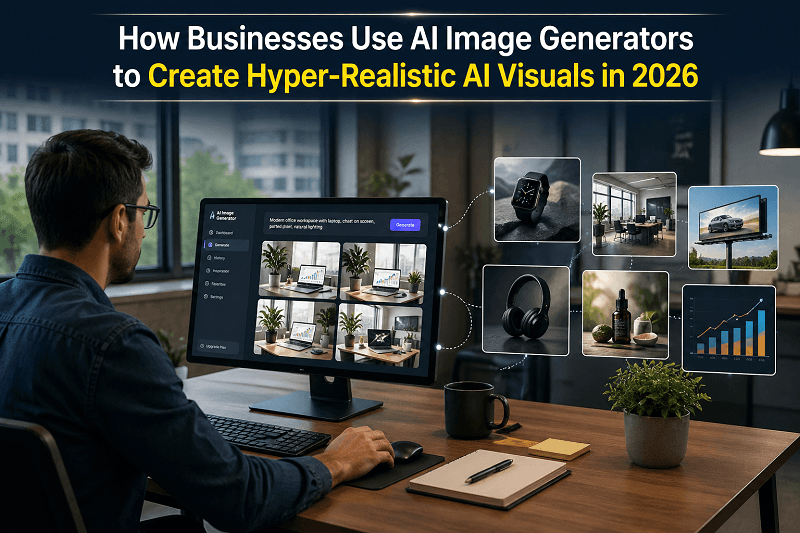
In 2026, businesses can produce stunning, lifelike visuals without expensive photo shoots or complex design workflows. With advanced AI image generators, brands can create hyper-realistic AI visuals that enhance marketing, improve conversions, and scale content production faster than ever.
This guide explains how companies use AI-powered tools like GenImager to create high-quality visuals, along with real-world use cases, workflows, and practical strategies you can apply today.
What Are Hyper-Realistic AI Visuals?
Hyper-realistic AI visuals are images generated by artificial intelligence that closely resemble real-world photography. These visuals include:
Product images that look studio-shot
Human portraits that appear natural
Lifestyle scenes with accurate lighting and textures
Marketing creatives designed for ads and social media
Unlike traditional stock images, AI images can be fully customized, allowing businesses to match brand identity, tone, and campaign goals.
How AI Image Generators Work in 2026
Modern AI image generators use advanced machine learning models trained on large datasets. These tools transform text prompts into highly detailed visuals within seconds.
Key Steps:
Input Prompt: Describe the desired visual
AI Processing: The model interprets context, lighting, composition, and textures
Image Generation: Produces multiple variations of AI visuals
Refinement: Users adjust prompts or upscale for higher quality
Platforms like GenImager enhance this process with better prompt understanding, faster rendering, and business-focused outputs.
Why Businesses Are Using AI Image Generators
1. Faster Content Creation
Businesses can generate AI-generated visuals in seconds instead of days. This speed is crucial for campaigns, seasonal promotions, and trend-based content.
2. Cost Efficiency
No need for photographers, studios, or expensive editing tools. AI reduces production costs significantly.
3. Scalability
Companies can create hundreds of visuals for different audiences, platforms, and campaigns without increasing resources.
4. Customization
Every image can be tailored to colors, backgrounds, lighting, and composition—ensuring brand consistency.
5. High Conversion Potential
Hyper-realistic visuals attract attention, improve engagement, and increase click-through rates.
Top Use Cases of AI Image Generators in Business
1. E-commerce Product Images
Online stores use AI to generate:
Clean product backgrounds
Lifestyle product scenes
Multiple variations for A/B testing
Example:
A clothing brand creates different settings (studio, outdoor, urban) using the same product image to test engagement.
2. Digital Advertising Creatives
Marketers use AI image generators to design:
Facebook and Instagram ads
Display banners
Promotional visuals
With tools like GenImager, businesses can quickly generate ad creatives optimized for different audiences.
3. Social Media Content
AI helps brands produce:
Scroll-stopping posts
Branded visual themes
Campaign visuals
Consistency across platforms becomes easier with AI-generated assets.
4. Website and Landing Page Visuals
Businesses use AI images for:
Hero banners
Feature illustrations
Conversion-focused visuals
These visuals improve user experience and engagement.
5. Branding and Creative Assets
AI image generators assist in:
Creating brand identity visuals
Designing campaign themes
Producing storytelling visuals
Step-by-Step: How Businesses Create Hyper-Realistic AI Visuals
Step 1: Define the Goal
Start with a clear objective:
Increase conversions
Improve engagement
Showcase products
Step 2: Write a High-Quality Prompt
A strong prompt includes:
Subject (product, person, scene)
Environment (studio, outdoor, office)
Lighting (soft, natural, cinematic)
Style (realistic, professional, minimal)
Example Prompt:
“Hyper-realistic product image of a smartwatch on a clean white desk, soft natural lighting, high detail, modern aesthetic”
Step 3: Generate Multiple Variations
Create different versions to:
Test visuals
Compare styles
Choose the best-performing image
Step 4: Refine and Optimize
Adjust:
Lighting
Background
Composition
Upscale the image for higher resolution if needed.
Step 5: Use Across Channels
Deploy visuals in:
Ads
Websites
Social media
Email campaigns
How GenImager Helps Businesses Create Better AI Visuals
GenImager is designed for businesses that need high-quality, scalable visual content.
Key Benefits:
Fast generation of hyper-realistic AI visuals
Business-focused prompt optimization
Consistent output quality
Companies can produce AI-generated visuals for marketing, branding, and e-commerce without technical complexity.
Best Practices for Creating Hyper-Realistic AI Visuals
1. Be Specific with Prompts
Detailed prompts lead to better results.
2. Focus on Lighting and Texture
Lighting plays a major role in realism.
3. Test Multiple Outputs
Always generate variations for better performance.
4. Maintain Brand Consistency
Use consistent styles, colors, and themes.
5. Optimize for Platforms
Adjust visuals based on platform requirements (social media, ads, website).
Common Mistakes to Avoid
Using vague prompts
Ignoring image resolution
Over-editing visuals
Not testing variations
Inconsistent branding
Avoiding these mistakes ensures better quality and performance.
Future of AI-Generated Visuals in Business
AI image generation is advancing rapidly. Businesses can expect:
More realistic human expressions
Better control over visual elements
Faster rendering speeds
Integration with marketing automation tools
Hyper-realistic AI visuals will continue to play a key role in digital marketing and content creation.
Conclusion
Businesses in 2026 are using AI image generators to create hyper-realistic AI visuals that are fast, cost-effective, and highly customizable. From e-commerce to advertising, AI-powered tools help brands produce high-quality content at scale.
With platforms like GenImager, companies can generate stunning AI-generated visuals that drive engagement and conversions across multiple channels.
If you want to scale your content, improve marketing performance, and create visually stunning campaigns, it’s time to adopt AI image generation.
Use GenImager to generate hyper-realistic AI visuals for your business faster, smarter, and more efficiently.
FAQs
1. What is an AI image generator?
An AI image generator is a tool that creates images from text prompts using artificial intelligence, producing high-quality AI visuals.
2. How do businesses use AI-generated visuals?
Businesses use AI-generated visuals for marketing, ads, social media, product images, and branding.
3. Can AI images replace traditional photography?
AI images can handle many use cases like product visuals and ads, but some industries still prefer traditional photography for specific needs.
4. What is the best tool for creating hyper-realistic AI visuals?
Tools like GenImager are designed for businesses to create high-quality, scalable visuals quickly.