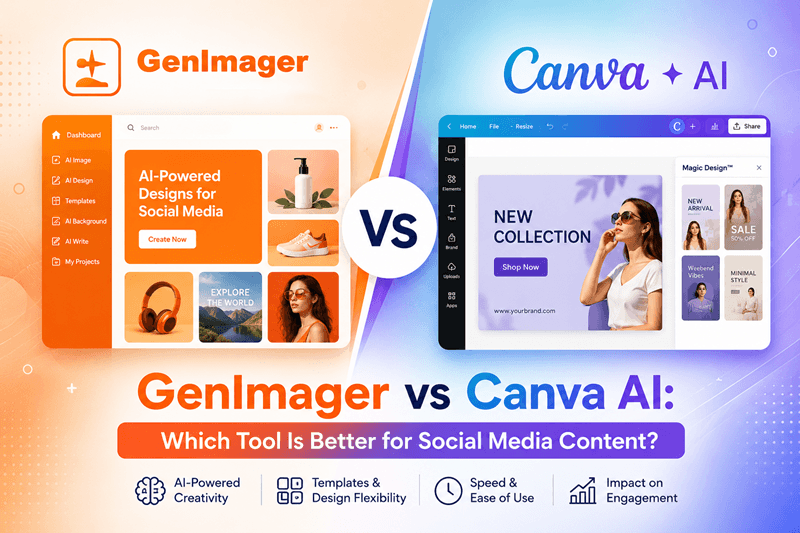
Creating social media content has changed dramatically with the rise of AI-powered design tools. Instead of spending hours designing graphics from scratch, marketers, creators, and businesses can now generate professional-quality visuals in minutes.
Among the growing number of AI design platforms, Genimager and Canva AI have become two popular choices. While both help users create engaging social media graphics, they serve different audiences and workflows.
So, which platform should you choose?
In this detailed comparison, we'll explore the strengths, limitations, and ideal use cases of each tool to help you make the right decision.
Why AI Matters for Social Media Content
Social media platforms reward consistency, creativity, and speed. Whether you're posting on Instagram, Facebook, LinkedIn, X, Pinterest, or TikTok, producing fresh visuals regularly is essential.
Modern AI image generators help businesses by:
Creating unique marketing visuals within seconds
Reducing graphic design costs
Maintaining consistent brand identity
Accelerating campaign production
Generating multiple creative variations instantly
If your marketing strategy depends on high-quality visuals, choosing the right AI design platform can significantly improve productivity.
What Is Genimager?
Genimager is an AI-powered image generation platform designed for businesses, marketers, content creators, and agencies that need high-quality visuals quickly.
Instead of relying heavily on templates, Genimager focuses on generating completely new AI images from text prompts. Users can create:
Social media graphics
Product marketing visuals
Blog feature images
Advertising creatives
Promotional banners
Concept artwork
Website graphics
Its simple workflow allows users to describe their idea and receive professional AI-generated visuals within moments.
What Is Canva AI?
Canva AI is part of the Canva ecosystem and combines AI features with its well-known drag-and-drop editor.
Users can generate images, edit existing templates, remove backgrounds, write marketing copy, and create presentations using AI.
Canva AI works particularly well for users who already depend on Canva's large library of templates and collaborative design features.
Genimager vs Canva AI: Feature Comparison
AI Image Generation
Genimager
Generates completely original AI images from detailed text prompts.
Ideal for marketers who need fresh, unique visuals for every campaign.
Reduces dependence on stock images and repetitive templates.
Canva AI
Generates AI images within the Canva editor.
Best suited for enhancing existing Canva projects.
Works well for users already familiar with Canva's design ecosystem.
Best Choice: If originality is your priority, Genimager offers a stronger AI image generation experience.
Speed and Workflow
Genimager
Need a social media post in minutes? Simply enter a prompt, generate your image, and it's ready to use. The streamlined workflow helps businesses publish content faster without spending time searching through templates.
Canva AI
Canva AI also speeds up design creation, but users often spend additional time selecting templates, adjusting layouts, and fine-tuning elements before exporting the final design.
Winner: Genimager for faster content production.
Social Media Content Creation
Genimager excels at creating:
Instagram posts
Facebook ads
LinkedIn banners
Blog feature images
Promotional creatives
Marketing campaign visuals
Canva AI is excellent for:
Instagram templates
Stories and Reels layouts
Presentations
Business flyers
Team collaboration projects
Best Choice: Genimager for original marketing visuals, Canva AI for template-based content.
Branding and Customization
For businesses looking to build a memorable brand, originality matters.
With Genimager, every image is generated specifically for your prompt, making it easier to create visuals that stand apart from competitors.
With Canva AI, branding is strengthened through reusable templates, brand kits, fonts, and collaborative editing tools that maintain consistency across teams.
Best Choice: It depends on your goal. Choose Genimager for unique visuals or Canva AI for consistent template-based branding.
Which Tool Fits Your Needs?
Choose Genimager if you want to:
Generate original AI images
Create social media content quickly
Produce unique marketing creatives
Design blog feature images
Save time with AI-powered image generation
Choose Canva AI if you want to:
Edit pre-designed templates
Work with a marketing team
Create presentations and documents
Use drag-and-drop editing tools
Manage brand assets inside one workspace
1. AI Image Quality
One of the biggest differences is how each platform approaches image creation.
Genimager focuses on producing original AI-generated artwork from detailed prompts. This makes it ideal for marketers looking for unique visuals instead of commonly used templates.
Canva AI also generates images, but its primary strength remains editing and customizing designs within the Canva workspace.
Winner: Genimager for unique AI-generated visuals.
2. Ease of Use
Both platforms are beginner friendly.
Genimager offers a straightforward interface where users simply enter a prompt and generate images quickly.
Canva AI provides more editing flexibility, but the larger number of tools may require extra learning for first-time users.
If your goal is speed and simplicity, Genimager offers a more focused experience.
3. Social Media Content Creation
Creating content for multiple social platforms often requires different image styles.
Genimager excels at generating:
Instagram posts
Facebook creatives
LinkedIn banners
Pinterest graphics
Promotional campaign visuals
AI-generated marketing images
Canva AI shines when users need to edit existing templates or create branded presentations.
For marketers who want original content that stands out in crowded feeds, Genimager has a clear advantage.
4. Customization and Branding
Brand consistency is critical for businesses.
Canva AI includes brand kits, fonts, logos, and reusable templates, making it excellent for maintaining consistent visual identity across teams.
Genimager allows users to create custom visuals tailored to their marketing campaigns, helping brands avoid repetitive template-based designs.
Businesses looking for originality often benefit more from AI-generated assets than template modifications.
5. Speed and Workflow
Marketing teams frequently work under tight deadlines.
Genimager reduces production time by transforming prompts into ready-to-use images in seconds.
Instead of searching through hundreds of templates, users can describe exactly what they need.
Canva AI remains efficient but often involves additional editing steps after image generation.
For fast campaign creation, Genimager provides a smoother workflow.
Which Tool Is Better for Different Users?
Choose Genimager if you:
Need original AI-generated images
Create social media marketing campaigns regularly
Want faster content production
Prefer prompt-based image generation
Need blog feature images or promotional graphics
Run a business or digital marketing agency
Choose Canva AI if you:
Already use Canva daily
Need collaborative design tools
Depend on templates
Create presentations alongside social media graphics
Want advanced drag-and-drop editing
SEO Benefits of Using AI-Generated Visuals
Unique visuals do more than improve engagement on social media. They can also support your broader content marketing strategy.
Using original AI-generated images in blog posts and landing pages can help:
Increase user engagement
Improve time on page
Enhance content sharing
Strengthen brand recognition
Support visual search optimization
Businesses that consistently publish original graphics often build a stronger online presence than those relying on generic stock images.
Final Verdict
Both Genimager and Canva AI are capable platforms, but they solve different problems.
If your workflow revolves around templates, collaborative editing, and traditional graphic design, Canva AI remains a reliable choice.
However, if your priority is generating unique, high-quality AI visuals for social media marketing, advertising, blogs, and business campaigns with maximum speed, Genimager offers a more focused and efficient solution.
For marketers, agencies, entrepreneurs, and businesses aiming to create distinctive content that captures attention, Genimager delivers an AI-first experience built for modern content creation.
Ready to Create Scroll-Stopping Social Media Content?
Stop relying on repetitive templates and start generating unique visuals that reflect your brand.
Try Genimager today to create professional AI-powered social media graphics, blog feature images, marketing creatives, and promotional visuals in minutes. Elevate your content strategy, save valuable time, and produce images that help your business stand out across every platform.