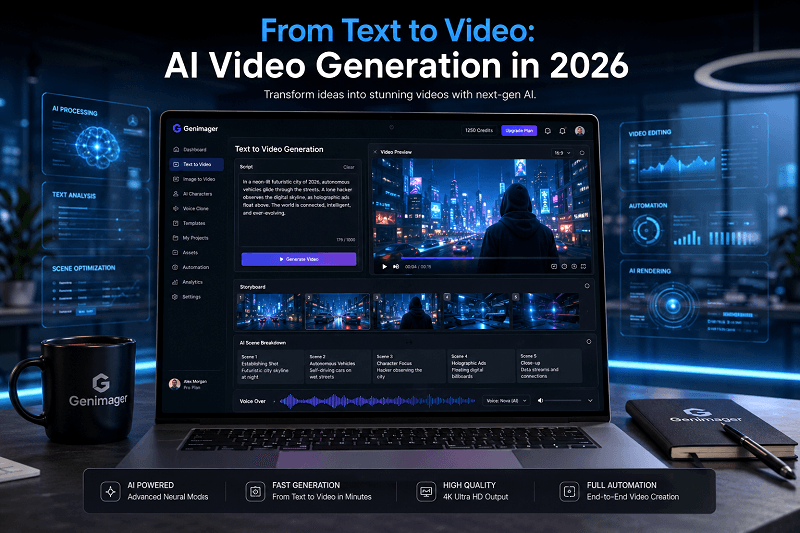
Content creation has changed significantly in recent years. In 2026, one of the most important shifts is the rise of AI video generators, tools that can turn simple text prompts into fully produced videos within minutes.
Instead of spending hours on filming, editing, and production, creators now describe their idea in text and let AI handle the visual output.
Platforms like Genimager Video Generation are helping creators, marketers, and businesses to produce professional videos faster and more efficiently.
This transformation is not only about speed. It is also about accessibility, creativity, and scalability for individuals and teams who want to produce video content consistently.
What is an AI Video Generator?
An AI video generator is a tool that converts text, images, or prompts into video content using artificial intelligence.
It typically combines:
Natural language processing (NLP)
Image and video generation models
Animation rendering systems
Voice synthesis and scene composition
Instead of manual editing, users describe what they want, and the AI video tool builds the video scene by scene.
How AI Video Generators Work
AI video generation is built on multiple layers of machine learning. Here is a simplified breakdown:
1. Text Understanding
The system reads your prompt and identifies:
Scene description
Objects and actions
Mood and style
2. Visual Creation
AI generates visuals based on the prompt, including:
Characters or avatars
Background environments
Motion and transitions
3. Audio Integration
Some platforms add:
AI voiceovers
Background music
Sound effects
4. Video Assembly
All elements are combined into a structured video timeline.
Why AI Video Generators Are Important in 2026
AI video tools are now widely used across industries because they solve major production challenges.
1. Faster Content Creation
Videos that used to take days to create can now be made in minutes.
2. No Technical Skills Required
Users do not need editing or animation experience.
3. Cost Efficiency
Reduces the need for large production teams.
4. Scalable Content Production
Ideal for creators who need frequent video output.
5. Multi-Platform Use
Videos can be used for:
YouTube
Instagram Reels
TikTok
Business ads
AI Video Generator Use Cases
1. Social Media Content
Creators use AI to produce short videos quickly for engagement.
2. Marketing Campaigns
Brands create product explainers and promotional videos.
3. Educational Content
Teachers and educators generate visual learning materials.
4. E-commerce Product Videos
Online stores showcase products using AI-generated visuals.
5. Faceless YouTube Channels
Creators build channels without appearing on camera.
Step-by-Step: How to Create a Video Using AI Video Generator
Using modern platforms like Genimager, the process is simple and beginner friendly.
Step 1: Write a Prompt
Start by describing your ideas clearly.
Example:
“Create a futuristic city advertisement with flying cars and neon lights at night.”
A good prompt includes:
Subject
Environment
Action
Style
Step 2: Upload Reference Images
You can upload images to guide the AI.
These help define:
Style consistency
Character appearance
Scene accuracy
This step improves visual alignment with your idea.
Step 3: Select Resolution
Choose video quality based on your platform:
360p for quick social media posts
720p for standard HD content
Higher resolution improves clarity but may take more processing time.
Step 4: Generate Video
Click generate and let the AI process your request.
The system will:
Analyze your input
Build scenes
Render motion
Produce final video output.
You can preview and download the result within minutes.
Why Genimager is a Strong Choice for AI Video Generation
Genimager provides a structured and user-friendly experience for video creation.
Key advantages include:
Simple prompt-based workflow
Fast video rendering
Support for reference images
High-quality output generation
Beginner-friendly interface
Best Practices for Better AI Video Results
1. Use Detailed Prompts
The more descriptive your input, the better the output.
2. Keep Scenes Focused
Avoid combining too many ideas in one prompt.
3. Use Style Keywords
Examples:
cinematic
minimalistic
futuristic
realistic lighting
4. Test Multiple Variations
Generate different versions to compare quality.
Future of AI Video Generation
AI video technology is expected to become even more advanced in the coming years.
Future improvements may include:
Real-time video editing
Interactive video generation
Hyper-realistic avatars
Instant multilingual video creation
This will further simplify content production for creators and businesses.
Conclusion
AI video generators are reshaping how content is created in 2026. What once required technical skills and production teams can now be done with simple text input.
From marketing campaigns to educational content, the ability to generate videos quickly gives creators a strong advantage in content production workflows.
Platforms like Genimager are making this process more accessible, helping users turn ideas into engaging videos without complexity.
Start Creating Videos with Genimager
Turn your ideas into powerful videos in minutes.
With Genimager, you can:
Generate videos from text prompts.
Use reference images for accuracy.
Create high-quality content quickly.
Build videos for marketing, education, and social media.
FAQs
1. What is an AI video generator?
An AI video generator is a tool that converts text or prompts into videos using artificial intelligence, automating the creation of visuals, animation, and editing.
2. How does text-to-video generator work?
It analyzes your text prompt, generates visuals, adds motion and audio, and combines everything into a complete video.
3. Can beginners use AI video generators?
Yes, most platforms are designed for beginners with simple prompt-based workflows and no editing skills required.
4. What can AI-generated videos be used for?
They can be used for social media, marketing, education, product promotion, and YouTube content creation.
5. Do AI video generators support reference images?
Yes, many tools like Genimager allow users to upload reference images to improve style and accuracy.