Choosing the Right AI Visual Tool in 2026
Creating professional visuals no longer requires a full design team, expensive software, or hours of manual editing. With the right AI visual tool, marketers, creators, ecommerce teams, and businesses can turn ideas into high-quality images in minutes.
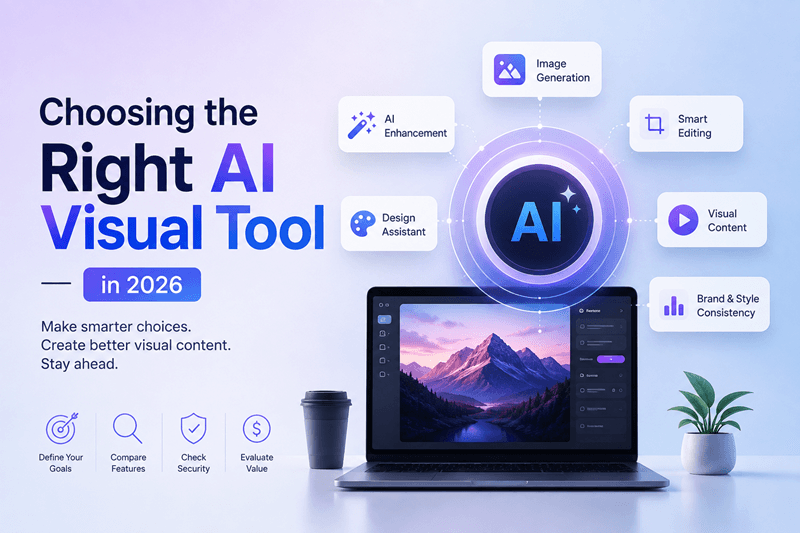
Creating professional visuals no longer requires a full design team, expensive software, or hours of manual editing. With the right AI visual tool, marketers, creators, ecommerce teams, and businesses can turn ideas into high-quality images in minutes.
But there is one problem: not every AI visual tool is built for the same job.
Some are designed for experimentation. Others focus on realistic images, product visuals, marketing campaigns, image editing, or high-volume content production.
So how do you know which one is right for you?
Use this checklist before signing up, upgrading, or committing to an AI image generation platform.
Quick test: If a tool looks impressive in a demo but does not fit your actual workflow, it is probably not the right tool.
Google recommends creating useful, people-first content and focusing on satisfying the user's needs rather than producing content purely for search engines.
AI Visual Tool Checklist
1. Define What You Actually Need
Start with your use case.
Are you creating:
Social media graphics?
Product images?
Website banners?
Ad creatives?
Blog illustrations?
Ecommerce visuals?
Concept art?
Image variations?
Professional marketing campaigns?
A tool that works well for artistic experimentation may not be ideal for business marketing.
Best practice: Write down your top three visual requirements before comparing platforms.
2. Check Text-to-Image Capabilities
Text-to-image generation is one of the most important features of a modern AI image generator.
Test whether the platform can understand detailed prompts involving:
Subject and composition
Lighting
Camera angles
Backgrounds
Styles
Colors
Mood
Product positioning
Do not judge a tool using only its best examples. Create your own prompts and evaluate the results.
3. Look for Image-to-Image Features
Need to transform an existing image instead of starting from scratch?
An image-to-image feature can help you restyle, enhance, modify, or creatively transform an existing visual.
This is especially useful for marketers who already have product photographs, campaign assets, or brand imagery.
Ask: Can the tool preserve important elements while changing the visual direction?
Genimager, for example, supports both text-to-image and image-to-image workflows, giving users flexibility between creating new visuals and transforming existing ones.
4. Evaluate Output Quality
High resolution does not automatically mean high quality.
Look closely at:
Faces and hands
Product details
Text rendering
Shadows
Lighting
Background consistency
Realistic proportions
Fine details
Generate several images using similar prompts. Consistency matters when visuals are being used commercially.
5. Test Brand and Creative Consistency
If your business produces visuals regularly, consistency becomes critical.
Your chosen AI design tool should fit your existing visual identity, including colors, styles, compositions, and overall creative direction.
Ask yourself:
Could I create 20 visuals with this tool that look like they belong to the same brand?
If the answer is no, keep comparing.
6. Compare Speed and Workflow
Speed matters when your marketing team needs fresh creative assets every week.
Look for a workflow that lets you:
Enter a prompt
Generate multiple concepts
Select the strongest result
Refine or transform it
Download the final asset
The fewer unnecessary steps, the easier it is to integrate AI visual content into everyday marketing.
7. Check Available AI Models
Different AI models can produce different visual results.
A platform offering multiple models can give you more creative flexibility instead of forcing every project through one generation engine.
For example, Genimager currently lists models including Nano Banana, Nano Banana 2, Flux Schnell, Imagen 4, Seedream 4, Hunyuan Image 3, and Stable Diffusion 3.5 Large.
Tip: Test the same prompt across available models and compare the results.
8. Review Pricing Before You Commit
Do not compare platforms based only on the monthly subscription price.
Check:
Number of generations
Credit consumption
Resolution limits
Commercial usage
Image downloads
Editing capabilities
Model availability
Additional credit costs
Calculate your expected monthly usage first. A cheaper plan can become expensive if you need additional credits frequently.
9. Check Ease of Use
A powerful platform is not useful if your team struggles to use it.
The interface should make it easy for beginners to generate professional visuals while giving experienced users enough control to refine their results.
Five-minute test: Can a new user create a usable visual without watching a lengthy tutorial?
If yes, that is a strong signal.
10. Consider Scalability
Your needs today may not be your needs six months from now.
Choose an AI visual content tool that can grow with your workflow.
Consider whether it can support:
More content production
Multiple campaigns
Different visual styles
Ecommerce catalogs
Social media content
Marketing teams
Frequent image generation
The best AI visual tool should reduce creative bottlenecks, not create new ones.
Quick Decision Scorecard
Give each category a score from 1 to 5:
Category | Score |
Image quality | /5 |
Prompt accuracy | /5 |
Image-to-image editing | /5 |
Brand consistency | /5 |
Speed | /5 |
AI model options | /5 |
Ease of use | /5 |
Pricing | /5 |
Scalability | /5 |
Total | /45 |
35+: Strong candidate
25 to 34: Worth testing further
Below 25: Keep looking
What Should You Choose?
There is no universal answer to the question, “What is the best AI visual tool?”
The right choice depends on your workflow, creative goals, budget, required image quality, and production volume.
However, businesses should look beyond flashy demos. Test real prompts, compare outputs, evaluate the workflow, and calculate the total cost of producing the visuals you need.
Google's current guidance also emphasizes original, useful content that provides genuine value to users, including in AI-powered search experiences.
Conclusion: Choose a Tool That Helps You Create, Not Just Experiment
The right AI visual tool can turn visual production from a time-consuming task into a scalable creative workflow.
Before choosing one, check its image quality, prompt understanding, editing capabilities, model options, pricing, ease of use, consistency, and ability to support your future content needs.
Most importantly, test before you commit.
If you want a flexible platform for creating and transforming AI-generated visuals, explore Genimager. With text-to-image and image-to-image capabilities and multiple AI models, it is built to help creators and businesses turn ideas into professional visuals faster.
Ready to put your checklist to the test? Create your first visual with Genimager and see what your next campaign could look like.