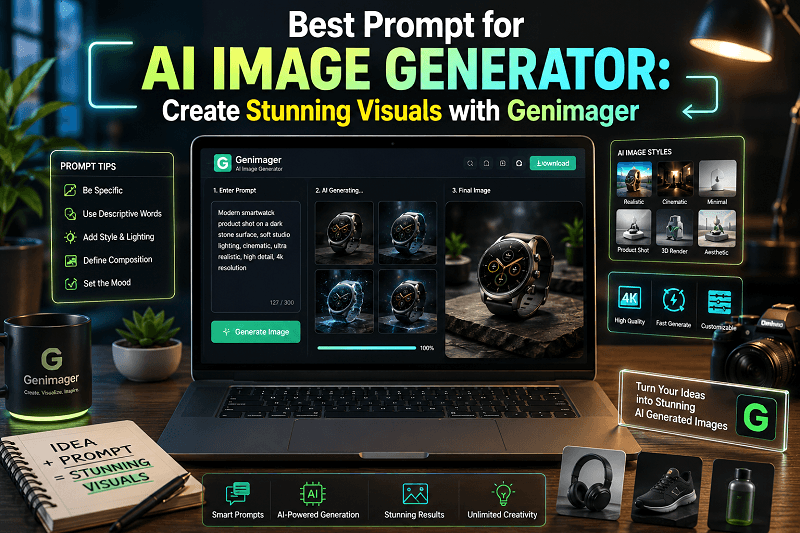
AI image generation is changing how marketers, designers, and e-commerce brands create visuals. But the real difference between average and high-performing images comes down to one thing at the prompt.
If you are searching for the best prompt for AI image generator, this guide will help you understand exactly how to write prompts that produce high-quality, realistic, and conversion-focused images.
With tools like Genimager, you can turn simple text into professional visuals in seconds. The key is knowing what to say and how to structure it.
What Is an AI Image Generator Prompt?
An AI image generator prompt is a text instruction that tells the AI what kind of image to create.
It includes:
Subject (what you want to generate)
Style (realistic, cinematic, minimal, etc.)
Lighting and mood
Camera angle or composition
Background details
Example:
Instead of writing:
“Product image”
Write:
“ultra-realistic product image of a wireless earbuds case on a clean desk, soft studio lighting, shallow depth of field, minimal background, 4k detail”
This is the best prompt for AI image generator because it gives clear, detailed instructions
How to Write the Best Prompt for AI Image Generator (Step-by-Step)
1. Start with a Clear Subject
Define exactly what you want.
Example:
“Smartwatch on desk”
“Modern office workspace”
2. Add Style and Quality Keywords
Tell the AI how the image should look.
Examples:
ultra-realistic
cinematic
high detail
4k resolution
3. Define Lighting and Mood
Lighting makes a big difference.
Examples:
soft studio lighting
natural daylight
neon glow
dramatic shadows
4. Include Composition Details
Guide how the image is framed.
Examples:
close-up shot
top view
depth of field
wide angle
5. Add Background Context
Keep it clean and relevant.
Examples:
minimal background
modern workspace
ecommerce studio setup
6. Avoid Unnecessary Complexity
Keep prompts detailed but clear.
Best Prompt for AI Image Generator (Ready-to-Use Examples)
Here are high-performing prompts you can select and use with Genimager:
1. Product Image Prompt
“ultra-realistic product photo of wireless earbuds on a clean white surface, soft lighting, reflection, minimal background, ecommerce style, 4k detail”
2. Social Media Ad Prompt
“Cinematic product showcase of smartwatch with neon lighting, dynamic composition, glowing highlights, dark background, high contrast, modern ad style”
3. Blog Feature Image Prompt
“Modern workspace with laptop showing AI interface, text transforming into visuals, futuristic UI elements, soft lighting, depth of field, clean background”
4. Realistic Lifestyle Prompt
“Realistic desk setup with coffee mug, laptop, and notebook, natural daylight, cozy environment, soft shadows, high detail”
5. Marketing Banner Prompt
“Minimal ecommerce banner with product centered, clean layout, soft gradient background, professional lighting, high resolution”
Best Prompt Formula for Consistent Results
Use this simple formula:
Subject + Style + Lighting + Composition + Background + Quality
Example:
“Wireless headphones, ultra-realistic, soft lighting, close-up shot, minimal background, 4k”
This structure helps create the best prompt for image creation every time.
Common Mistakes to Avoid
Even small mistakes can reduce image quality.
1. Too Vague
“Nice image of the product”
2. Too Complicated
Long prompts with unclear direction
3. Missing Style
No mention of realism, lighting, or quality
4. Irrelevant Elements
Adding unnecessary objects
Why Use Genimager for AI Image Generation?
Genimager is designed for marketers, designers, and ecommerce businesses that want fast, high-quality visuals.
Key Benefits:
Easy prompt-based generation
High-quality, realistic outputs
Multiple styles and customization
Whether you are creating ads, product images, or blog visuals, Genimager helps you turn ideas into professional images quickly.
Use Cases for High-Converting AI Images
Ecommerce
Product listings
Category banners
Blogging
Feature images
Infographics
Social Media
Instagram posts
Ad creatives
Marketing Campaigns
Landing pages
Email banners
Pro Tips to Get Better Results
Use simple and clear language.
Focus on one idea per prompt.
Test different variations
Keep backgrounds clean
Match visuals with your target audience.
Future of AI Image Prompts in 2026
AI image generation is becoming more advanced but prompts still play a key role.
Trends to watch:
More realistic outputs
Faster generation
Better prompt understanding
Integration with marketing tools
Conclusion
Creating high-quality visuals is no longer limited to professional designers. With the right approach and tools like Genimager, anyone can create stunning images in seconds.
The key is simple: use the best prompt for an AI image generator by combining a clear subject, style, lighting, and composition.
Ready to create stunning, high-converting visuals without design skills?
Start using Genimager today and turn your ideas into professional images in seconds.