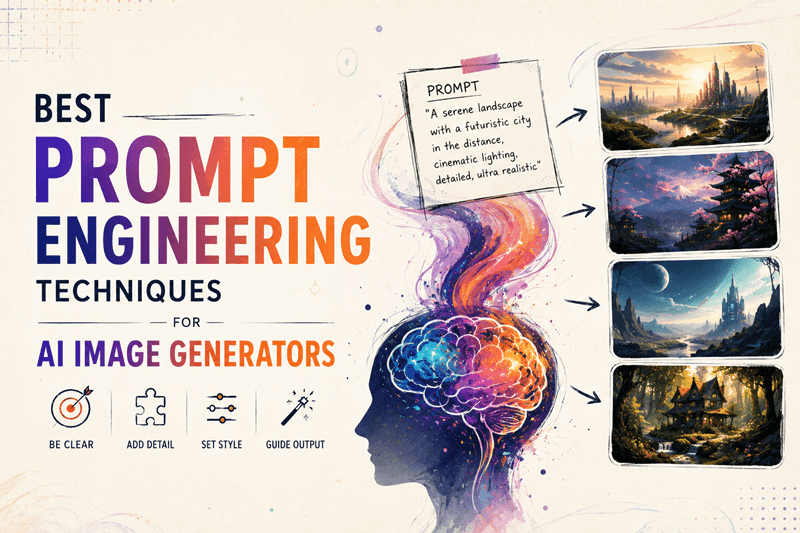
Prompt engineering is the secret skill that separates average AI images from jaw-dropping creations. Whether you are a marketer designing product visuals, a content creator building social media assets, or a hobbyist exploring creative ideas, learning how to write effective prompts can dramatically improve your output quality and save hours of trial and error.
At Genimager, we see thousands of generations every day across models like Flux Schnell, Nano Banana, Imagen 4, and Stable Diffusion 3.5. The difference between a generic result and a professional-grade image almost always comes down to the prompt.
In this guide, you will learn the best prompt engineering techniques for AI image generators in 2026. We will cover core strategies, advanced methods, model-specific tips, and ready-to-use examples you can copy and adapt right away.
Why Prompt Engineering Matters More Than Ever
AI image models have become incredibly powerful, but they still need clear direction. Vague prompts lead to inconsistent or mediocre results. Well-crafted prompts deliver precise composition, lighting, style, and mood.
Quick fact: Users who refine their prompts see up to 3-5x better relevance and quality in outputs. This skill directly impacts productivity for e-commerce product shoots, social media content, digital art, and marketing visuals.
1. Start with the Core Structure: The 5-Part Prompt Framework
The most reliable way to write strong prompts is to use a consistent structure. Top creators follow this framework:
Subject — Who or what is the focus?
Details & Modifiers — Appearance, clothing, expression, textures
Environment & Setting — Background, location, time of day
Lighting & Atmosphere — Mood, lighting style, colors
Style & Technical Specs — Art style, camera, resolution, quality boosters
Example Weak Prompt: "A beautiful woman in a forest"
Example Strong Prompt: "A young woman with long flowing auburn hair wearing a flowing emerald green dress, standing gracefully in an enchanted misty forest at dawn, soft golden sunlight filtering through ancient trees, bioluminescent flowers glowing on the ground, cinematic lighting, highly detailed, photorealistic, 8k, shot on 85mm lens-- ar 16:9"
This structured approach works exceptionally well on Genimager's Flux Schnell and Nano Banana models.
2. Use Specificity and Descriptive Language
Specificity is the number one prompt engineering technique. Replace generic words with vivid descriptions.
Tips for better specificity:
Describe colors, textures, emotions, and actions precisely.
Include camera angles (close-up, wide shot, aerial view, Dutch angle).
Mention artistic influences (in the style of Studio Ghibli, Cyberpunk 2077, oil painting by Greg Rutkowski).
Add quality enhancers: highly detailed, intricate, sharp focus, masterpiece, best quality.
Long-tail example: "best prompt for photorealistic product photo e-commerce" Try: "Professional e-commerce product photo of a premium wireless headphones on a sleek marble surface with subtle reflections, studio lighting with soft shadows, clean minimalist background, commercial photography style, 8k resolution, sharp focus."
Test this on Genimager's image-to-image features by uploading a base product shot for even better consistency.
3. Leverage Weights, Emphasis, and Negative Prompts
Many models support weighting to control element strength:
(element:1.3) — Increase importance
(element:0.7) — Decrease importance
[element] — Sometimes used for grouping
Negative prompts are equally powerful. Tell the model what to avoid:
Common negative prompts: blurry, low quality, deformed, ugly, extra limbs, bad anatomy, watermark, text, overexposed, underexposed.
On Genimager, experiment with negative prompts in the advanced settings for cleaner results, especially in Flux and Stable Diffusion modes.
4. Model-Specific Prompt Engineering Techniques
Different AI image generators respond best to different styles.
Flux Schnell & Advanced Flux Models: Flux excels with natural language prompts. Write in full sentences and descriptive paragraphs rather than comma-separated keywords. It handles complex scenes and text in images particularly well.
Stable Diffusion 3.5 & Similar: Keyword-heavy prompts with weights work great. Example: "masterpiece, best quality, (beautiful landscape:1.4), dramatic clouds, (cinematic lighting:1.2)"
Imagen 4 & Photorealistic Models: Focus on photography terms: shot on Canon EOS R5, 50mm lens, f/1.8 aperture, natural lighting, photorealistic, hyperrealistic.
Nano Banana Series (Genimager exclusive): Great for stylized and creative outputs. Combine detailed subject descriptions with strong artistic references.
5. Advanced Techniques for Superior Results
Chain of Thought Prompting for Images: Guide the AI step-by-step: "First, create the main subject as a confident young entrepreneur. Then, place him in a modern co-working space with large windows. Add dramatic morning light..."
Few-Shot Prompting: Provide examples within the prompt or use reference images on Genimager's image-to-image tool.
Style Blending: " in the style of a mix between cyberpunk and Studio Ghibli, vibrant colors, detailed backgrounds."
Aspect Ratio & Composition Control: Always specify --ar 16:9 for landscapes, --ar 9:16 for stories, --ar 1:1 for portraits. Mention the rule of thirds or centered composition.
Iterative Refinement: Generate, then refine: "Improve the previous image by adding more dramatic lighting and sharper details while keeping the same subject and composition."
6. Practical Examples You Can Use Today
Marketing / E-commerce Prompt: "Full body professional product photography of a stylish black leather backpack on a wooden table in a bright modern studio, natural window light, clean composition, commercial advertising style, high resolution, sharp focus, 8k."
Fantasy Art Prompt: "Epic fantasy warrior queen with intricate silver armor and flowing red cape standing on a mountain peak at sunset, dramatic clouds, volumetric god rays, ultra realistic, cinematic, in the style of Frank Frazetta and Alphonse Mucha, masterpiece, 8k."
Social Media Content Prompt: "Trendy flat lay of summer fashion items including sunglasses, straw hat, and linen dress arranged aesthetically on sand background, bright natural light, vibrant colors, lifestyle photography, Instagram worthy, high detail."
Try these directly on Genimager.com for instant results.
7. Common Mistakes to Avoid
Being too vague or too long (aim for 50-150 words, depending on model).
Overusing contradictory terms.
Ignoring model strengths (Flux loves natural language; older SD benefits from keywords).
Forgetting to test variations and iterate.
Neglecting negative prompts.
Pro Tips to Maximize Your Genimager Experience
Start simple and layer details.
Use the platform's history to remix successful prompts.
Combine text-to-image with image-to-image for consistent characters or products.
Experiment with different models on the same prompt to compare results.
Save your best prompts in a personal library for future use.
Interactive Challenge: Try one of the example prompts above on Genimager right now and share your best result in the comments. What technique gave you the biggest improvement?
Conclusion
Mastering prompt engineering techniques for AI image generators is one of the highest-ROI skills you can develop in 2026. The difference between ordinary and extraordinary visuals comes down to how effectively you communicate your vision to the AI.
Start applying these strategies today, specificity, structure, model awareness, and iteration, and watch your creations reach professional quality almost instantly.
Ready to put these techniques into practice with powerful models like Flux Schnell, Nano Banana, and Imagen 4?
Generate your first (or next) stunning image now on Genimager.com; it's free to start and incredibly fast.
What will you create first? Drop your best prompt or generated image in the comments below. We read every one and often feature top creations.
Sign up today and turn your ideas into high-quality AI images in seconds.