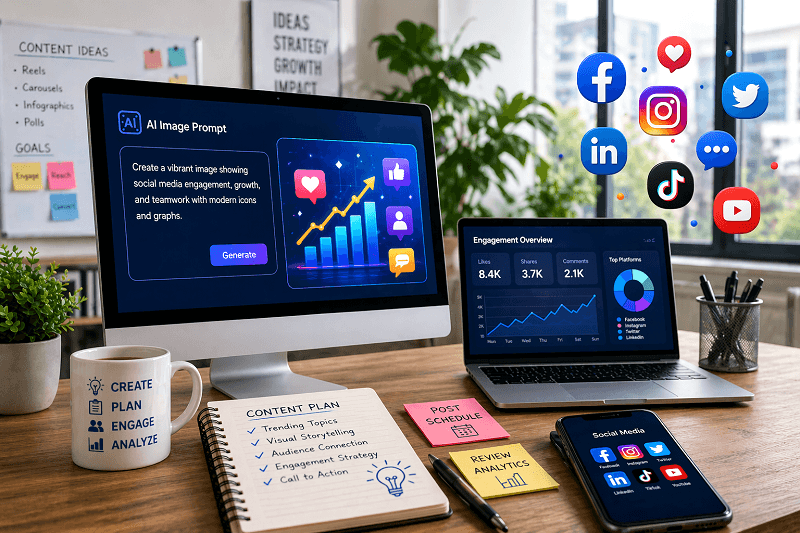
Social media teams are under constant pressure to create fresh, engaging content every day. The challenge is not just posting consistently but creating visuals that grab attention and drive action.
This is where AI image prompts for social media teams become powerful. With the right prompts, you can generate high-quality AI-generated visual content in minutes, improve engagement, and scale content creation without increasing workload.
In this guide, you’ll learn practical prompts, real examples, and strategies to create scroll-stopping AI visuals using tools like Genimager.
What Are AI Image Prompts for Social Media Teams?
AI image prompts are simple text instructions used to generate visuals through an AI image generator for social media teams. These prompts guide the tool on style, mood, colors, and composition.
Key Benefits:
Faster content creation
Consistent branding
Improved engagement
Cost-effective design
Social media teams use prompts to turn ideas into ready-to-post creatives without complex design skills.
Best AI Image Prompts for Social Media Teams
Here are high-performing prompt ideas you can use right away:
1. Product Promotion Prompts
Create clean and professional visuals for marketing posts.
Example Prompt:
“Modern product display with soft lighting, minimal background, high detail, professional advertising style”
2. Social Media Ad Creative Prompts
Perfect for Facebook, Instagram, and LinkedIn campaigns.
Example Prompt:
“High-converting social media ad design, bold typography, vibrant colors, clear call-to-action, marketing theme.”
3. Brand Awareness Visual Prompts
Build a strong brand identity with consistent visuals.
Example Prompt:
“Creative brand visual with cohesive color palette, modern aesthetic, clean composition, premium look”
4. Engagement Post Prompts
Increase likes, shares, and comments.
Example Prompt:
“Eye-catching social media post with bright colors, emotional appeal, dynamic composition, attention-grabbing layout”
5. Educational Content Prompts
Ideal for carousel posts and infographics.
Example Prompt:
“Simple infographic style visual, clear layout, minimal icons, easy-to-read design, professional and clean”
How to Write Effective AI Image Prompts
To get the best results, your prompts should be clear and structured.
1. Define the Purpose
Start with the goal: promotion, awareness, or engagement.
2. Add Visual Details
Include lighting, colors, background, and mood.
3. Specify Style
Mention modern, minimal, realistic, or creative style.
4. Keep It Simple
Avoid overly complex instructions. Clear prompts perform better.
Tips to Boost Engagement with AI Visuals
1. Use Consistent Branding
Maintain colors, fonts, and style across all posts.
2. Focus on Emotion
Visuals that trigger emotion perform better on social platforms.
3. Optimize for Each Platform
Design differently for Instagram, LinkedIn, and Facebook.
4. Test Multiple Variations
Create different versions using the same prompt and analyze performance.
How Genimager Helps Social Media Teams
Genimager simplifies visual creation for teams by turning prompts into high-quality images instantly.
With Genimager, you can:
Create multiple variations in seconds
Generate professional AI-generated visual content
Maintain brand consistency
Scale content production without extra effort
It supports advanced workflows that help teams move from idea to final creative faster.
Common Mistakes to Avoid
Writing vague prompts
Ignoring brand guidelines
Overloading prompts with too many details
Not testing different variations
Avoiding these mistakes helps improve output quality and engagement.
Final Thoughts
Using the right AI image prompts for social media teams can transform how you create content. Instead of spending hours designing, you can generate high-quality visuals instantly and focus more on strategy and growth.
Ready to create scroll-stopping visuals in minutes?
Start using Genimager today and turn your ideas into high-performing social media content that drives real engagement and conversions.
FAQ
1. What are the best AI image prompts for social media teams?
The best prompts clearly define style, purpose, and visual elements. For example, prompts focused on product promotion or engagement tend to perform well.
2. How do social media teams use AI image prompts effectively?
They use structured prompts, test variations, and align visuals with brand identity to improve engagement.
3. Can AI visuals improve social media performance?
Yes, well-designed AI visuals can increase clicks, shares, and overall engagement.
4. Which tool is best for creating AI visuals?
Tools like Genimager help generate high-quality visuals quickly and efficiently for social media teams.