Best AI Image Generator for Photorealistic Portraits: Why Genimager Stands Out
AI-generated visuals are changing how we create images online. From social media posts to brand campaigns, AI visuals are helping creators produce high-quality content faster than ever. One of the most exciting uses is creating photorealistic portrait images that look like real human photos. If you’re searching for the best AI image generator for photorealistic portraits, this guide will help you understand why Genimager is becoming a preferred choice for creators, marketers, and businesses.
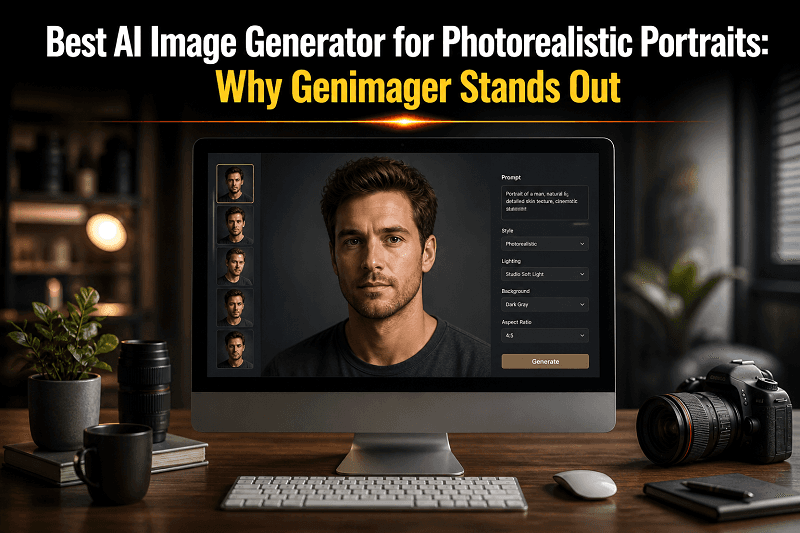
AI-generated visuals are changing how we create images online. From social media posts to brand campaigns, AI visuals are helping creators produce high-quality content faster than ever. One of the most exciting uses is creating photorealistic portrait images that look like real human photos.
If you’re searching for the best AI image generator for photorealistic portraits, this guide will help you understand why Genimager is becoming a preferred choice for creators, marketers, and businesses.
What Is an AI Image Generator for Photorealistic Portraits?
An AI image generator for photorealistic portraits is a tool that creates lifelike human images using text prompts or input data. Instead of using a camera, you describe what you want, and the AI generates a realistic portrait.
How It Works
You enter a text prompt (example: “a smiling professional woman with studio lighting”)
The AI processes patterns from trained data
It generates a realistic portrait in seconds
Why It Matters
Saves time and cost of photoshoots
No need for professional equipment
Easy for beginners and non-designers
Ideal for marketing, branding, and content creation
Why Photorealistic AI Portraits Are in High Demand
AI-generated portraits are not just a trend; they are solving real problems.
Key Use Cases
Social media content
Website visuals
Advertising creatives
Profile pictures and avatars
E-commerce and branding
Benefits of AI Visuals
Fast image creation
Consistent quality
Customizable outputs
Scalable for bulk content
Businesses now rely on AI-generated visuals to stay consistent and efficient.
Why Genimager Stands Out as the Best AI Image Generator
There are many tools available, but Genimager offers a combination of quality, speed, and ease of use that makes it different.
1. High-Quality Photorealistic Output
Genimager produces portraits that look natural and detailed. Skin texture, lighting, and facial expressions appear realistic, making images suitable for professional use.
2. Simple Prompt-to-Image Process
You don’t need technical knowledge. Just type your idea, and Genimager converts it into a high-quality AI image.
3. Fast Image Generation
Speed matters when creating content. Genimager generates AI visuals quickly, helping you save time and meet deadlines.
4. Consistency Across Images
Maintaining a consistent style is important for brands. Genimager ensures your visuals follow a uniform look and feel.
5. Designed for Creators and Marketers
Whether you are a blogger, marketer, or business owner, Genimager fits multiple use cases.
Genimager vs Other AI Image Generators
What Makes Genimager Better
More realistic portrait rendering
Better control over prompts
Faster output time
User-friendly interface
Choosing the right AI image generator can make a big difference in your content quality.
How to Create Photorealistic Portraits with Genimager
Creating AI images with Genimager is simple and effective.
Step-by-Step Process
Enter a detailed text prompt
Select style or customization options
Generate the image
Download or edit the output
Tips for Better Results
Be specific with your prompts
Mention lighting, background, and mood
Use descriptive keywords
Experiment with variations
Best Practices for AI-Generated Visuals
To get the most out of AI visuals, follow these best practices:
1. Use Clear Prompts
The better your input, the better your output.
2. Maintain Brand Consistency
Use similar styles and tones across all visuals.
3: Optimize for Platforms
Different platforms require different image sizes and formats.
4. Combine AI with Creativity
AI is a tool; your ideas make the difference.
Future of AI Image Generators
AI image technology is evolving quickly. We can expect:
More realistic outputs
Better customization
Faster processing
Wider adoption across industries
AI visuals will continue to play a major role in digital content creation.
Conclusion
AI-generated visuals are transforming how we create and use images. If you want realistic portraits without the complexity of traditional photography, choosing the right tool is important.
Genimager offers a simple, fast, and effective way to create high-quality photorealistic portraits. Whether you are a beginner or a professional, it helps you produce visuals that look real and engaging.
Ready to create stunning, realistic portraits without expensive photoshoots or complex tools?
Start using Genimager today and turn your ideas into high-quality AI-generated visuals in seconds. Create faster, smarter, and better. Your next photorealistic portrait is just one prompt away.
FAQs
1. What is the best AI image generator for photorealistic portraits?
The best AI image generator for photorealistic portraits is one that delivers high-quality, realistic outputs with ease of use. Genimager is a strong option because of its speed, accuracy, and simple interface.
2. Can I create an AI image generator for photorealistic portraits from text?
Yes, you can create an AI image generator for photorealistic portraits from text using tools like Genimager. Simply enter a detailed prompt, and the AI will generate a realistic image.
3. Are AI-generated visuals suitable for commercial use?
Yes, many AI visuals can be used for commercial purposes, depending on the platform’s terms. They are widely used in marketing, branding, and content creation.
4. How do AI visuals improve content engagement?
AI visuals make content more attractive and easier to understand, which increases user engagement and retention.