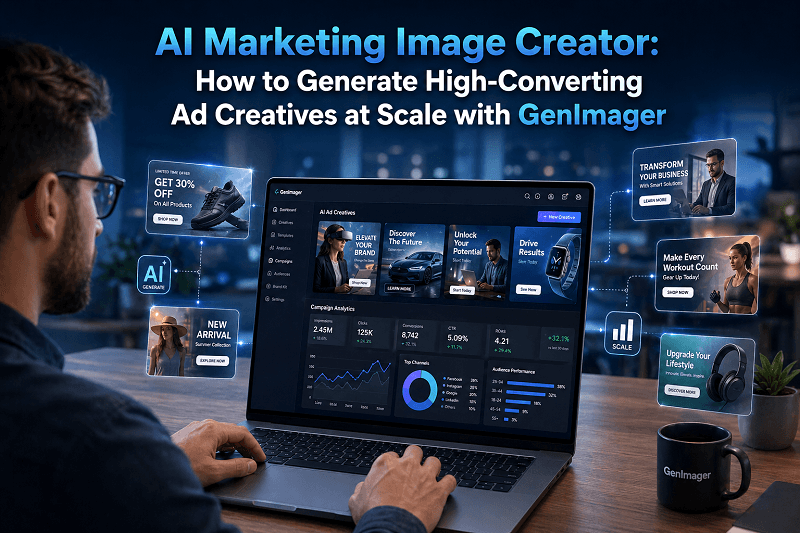
In digital marketing, visuals directly impact how people engage with your brand. Whether it’s a social media ad, a product banner, or a display campaign, the quality and relevance of your images often determine click-through rates and conversions.
Traditional design workflows can be slow and expensive. This is where an AI marketing image creator becomes valuable. With the right approach, businesses can generate high-quality visuals quickly, test multiple variations, and scale campaigns efficiently.
In this guide, you’ll learn how to use AI image generation to create high-converting ad creatives and how GenImager helps teams streamline the entire process.
What Is an AI Marketing Image Creator?
An AI marketing image creator is a tool that uses artificial intelligence to generate visual content for ads, campaigns, and branding based on text prompts or input data. It helps marketers produce AI images, automate design workflows, and create multiple variations for testing and optimization.
Why Marketers Are Adopting AI-Powered Visuals
Marketing teams today need:
Faster content production
Consistent brand visuals
Data-driven creative testing
Scalable ad creation
Manual design processes often create bottlenecks. By using AI-powered visuals, teams can generate multiple creatives in minutes instead of days.
Key Benefits
Speed: Create visuals instantly
Scalability: Generate hundreds of variations
Cost efficiency: Reduce dependency on large design teams
Performance optimization: Test creatives easily
How AI Image Generation Improves Ad Performance
High-performing ads rely on:
Strong visual appeal
Clear messaging
Relevance to the target audience
AI image generation helps improve all three.
1. Rapid Creative Testing
Instead of designing one or two creatives, you can generate multiple variations:
Different backgrounds
Color styles
Product placements
Text overlays
This enables A/B testing at a scale.
2. Personalization at Scale
You can create tailored visuals for:
Different audience segments
Locations
Campaign goals
This improves engagement and conversion rates.
3. Consistency Across Channels
AI ensures that your AI visuals maintain a consistent style across:
Social media ads
Display banners
Landing pages
How GenImager Helps Teams Build High-Converting AI Visuals
GenImager is designed for businesses that need scalable and efficient visual generation.
Instead of relying on manual workflows, you can use GenImager to create AI-generated visuals for:
Ad creatives
Product promotions
Social media campaigns
Website banners
What Makes GenImager Useful for Marketing Teams?
Text-to-image generation: Convert ideas into visuals instantly
API integration: Automate image creation at scale
Custom prompts: Control style, tone, and output
Batch generation: Produce multiple creatives in one go
This allows marketing teams to move faster while maintaining quality.
Step-by-Step: How to Create High-Converting Ad Creatives Using AI
Step 1: Define Your Campaign Goal
Before generating visuals, clarify:
Are you driving clicks?
Promoting a product?
Building brand awareness?
Your goal influences the type of visual you create.
Step 2: Write Effective AI Image Prompts
Your prompt determines the output quality.
Example Prompt:
“Modern product ad for a smartwatch, clean background, soft lighting, minimal text, focus on product features.”
Tips:
Be specific about style
Mention colors and tone
Define composition
Include branding elements
Step 3: Generate Multiple Variations
Use GenImager to create:
Different layouts
Background styles
Product angles
This gives you multiple options for testing.
Step 4: Optimize for Platforms
Each platform has different requirements:
Instagram: square visuals
Facebook: mixed formats
Display ads: banners
Adapt your AI images accordingly.
Step 5: Test and Improve
Run A/B tests to identify:
Best-performing visuals
Highest CTR creatives
Most engaging styles
Use insights to refine future prompts.
Best Practices for Creating High-Converting AI Visuals
1. Keep It Simple
Avoid cluttering. Focus on:
One main subject
Clear message
2. Highlight the Product
Ensure the product is:
Clearly visible
Well-lit
Centered or strategically placed
3. Use Contrast and Color Wisely
Good contrast improves visibility and engagement.
4. Match Visuals to Audience Intent
Different audiences respond to different styles:
Professional tone for SaaS
Lifestyle visuals for e-commerce
5. Maintain Brand Consistency
Use consistent:
Colors
Fonts
Style
This builds recognition.
Use Cases of AI Marketing Image Creator Across Industries
1. E-commerce
Product ads
Promotional banners
Seasonal campaigns
2. SaaS
Landing page visuals
Feature highlights
Email marketing graphics
3. Marketing Agencies
Client ad creatives
Campaign visuals
Social media posts
4. Real Estate
Property promotions
Listing images
Digital ads
5. Fintech
App visuals
Educational graphics
Campaign creatives
How GenImager Helps You Scale Ad Creatives
With GenImager, you can:
Automate visual creation using API
Generate creatives for multiple campaigns
Maintain consistent branding
Quickly adapt to trends
This makes it easier to handle large-scale marketing operations without delays.
Common Mistakes to Avoid
Writing vague prompts
Ignoring brand consistency
Overloading visuals with elements
Not testing multiple creatives
Using the same design for all platforms
Avoiding these ensures better results.
Future of AI in Marketing Visuals
AI will continue to improve in:
Personalization
Real-time content generation
Integration with marketing tools
Businesses that adopt AI-powered visuals early will have an advantage in speed and efficiency.
Conclusion
An AI marketing image creator is no longer just an optional tool. It is becoming an essential part of modern marketing workflows. By using AI image generation, businesses can create high-quality visuals, test multiple variations, and scale campaigns efficiently.
With platforms like GenImager, marketers can move from idea to execution faster, improve creative performance, and maintain consistency across campaigns.
If your goal is to create effective, scalable, and engaging ad creatives, adopting AI-driven visual generation is a practical next step.
Start creating smarter, faster, and more effective marketing visuals today with GenImager.
FAQs
1. What is an AI marketing image creator used for?
It is used to generate visuals for ads, social media, websites, and campaigns using artificial intelligence.
2. How does AI image generation improve conversions?
It allows marketers to test multiple creatives, personalize visuals, and optimize designs based on performance data.
3. Can AI create professional marketing visuals?
Yes, with the right prompts and tools like GenImager, you can create high-quality visuals suitable for campaigns.
4. Is AI better than traditional design?
AI is faster and scalable, while traditional design offers deeper creative control. Both can work together.
5. Can I use AI-generated visuals for ads?
Yes, they are widely used for digital advertising, including social media and display campaigns.