AI Images for YouTube Thumbnails: The Complete CTR Optimization Guide for 2026
Your YouTube video might deliver valuable insights, solve a real problem, or entertain thousands of viewers. But if the thumbnail fails to capture attention, potential viewers may scroll past it without clicking. That is where AI images for YouTube thumbnails can make a difference. With AI-powered image generation, creators can explore fresh visual concepts, experiment with different styles, and develop thumbnails that communicate a video's value in seconds.
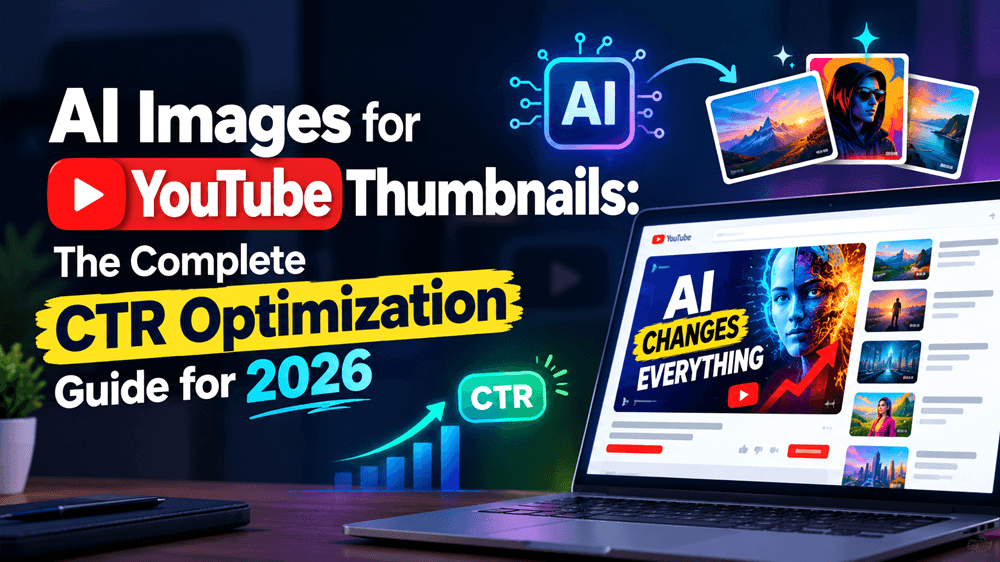
Your YouTube video might deliver valuable insights, solve a real problem, or entertain thousands of viewers. But if the thumbnail fails to capture attention, potential viewers may scroll past it without clicking.
That is where AI images for YouTube thumbnails can make a difference. With AI-powered image generation, creators can explore fresh visual concepts, experiment with different styles, and develop thumbnails that communicate a video's value in seconds.
In this guide, you will learn how to create AI-generated YouTube thumbnails, optimize them for click-through rate (CTR), and build a repeatable thumbnail workflow using tools like GenImager.
What Are AI Images for YouTube Thumbnails?
AI images for YouTube thumbnails are visuals created or enhanced using artificial intelligence. Instead of relying entirely on stock photos, manual illustrations, or traditional design workflows, creators can describe a concept and generate images that match their video topics.
For example, a finance creator could generate a dramatic visual showing a rising market graph, while a gaming creator could explore cinematic characters and vibrant environments.
AI-generated visuals help creators:
Develop multiple thumbnail concepts quickly.
Create distinctive backgrounds and visual effects.
Experiment with lighting, composition, and colors.
Maintain a recognizable visual style across videos.
Reduce the time spent developing creative assets.
However, AI alone does not guarantee higher CTR. Your thumbnail must communicate the right message to the right audience.
Why YouTube Thumbnail CTR Matters
Click-through rate measures the percentage of eligible YouTube impressions that result in viewers clicking a video.
A simple example: if your video receives 10,000 impressions and 500 clicks from those impressions, the CTR is 5%.
A compelling thumbnail can help your video earn more clicks by making its subject immediately understandable and visually appealing. YouTube recommends evaluating thumbnail and title performance through YouTube Analytics, particularly across Home and Suggested video traffic.
Remember, CTR varies by audience, traffic source, and content type. There is no universal percentage that guarantees success.
The objective is to improve your own performance while ensuring viewers receive what your title and thumbnail promise.
5 Ways to Create High-CTR AI YouTube Thumbnails
1. Focus on One Powerful Visual Idea
A thumbnail has limited space to communicate a message. Combining too many objects, effects, and text elements can make it difficult to understand briefly.
Start with one central subject, such as a person's expression, a product, a dramatic transformation, or a surprising result.
Example: For a video titled "I Tried AI Tools for 30 Days," generate a visual featuring a creator alongside a futuristic AI interface, with a clear focal point and contrasting background.
Keep supporting elements minimal so viewers immediately understand the topic.
2. Use High-Contrast Colors and Lighting
Color contrast helps separate the subject from the background and improves visual clarity, especially on smaller screens.
Experiment with complementary colors, dramatic lighting, subtle glows, and contrasting foreground elements. Choose combinations that fit your channel rather than using the same bright colors for every video.
With an AI image generator, describe the lighting, color palette, camera angle, and background in your prompt to explore different creative directions.
3. Make Facial Expressions and Emotions Meaningful
Human expressions can communicate excitement, curiosity, surprise, or concern quickly. When appropriate for your content, a clear facial expression can make a thumbnail feel more personal.
For educational videos, use an expression that supports the subject. For entertainment, stronger emotions may suit the concept.
Avoid exaggerated expressions that misrepresent the actual video. Trust matters more than a temporary increase in clicks.
4. Keep Thumbnail Text Short and Readable
Your thumbnail and video title should complement each other rather than repeat the same sentence.
Use a short phrase that highlights a benefit, question, or result. Examples include "BIGGEST MISTAKE," "BEFORE VS AFTER," or "AI CHANGED EVERYTHING."
Choose bold, legible typography and check the design at mobile size. AI tools can struggle with accurate lettering, so generate the visual first and add final text in an image editor when necessary.
5. Match the Thumbnail to the Video Promise
An attractive image is useful only when it accurately represents the content.
For a tutorial, show the result viewers can achieve. For a product review, emphasize the product. For a storytelling video, communicate the central conflict or outcome.
A misleading thumbnail may generate curiosity but disappoint viewers, potentially hurting long-term audience engagement.
How to Generate YouTube Thumbnail Images With GenImager
You can use GenImager's AI Image Generator to develop thumbnail concepts from text prompts or edit reference images.
Follow this workflow:
Step 1: Define your video's hook. Identify the main benefit, question, transformation, or emotional moment you want viewers to notice.
Step 2: Write a detailed AI prompt. Describe the subject, composition, lighting, colors, background, and visual style.
Step 3: Generate your image. Open GenImager, enter your prompt, and generate a visual concept. You can also upload a reference image when you want to modify an existing visual.
Step 4: Refine the composition. Review the result for distracting objects, unclear focal points, artificial details, and inconsistencies. Adjust one element at a time.
Step 5: Add text and export. Use a suitable editor to add your headline, branding, and finishing touches. YouTube recommends a 16:9 thumbnail, commonly 1280 × 720 pixels, subject to its current upload requirements.
Note that GenImager's current text-to-image workflow requests a square image. You may need to crop or adapt the generated visual to your final thumbnail dimensions.
Ready-to-Use AI Thumbnail Prompt
Try this prompt for a technology tutorial:
"Create a cinematic YouTube thumbnail concept about artificial intelligence productivity tools. Feature a focused content creator on the right, a futuristic digital workspace on the left, vivid blue and orange lighting, strong contrast, realistic details, dramatic depth, clean composition, one dominant focal point, and clear negative space for a short headline. No text, no watermark, no clutter."
Adapt the subject, colors, and composition to your niche. Generating several concepts gives you options to compare before publishing.
How to Optimize and Test Thumbnail CTR
Creating a thumbnail is only the first step. Use performance data to determine whether your design resonates with viewers.
Establish a baseline: Record impressions and CTR for comparable videos.
Review traffic sources: Compare performance across Home, Suggested, and Search rather than treating every impression as identical.
Test alternative concepts: When available, use YouTube Studio's Test & Compare feature to evaluate eligible thumbnail variations.
Monitor viewer satisfaction: Check watch time and retention alongside clicks. A strong thumbnail should attract relevant viewers, not simply curiosity clicks.
Repeat what works: Identify patterns in successful visuals and adapt them to future videos.
Change your approach based on evidence, not assumptions. A thumbnail that works for gaming may not work for business education.
Conclusion: Create Better Thumbnails with GenImager
You do not need to spend hours designing every thumbnail from scratch. By combining thoughtful visual storytelling, AI image generation, and performance testing, you can build a more efficient YouTube content workflow.
The key is to create thumbnails that earn attention while setting accurate expectations. Start with one strong concept, refine the visual, and use analytics to learn what resonates with your audience.
Ready to create your next eye-catching thumbnail? Explore GenImager and turn your ideas into AI-generated visuals that help your videos stand out.
Frequently Asked Questions
1. Can AI-generated thumbnails increase YouTube CTR?
They can help you create clearer, more distinctive visuals and test creative ideas. Actual CTR improvements depend on the audience, video topic, title, and thumbnail quality.
2. What is the best AI prompt for YouTube thumbnails?
Describe one clear subject, a strong composition, contrasting colors, appropriate lighting, and negative space for text. Include the video's topic and intended emotional impact.
3. Are AI-generated YouTube thumbnails allowed?
AI-generated thumbnails can be used when they comply with YouTube's applicable policies, including its thumbnail and misleading-content rules. Review current requirements and applicable disclosure rules for realistic altered or synthetic content.