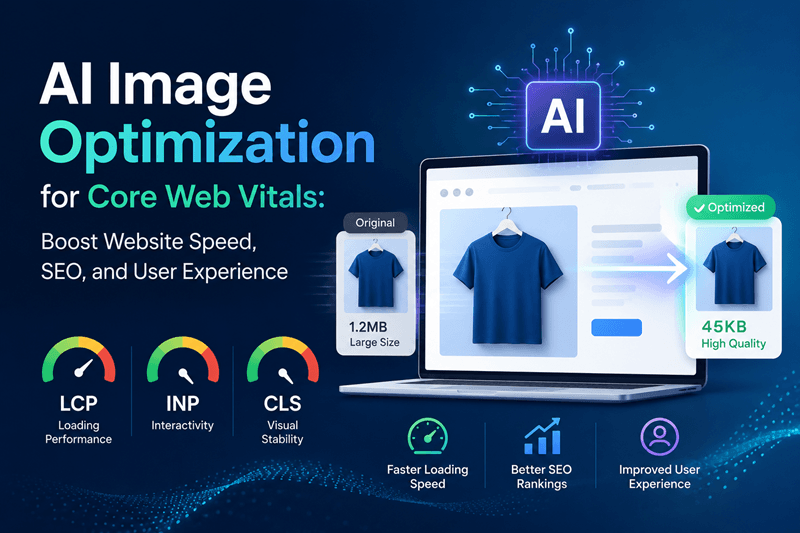
AI Image Optimization for Core Web Vitals: Boost Website Speed, SEO, and User Experience
Google's Core Web Vitals have become one of the most important ranking signals for modern websites. Whether you run an ecommerce store, SaaS platform, portfolio, or business website, image optimization directly affects your search rankings, user experience, and revenue. The good news is that AI image optimization is changing the way websites deliver high-quality visuals without sacrificing speed. Instead of manually resizing, compressing, and testing every image, AI can automate the entire process while maintaining exceptional quality.
Have you ever left a website because the images loaded too slowly? You're not alone. Research consistently shows that visitors expect pages to load within seconds, and even small delays can increase bounce rates and reduce conversions.
Google's Core Web Vitals have become one of the most important ranking signals for modern websites. Whether you run an ecommerce store, SaaS platform, portfolio, or business website, image optimization directly affects your search rankings, user experience, and revenue.
The good news is that AI image optimization is changing the way websites deliver high-quality visuals without sacrificing speed. Instead of manually resizing, compressing, and testing every image, AI can automate the entire process while maintaining exceptional quality.
Let's explore how AI image optimization helps improve Core Web Vitals and why it should be part of every website's SEO strategy.
Why Core Web Vitals Matter More Than Ever
Core Web Vitals measure how users experience your website in the real world. Google uses these performance metrics to evaluate page quality.
The three primary metrics include:
Largest Contentful Paint (LCP)
LCP measures how quickly the largest visible element loads. In many cases, that element is a hero image or banner.
A good LCP score is under 2.5 seconds.
Cumulative Layout Shift (CLS)
CLS tracks unexpected movement on a page while loading. Images without predefined dimensions often cause layout shifts.
A good CLS score is below 0.1.
Interaction to Next Paint (INP)
INP measures how responsive your website feels when users interact with it. Heavy, unoptimized images can increase page processing time and negatively affect responsiveness.
Optimizing images plays a major role in improving all three metrics.
How AI Image Optimization Works
Unlike traditional image compression tools, AI understands image content before optimizing it.
Instead of applying the same compression level to every file, AI analyzes factors such as:
Image complexity
Subject recognition
Background details
Texture quality
Display size
Device resolution
Based on this analysis, AI automatically chooses the best optimization strategy to preserve visual quality while significantly reducing file size.
The result is faster websites without blurry or pixelated images.
Benefits of AI Image Optimization for Core Web Vitals
1. Faster Largest Contentful Paint (LCP)
Large hero images often slow down page loading.
AI reduces image size while maintaining sharpness, helping the main content appear faster.
Benefits include:
Faster first impressions
Lower bounce rates
Better Google rankings
Improved user satisfaction
2. Better SEO Performance
Search engines prioritize websites that deliver excellent user experiences.
Optimized images help improve:
PageSpeed Insights scores
Mobile usability
Crawl efficiency
Organic rankings
Since images usually represent the largest files on a webpage, optimizing them has an immediate impact on overall website performance.
3. Improved Mobile Experience
More than half of global web traffic comes from mobile devices.
AI automatically generates responsive image sizes for different screen resolutions, ensuring users never download unnecessarily large files.
This results in:
Faster mobile loading
Lower data consumption
Better engagement
Higher conversion rates
4. Smart Compression Without Quality Loss
Traditional compression often forces a difficult choice between speed and quality.
AI removes unnecessary image data while preserving important visual details.
Visitors continue seeing crisp, professional-looking images while pages load significantly faster.
This balance is especially valuable for ecommerce product photos, portfolios, and marketing websites.
5. Automatic Format Selection
Modern image formats such as WebP and AVIF provide better compression than older formats like JPEG and PNG.
AI can automatically determine:
Which format performs best
Browser compatibility
Device support
Optimal image quality
This eliminates manual testing and improves website efficiency.
Best Practices for AI Image Optimization
Even with AI automation, following these best practices delivers the best results.
Use Responsive Images
Serve different image sizes based on screen size.
Large desktop images should never be delivered to small mobile devices.
Enable Lazy Loading
Load images only when users scroll near them.
This reduces initial page weight and improves loading speed.
Set Image Dimensions
Always define image width and height.
This prevents layout shifts and improves CLS scores.
Optimize Hero Images First
Your hero image has the greatest impact on Largest Contentful Paint.
Prioritize optimization for above-the-fold content.
Continuously Monitor Performance
Use tools like Google PageSpeed Insights and Lighthouse to monitor Core Web Vitals after image optimization.
Regular testing ensures your website maintains peak performance as new content is published.
Why AI Outperforms Manual Image Optimization
Manual optimization can be time-consuming, especially for websites with hundreds or thousands of images.
AI automates repetitive tasks such as:
Image resizing
Compression
Background optimization
Format conversion
Quality balancing
Batch processing
This allows marketers, designers, and developers to focus on creating engaging content instead of spending hours optimizing images.
For growing businesses, AI also ensures consistency across every webpage without requiring technical expertise.
How Genimager Simplifies AI Image Optimization
Modern AI-powered platforms like Genimager make professional image optimization accessible to everyone.
Instead of relying on multiple tools, users can quickly prepare web-ready visuals that balance quality, performance, and SEO.
Whether you're creating blog graphics, ecommerce product images, social media visuals, or landing page banners, AI helps reduce file sizes while maintaining impressive visual quality.
The result is a faster website, better Core Web Vitals, stronger search visibility, and a smoother experience for every visitor.
Conclusion
AI image optimization is no longer just a performance enhancement. It has become an essential part of modern SEO and website optimization. By intelligently compressing images, selecting the right formats, improving responsiveness, and reducing loading times, AI directly supports better Core Web Vitals and delivers a faster, more engaging experience for every visitor.
As Google's emphasis on user experience continues to grow, businesses that embrace AI-powered image optimization will be better positioned to achieve higher search rankings, improved engagement, and stronger conversion rates.
Ready to Optimize Your Website Images with AI?
Stop letting oversized images slow down your website. Genimager helps you create high-quality, web-ready visuals that improve Core Web Vitals, enhance SEO performance, and deliver a seamless user experience. Start optimizing your images with Genimager today and build a faster website that both Google and your visitors will love.
Frequently Asked Questions
1. Does AI image optimization improve SEO?
Yes. Faster-loading images contribute to better Core Web Vitals, which can improve search rankings, user experience, and organic traffic.
2. Which image formats are best for websites?
WebP and AVIF generally provide excellent compression and quality. AI tools can automatically choose the most suitable format based on browser support.
3. Can AI optimize images without reducing quality?
Yes. Modern AI algorithms intelligently compress images by preserving important visual details while removing unnecessary data.
4. Is AI image optimization useful for ecommerce?
Absolutely. Faster product images improve shopping experiences, reduce page load times, and can increase conversions.