Visual content is at the center of modern marketing. Whether it’s social media, ads, or website design, businesses need high-quality images to capture attention and communicate effectively.
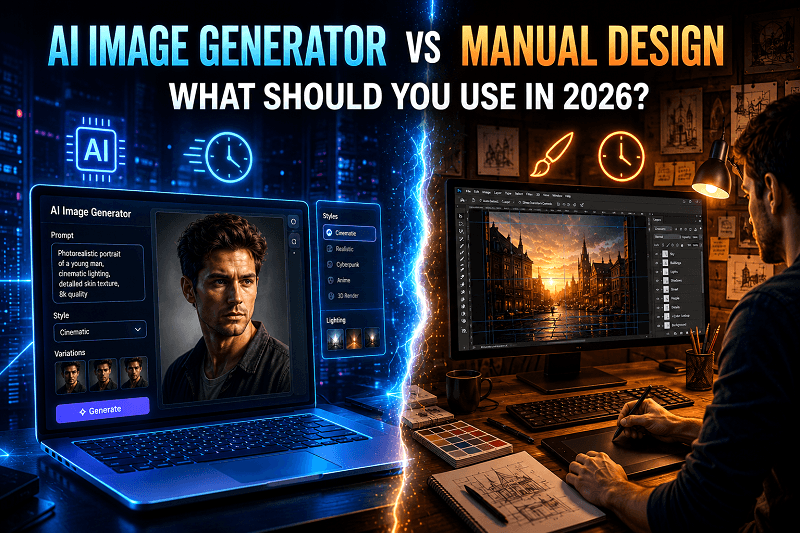
Today, creators face an important question: Should you use an AI image generator or stick with manual design?
This guide breaks down both approaches in detail, helping you understand their differences, benefits, and ideal use cases so you can make the right choice in 2026.
What is an AI Image Generator?
An AI image generator is a tool that creates visuals using artificial intelligence based on text prompts or inputs. Instead of designing scratch, you describe what you want, and the system generates a complete image.
How AI Image Creation Works
You enter a prompt describing the image
The system processes patterns from trained datasets
It generates a realistic or stylized visual instantly
Examples of AI-Generated Visuals
Photorealistic portraits
Product mockups
Social media creatives
Advertising banners
Tools like Genimager simplify this process, making AI visuals accessible even to non-designers.
What Is Manual Design?
Manual design involves creating visuals using design tools or software such as Photoshop or Illustrator. It requires skills, time, and creativity to build images from scratch or edit existing assets.
Key Elements of Manual Design
Hands-on editing and customization
Use of layers, typography, and effects
Complete control over every visual detail
Where Manual Design Is Commonly Used
Brand identity creation
Custom illustrations
High-end creative campaigns
Complex design projects
AI Image Generation vs Manual Design: Key Differences
1. Speed and Efficiency
AI Image Generator
Creates visuals within seconds
Ideal for fast-paced content needs
Helps scale content production
Manual Design
Takes hours or even days
Requires multiple revisions
Slower workflow for large volumes
If speed matters, the AI image generator is the better option.
2. Ease of Use
AI Image Generator
Beginner-friendly
No technical design skills required
Simple prompt-based workflow
Manual Design Tools
Require training and experience
Steeper learning curve
More complex interface
AI visuals are easier for marketers and beginners.
3. Cost Comparison
AI Image Generator
Lower cost over time
No need to hire designers or photographers
Affordable for startups and businesses
Manual Design
Higher cost due to software and expertise
May require hiring professionals
Time investment adds to the overall expense
An AI image generator is more budget-friendly.
4. Creative Control
Manual Design
Full control over every detail
Better for unique and complex designs
AI-Generated Visuals
Limited by prompt quality
Requires iteration for precision
Manual design wins when detailed customization is required.
5. Consistency and Scalability
AI Image Generator
Easily produces multiple visuals in a similar style
Ideal for branding consistency
Perfect for bulk content creation
Manual Design
Harder to maintain consistency across large volumes
Time-consuming for repetitive tasks
An AI image generator is better for scaling content.
When Should You Use an AI Image Generator?
An AI image generator is ideal when you need:
Fast content production
Multiple variations of visuals
Social media graphics at scale
Marketing creatives with quick turnaround
Cost-effective solutions
For example, tools like Genimager allow you to create AI-generated visuals for campaigns, blogs, and ads within seconds.
When Should You Choose Manual Design?
Manual design is the better option when:
You need highly detailed branding
Your project requires originality and artistic depth
You are creating unique illustrations
Precision editing is required
Manual workflows are still valuable for complex creative projects.
Hybrid Approach: The Smart Strategy for 2026
In 2026, the most effective strategy is not choosing one over the other; it’s combining both.
Hybrid Workflow Example
Use an AI image generator to create base visuals
Refine them with manual design tools
Maintain consistency across campaigns
This approach saves time while preserving quality.
How Genimager Simplifies AI Image Creation
Genimager is designed to make AI image creation simple, fast, and effective for modern users.
Key Benefits of Using Genimager
High-quality AI-generated visuals
Easy prompt-based interface
Fast processing for bulk images
Consistent output across projects
Built for Real-World Use Cases
Bloggers creating feature images
Marketers designing ad creatives
Businesses building visual branding
Even if you have no design experience, Genimager helps you create professional visuals quickly.
Future of AI Image Generator vs. Manual Design
AI image generator will continue to evolve with:
More realistic outputs
Better prompt understanding
Advanced customization features
Manual design will remain important for creative direction and brand identity. The balance between both will define content creation in the coming years.
Final Verdict: Which One Should You Use in 2026?
There is no single answer; it depends on your goals.
Choose an AI image generator for speed, scale, and efficiency
Choose manual design for deep customization and artistic control
Combine both for the best results
For most businesses, AI visuals offer a practical and efficient starting point.
Conclusion
The shift toward AI image creation is changing how visuals are produced. It allows creators to work faster, reduce costs, and maintain consistency across content.
At the same time, manual design continues to offer precision and creative flexibility.
If you want to create high-quality visuals without spending hours on design, AI tools are a smart choice.
Ready to create stunning visuals without complex design work?
Start using Genimager today and turn your ideas into high-quality AI-generated visuals in seconds. Create faster, smarter, and more efficiently. Your next visual is just one prompt away.
FAQs
1. Is an AI image generator better than manual design?
An AI image generator is better for speed and scalability, while manual design is better for detailed customization. The best approach is to use both together.
2. Can AI replace graphic designers?
AI can assist with visual creation, but does not replace human creativity. Designers still play a key role in branding and complex projects.
3. Are AI-generated visuals suitable for marketing?
Yes, AI visuals are widely used in marketing for ads, social media, and websites due to their speed and flexibility.
4. How can I improve AI image creation results?
Use detailed prompts, specify lighting and style, and generate multiple variations to refine the output.
5. Which tool is best for AI image generation?
Tools like Genimager are popular because they offer fast, high-quality results with an easy-to-use interface.