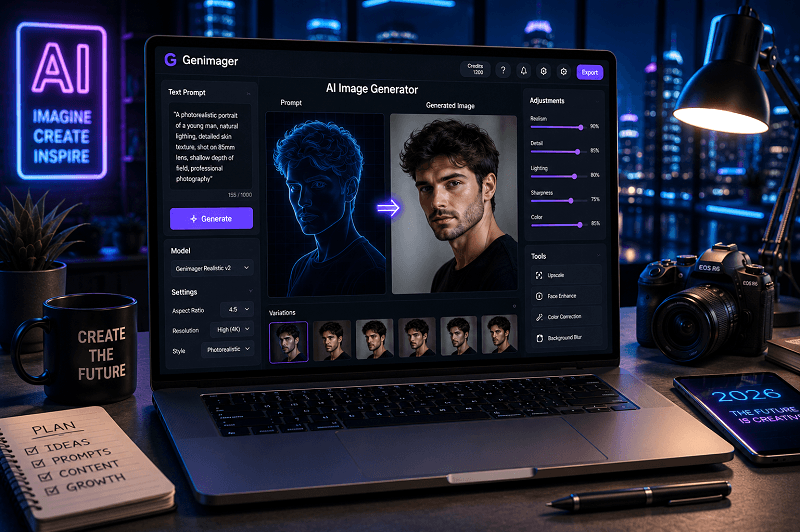
Creating lifelike portraits no longer requires a professional studio or expensive equipment. With the rise of AI image generators, anyone can now create highly detailed, photorealistic portraits using simple text prompts.
In 2026, AI image generation reached a level where outputs can closely resemble real photography, capturing skin texture, lighting, depth, and emotion with impressive accuracy.
This blog explores the best AI tools, photorealistic techniques, and prompt strategies to help you generate stunning portraits from text. Whether you’re a creator, marketer, or business owner, this blog will help you get better results and improve your workflow using platforms like Genimager.
What Is a Photorealistic AI Image Generator?
A photorealistic AI image generator is a tool that converts text prompts into images that look like real photographs. These tools use advanced machine learning models trained on large datasets of real-world images.
Key Capabilities:
Converts text into detailed portraits
Simulates real lighting and shadows
Replicates skin textures and facial features
Supports camera-style settings (lens, aperture, depth of field)
Why Photorealistic AI Portraits Matter in 2026
Photorealistic AI images are widely used across industries due to their realism and efficiency.
Common Use Cases:
Social media content
Personal branding
E-commerce product visuals
Advertising campaigns
Digital art and NFTs
Benefits:
Saves time and cost compared to traditional photography
Enables unlimited creative variations
Scales content production easily
Best AI Image Generators for Photorealistic Portraits
Choosing the right tool is essential for achieving realistic outputs.
1. Genimager
Genimager is designed for creating high-quality AI images with a focus on realism and prompt accuracy.
Key Features:
Advanced prompt understanding
High-resolution portrait outputs
Custom style and lighting controls
Fast generation speed
2. Midjourney
Known for artistic and detailed outputs, Midjourney can produce highly realistic portraits with the right prompts.
3. DALL·E
DALL·E is widely used for generating clean and realistic visuals with strong text-to-image accuracy.
4. Stable Diffusion
An open-source option that offers full control over image generation and customization.
Photorealistic AI Image Generation Techniques (2026)
To achieve realistic results, using the right techniques is essential.
1. Use Detailed Prompts
Avoid vague descriptions. Instead, include:
Age, gender, ethnicity
Lighting conditions
Camera type and lens
Environment and background
Example:
“A 30-year-old woman with natural skin texture, soft daylight lighting, shot on a 50mm lens, shallow depth of field.”
2. Add Camera Settings
Including camera details improves realism.
Use terms like:
DSLR
85mm lens
f/1.8 aperture
HDR
3. Focus on Lighting
Lighting is one of the most important elements.
Types of lighting:
Soft natural light
Studio lighting
Golden hour lighting
4. Include Skin Texture and Imperfections
Perfect skin often looks artificial. Add realism by including:
pores
freckles
subtle wrinkles
5. Use Depth of Field
Blurring the background helps simulate real photography.
Example:
“shallow depth of field, blurred background.”
6. Apply Negative Prompts
Negative prompts remove unwanted elements.
Examples:
“No blur”
“No distortion”
“No extra fingers.”
Best Prompts for Photorealistic Portraits
Here are ready-to-use prompt examples:
1. Professional Portrait Prompt
“A high-resolution portrait of a confident business professional, natural lighting, sharp focus, realistic skin texture, DSLR quality”
2. Lifestyle Portrait Prompt
“A candid portrait of a young man smiling outdoors, golden hour lighting, soft shadows, realistic background blur”
3. Studio Portrait Prompt
“A studio portrait of a woman, dramatic lighting, black background, ultra-realistic skin details, 85mm lens”
How to Create Photorealistic AI Portraits (Step-by-Step)
Step 1: Choose the Right Tool
Start with a reliable AI image generator like Genimager.
Step 2: Write a Detailed Prompt
Include subject details, lighting, and camera settings.
Step 3: Adjust Settings
Select resolution, aspect ratio, and style.
Step 4: Generate and Refine
Run multiple variations and refine your prompt.
Step 5: Download and Use
Use the final image for marketing, content, or branding.
Common Mistakes to Avoid
Using vague prompts
Ignoring lighting details
Over-editing images
Not using negative prompts.
Expecting perfect results in one attempt
Future Trends in AI Image Generation (2026)
AI image generation continues to improve with new capabilities:
Real-time image generation
Better facial accuracy
Personalized AI models
Integration with design tools
Enhanced realism with fewer prompts
Conclusion
AI image generators have made it easier than ever to create stunning, photorealistic portraits from simple text prompts. By combining the right tools, detailed prompts, and proven techniques, you can achieve results that closely resemble real photography.
Platforms like Genimager make this process even more efficient, helping you generate high-quality visuals for personal or professional use.
Ready to turn your ideas into lifelike visuals?
Use Genimager to create stunning photorealistic portraits from text in seconds. Experiment with prompts, refine your style, and create images that stand out.
FAQs
1. What is the best AI image generator for photorealistic portraits?
Genimager, Midjourney, and DALL·E are among the best tools for realistic portraits.
2. How do I make AI images look realistic?
Use detailed prompts, proper lighting, and camera settings, and include skin texture details.
3. Can AI generate portraits from text?
Yes, modern AI tools can create highly realistic portraits using text prompts.
4. Are AI-generated portraits suitable for commercial use?
Yes, depending on the tool’s licensing terms.
5. What are photorealistic AI image generation techniques?
These include prompt detailing, lighting control, depth of field, and negative prompts.