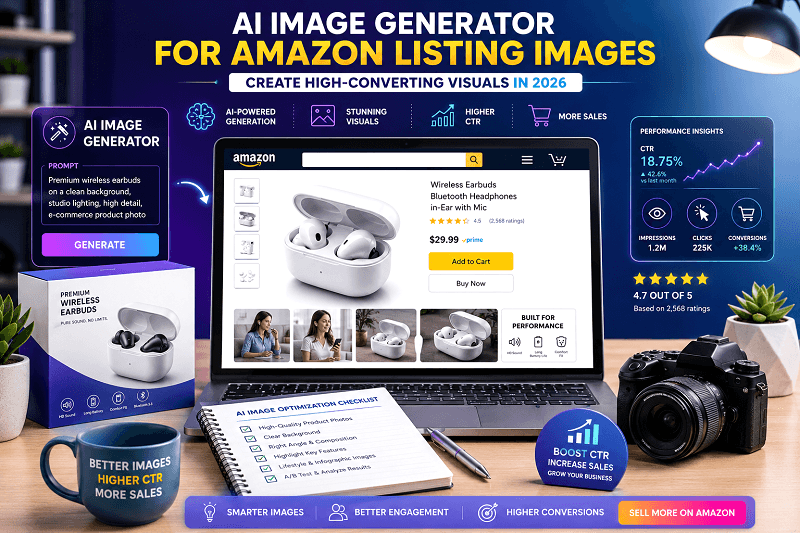
In 2026, Amazon is more competitive than ever. Thousands of sellers compete for attention on the same search results page, and shoppers make decisions within seconds. Before reading titles or bullet points, customers evaluate product images first.
This is where an AI image generator for Amazon listing images becomes essential. With tools like Genimager, sellers can create high-quality AI visuals, improve click-through rates (CTR), and increase conversions without expensive photoshoots.
This guide explains how AI image generator work, why they matter, and how to use them effectively to create high-converting Amazon listings.
What Is an AI Image Generator for Amazon Listing Images?
An AI image generator is a tool that uses artificial intelligence to create, enhance, or transform product images.
Instead of traditional photography, you can now generate:
Clean product images with perfect lighting
Realistic lifestyle backgrounds
Infographics explaining product features
Enhanced close-up shots
Branded AI images tailored for conversions
These tools analyze product details and automatically generate visuals designed to attract and engage shoppers.
Why High-Quality Images Increase CTR and Conversions
1. First Impressions Drive Clicks
Your main image is the first thing shoppers see. High-quality AI visuals help your product stand out in crowded search results.
2. Visual Clarity Builds Trust
Customers are more likely to buy when they clearly understand what they are getting.
3. Faster Decision-Making
Well-designed AI-generated visuals to communicate benefits instantly, reducing the need to read long descriptions.
4. Mobile Optimization
Most shoppers browse mobile devices. AI-generated images are optimized for smaller screens, ensuring clarity and engagement.
Types of AI Images You Should Use for Amazon Listings
1. Main Product Image
White background
Clear and high-resolution
Focus on the product only
2. Lifestyle Images
Show real-life usage
Help customers imagine the product in their daily life
3. Infographic Images
Highlight features and benefits
Use icons and short text
Using a mix of these AI images improves both CTR and conversions.
How AI Image Generators Improve Amazon SEO
While images themselves are not indexed like text, they strongly influence key ranking factors:
Higher CTR improves keyword rankings
Better conversion rates signal product relevance
Lower bounce rates increase listing quality
Using AI visuals indirectly boosts your visibility in Amazon search results.
Step-by-Step: Create High-Converting AI Amazon Images
Step 1: Start with a Quality Base Image
Upload a clear product photo. AI works best when the input is clean and well-lit.
Step 2: Use an AI Tool Like Genimager
Generate enhanced visuals, backgrounds, and layouts using AI.
Step 3: Add Context with Backgrounds
Place your product in realistic environments such as:
Kitchen
Office
Outdoor settings
Step 4: Highlight Key Benefits
Use simple text overlays and icons to explain features.
Step 5: Optimize for Amazon Guidelines
Ensure:
White background for main image
No misleading elements
High resolution (at least 1000px)
Step 6: Test and Improve
Track performance and update images based on CTR and conversions.
Best Practices for High-Converting AI-Generated Visuals
1. Keep It Simple
Avoid clutter. Focus on one message per image.
2. Show Benefits, Not Just Features
Explain how the product improves the customer’s life.
3. Use Consistent Branding
Maintain colors, fonts, and style across all visuals.
4. Optimize for Mobile
Ensure text is readable on small screens.
5. Use Contrast and Clarity
Make your product stand out from the background
Common Mistakes to Avoid
Using low-resolution images
Adding too much text
Ignoring Amazon guidelines
Using unrealistic or misleading visuals
Not testing image variations
Avoiding these mistakes ensures better engagement and trust.
Future Trends in AI Product Images
AI image generation is evolving quickly. Some emerging trends include:
Hyper-realistic product rendering
Personalized visuals based on user behavior
Automated A/B testing for images
Integration with analytics tools
These trends make AI-generated visuals a key part of Amazon's selling strategies.
Why Use Genimager for Amazon Listing Images
Genimager helps sellers create professional AI images quickly and efficiently.
Benefits of Using Genimager
Generate high-quality AI visuals in minutes
Create conversion-focused product images
Customize backgrounds and styles
Save time and reduce costs
It simplifies the process of creating Amazon listing images that perform well.
Conclusion
In 2026, product images are one of the most important factors in Amazon's success. Using an AI image generator for Amazon listing images, sellers can create engaging, clear, and high-converting visuals.
By using optimized AI images, you can improve CTR, increase conversions, and build stronger customer trust.
Ready to create Amazon images that actually convert?
Start using Genimager today to generate creative AI visuals, improve your click-through rate, and turn more visitors into buyers.
FAQs
1. What is an AI image generator for Amazon listings?
It is a tool that creates or enhances product images using artificial intelligence to improve visual quality and conversions.
2. Do AI images improve Amazon CTR?
Yes, high-quality AI visuals attract more attention and increase click-through rates.
3. Are AI-generated visuals allowed on Amazon?
Yes, as long as they follow Amazon’s guidelines and accurately represent the product.
4. What types of images increase conversions?
Lifestyle images, infographics, and clear product shots improve engagement and sales.
5. How many images should an Amazon listing have?
Ideally, 6–8 images showcasing different angles, features, and use cases.