20 AI Product Image Prompts to Create High-Converting Ecommerce Visuals in 2026
In 2026, e-commerce success depends heavily on visuals. Shoppers scroll fast, compare instantly, and click only when something stands out. This is where AI product image prompts change how brands create product visuals faster, more scalable, and highly conversion-focused. Instead of expensive photoshoots or generic stock images, businesses now use AI prompts for e-commerce product images to generate stunning visuals tailored for clicks, engagement, and sales. Whether you're running a Shopify store, managing ads, or building a brand, the right prompts can help you create visuals that convert.
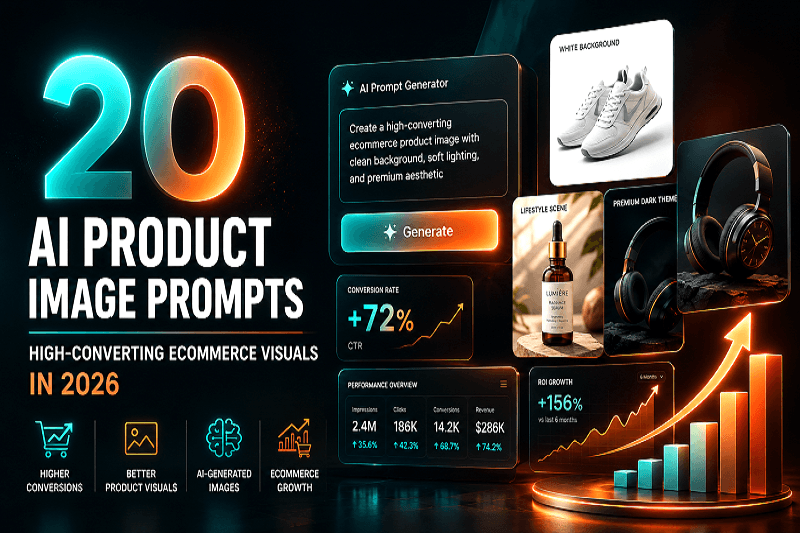
In 2026, e-commerce success depends heavily on visuals. Shoppers scroll fast, compare instantly, and click only when something stands out. This is where AI product image prompts change how brands create product visuals faster, more scalable, and highly conversion-focused.
Instead of expensive photoshoots or generic stock images, businesses now use AI prompts for e-commerce product images to generate stunning visuals tailored for clicks, engagement, and sales. Whether you're running a Shopify store, managing ads, or building a brand, the right prompts can help you create visuals that convert.
This guide covers how to create high-converting product visuals using AI, along with 20 ready-to-use prompts you can apply instantly.
How AI Product Image Prompts Improve E-commerce Conversions
Strong visuals directly impact click-through rate (CTR) and conversions. When you use AI image prompts for product visuals, you gain:
Better first impressions: Eye-catching images stop scrolling
Higher CTR: Engaging visuals increase clicks from ads and listings
Improved trust: Clean, realistic visuals build confidence
Faster production: No need for studios or photographers
Modern brands are already shifting toward AI-driven product visuals as part of AI visual marketing trends in 2026, focusing on speed, personalization, and performance.
How to Create Product Images Using AI (Step-by-Step)
If you're new to product image creation using AI prompts, follow this simple workflow:
Define your goal
Are you creating images for ads, product pages, or social media?
Choose the style
Lifestyle, minimal, luxury, or studio-style visuals
Write a clear prompt
Include product details, lighting, background, and mood
Generate multiple variations
Test different looks for better performance
Optimize for conversions
Select images that highlight product benefits clearly
Using platforms like Genimager, you can quickly turn ideas into high-quality product visuals for e-commerce without technical skills.
Best AI Prompts for E-commerce Product Images (2026)
Here are 20 high-converting AI-generated product image prompts you can use directly:
Create a realistic product image of [product] placed on a clean white background with soft shadows, studio lighting, and ultra-high resolution
Generate a lifestyle image of [product] being used in a modern home setting with natural light and minimal decor
Create a premium luxury product shot of [product] with dark background, dramatic lighting, and high contrast
Generate a minimal aesthetic product image of [product] with a pastel background and soft lighting
Create a high-converting ecommerce product image of [product] with focus on texture, sharp details, and clean composition
Generate a product-in-use image of [product] showing real-life application with natural environment
Create a bold and vibrant product image of [product] with a colorful background and dynamic lighting
Generate a catalog-style product image of [product] with multiple angles in one frame
Create a close-up macro shot of [product], highlighting fine details and materials
Generate a seasonal themed product image of [product] (summer/winter/festive setting)
Create a floating product image of [product] with a soft gradient background and shadow
Generate a comparison-style image showing [product] before and after usage
Create a modern tech-style product image of [product] with futuristic lighting and a sleek background
Generate a packaging-focused image of [product] with branding clearly visible
Create a product bundle image showing [product] with complementary items
Generate a premium e-commerce banner-style image of [product] with space for text overlay
Create a natural outdoor product image of [product] with realistic lighting and environment
Generate a social media ad-style product image of [product] with bold composition
Create a clean and elegant product image of [product] with neutral tones and soft shadows
Generate a high-end commercial product image of [product] with professional studio lighting
How to Generate Product Photos Without a Photoshoot
One of the biggest advantages of AI prompts for product photography is eliminating the need for traditional shoots.
Here’s how you can do it:
Use detailed prompts to define lighting, angles, and background
Create multiple variations for A/B testing
Generate lifestyle and studio images instantly
Customize visuals for different platforms (Amazon, Shopify, ads)
This approach is part of the future of e-commerce visuals, where brands rely on next-gen product photography AI instead of costly setups.
How to Create High-Converting Product Visuals
To maximize performance, follow these proven tips:
1. Focus on clarity
Your product should be the center of attention with no distractions.
2. Use lifestyle context
Show how the product fits into real life to improve relatability.
3. Highlight benefits visually
Instead of just showing the product, show its value.
4. Test multiple styles
Different audiences respond to different visuals.
5. Optimize for platforms
Use different formats for ads, listings, and social media.
By applying these strategies with e-commerce AI image prompts, you can significantly improve engagement and conversions.
AI Tools for E-commerce Product Images
There are several tools available, but choosing the right one matters. Platforms like Genimager are designed specifically for marketers and ecommerce brands, making it easy to:
Generate high-quality visuals in seconds
Customize product images for campaigns
Create consistent branding across all channels
Scale content production without increasing cost
This aligns with modern e-commerce image trends, where speed and personalization are essential.
Benefits of AI Product Images in 2026
Using AI-generated product images prompts offers clear advantages:
Cost efficiency: No need for photographers or studios
Speed: Generate images instantly
Scalability: Create unlimited variations
Flexibility: Adapt visuals for different audiences
Consistency: Maintain brand identity across channels
As AI product images 2026 evolve, brands that adopt early will see better performance in both traffic and conversions.
Final Thoughts
The rise of AI prompts for e-commerce product images is reshaping how brands create and scale visual content. With the right prompts and strategy, you can produce visuals that not only look professional but also increase clicks and conversions.
As part of AI visual marketing trends 2026, adopting AI image prompts for product visuals is no longer optional. It’s a smarter way to compete in a crowded market.
Create High-Converting Visuals with Genimager
Ready to transform your ecommerce visuals without expensive shoots or long turnaround times?
Start using Genimager today to generate stunning, high-converting product images in seconds. Create, test, and scale your visuals effortlessly and turn more visitors into buyers.
Frequently Asked Questions (FAQs)
1. What are AI product image prompts?
AI product image prompts are text instructions used to generate product visuals using AI tools. They define how the image should look, including style, lighting, and composition.
2. How to write prompts for product images?
Be specific about the product, background, lighting, angle, and mood. Clear prompts produce better results.
3. Can AI create e-commerce product photos?
Yes, AI can generate high-quality product images suitable for e-commerce, ads, and social media without a photoshoot.
4. Which AI is best for product images?
Tools like Genimager are designed for creating e-commerce visuals quickly and efficiently with better control over output.
5. How to improve product images using AI?
Use detailed prompts, test multiple variations, and focus on clarity, lighting, and real-life context.