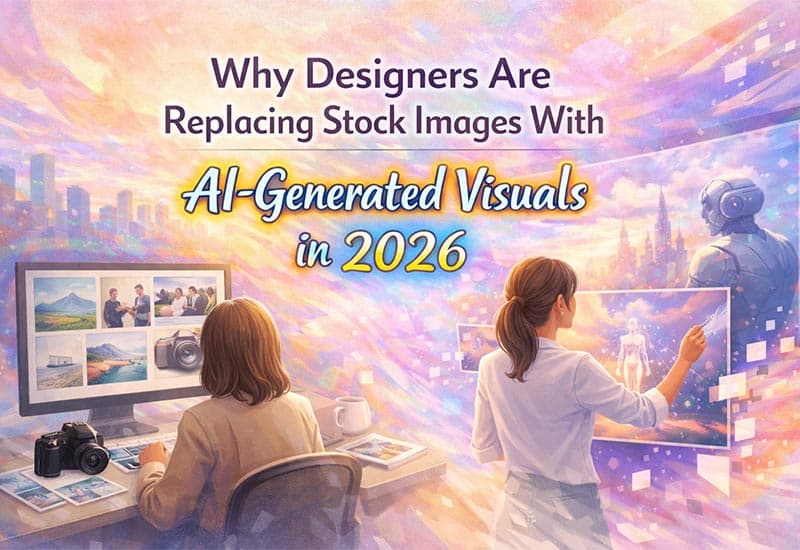
For years, stock images were the fastest way for designers to fill visual gaps. Need a hero image? Grab a stock photo. Need a blog banner? Search a library. Need social creatives? Pick something good enough.
But in 2026, good enough no longer works.
Designers are under pressure to deliver original visuals, faster turnarounds and stronger brand alignment, all while managing tighter timelines and higher content volume. This shift is exactly why many designers are replacing traditional stock images with AI-generated visuals powered by tools like Gen Imager.
This change isn’t about trends. It’s about workflow reality.
The Hidden Problems with Stock Images Designers Don’t Talk About
Stock images solved one problem: speed. But they created several others.
First, overexposure. The same images appear across dozens of websites, ads and landing pages. Designers increasingly find their unique visual already used by competitors.
Second, brand mismatch. Stock images rarely match exact tone, context, or messaging. Designers spend hours cropping, recolouring, retouching, or settling for visuals that only partially fit.
Third, creative limitations. Stock libraries force designers to search within what already exists, instead of creating visuals aligned with the idea in their head.
As brands push for differentiation, these limitations become blockers rather than shortcuts.
Why AI Image Generation Fits Modern Design Workflows
AI image generation isn’t replacing designers. It’s replacing repetitive constraints.
Unlike stock images, AI-generated visuals start with intent, not inventory. Designers describe what they need and the output is created around that requirement rather than selected from a fixed library.
Tools like Midjourney, Adobe Firefly and Canva AI introduced designers to AI visuals, but many still struggle with outputs that feel either too artistic, too generic, or inconsistent across projects.
That’s where purpose-built tools like Gen Imager stand apart.
How Gen Imager Supports Designers (Without Disrupting Creativity)
Gen Imager is designed to assist designers, not override their judgment.
Instead of producing random or overly stylized images, Gen Imager focuses on usable visuals that fit into real design systems. This means images that work naturally in blog headers, landing pages, social creatives, product explainers and UI layouts.
Designers use Gen Imager to:
Translate abstract ideas into visual concepts faster
Create images that align with content context
Reduce dependency on repetitive stock photography
Speed up iteration during concept and draft stages
The result is not AI art, but design-ready visuals that require minimal post-processing.
Stock Images vs AI-Generated Visuals: A Workflow Shift
The difference between stock images and AI-generated visuals isn’t just output. It’s control.
With stock images, designers search, filter, compromise and adapt.
With AI-generated visuals, designers define, generate, refine and apply.
This shift saves time while increasing originality. Designers can now match visuals to copy, messaging and layout direction instead of forcing content to fit available images.
For agencies and in-house teams managing high content volume, this control becomes a competitive advantage.
Why Designers Are Choosing Gen Imager Over Generic AI Tools
Many designers experiment with tools like Midjourney or DALL·E but quickly face friction when using outputs in real projects. Images may look impressive but fail practical tests such as consistency, clarity, or brand alignment.
Gen Imager focuses on practical image generation, making it easier for designers to move from concept to implementation without constant regeneration or heavy editing.
This makes it especially useful for:
UX/UI designers working on layouts
Content designers supporting blogs and landing pages
Marketing designers creating campaign visuals
Freelancers delivering fast, high-quality client work
The Future: Designers as Visual Directors, Not Asset Hunters
In 2026, designers are no longer spending hours searching libraries. They’re directing visuals.
AI tools like Gen Imager allow designers to focus on creative direction, storytelling and experience, while AI handles execution speed. This doesn’t remove creativity,it amplifies it.
The shift away from stock images isn’t temporary. It’s a response to how modern design work actually happens.
Designers who adopt AI image generation thoughtfully gain more flexibility, originality and control, without sacrificing quality.
Final Thought
Stock images helped designers move fast.
AI-generated visuals help designers move forward.
Gen Imager enables designers to create visuals aligned with ideas, content and brand context, making it a powerful addition to modern design workflows rather than just another AI tool.
FAQ’s
1. How do AI-generated visuals improve brand identity compared to stock photos?
Traditional stock images are created for the mass market, leading to a generic feel that can dilute your brand identity. AI-generated visuals allow designers to specify exact color palettes, lighting styles and compositions that align with a company’s design system. Instead of compromising on a good enough photo, you create a bespoke creative asset that is unique to your digital products.
2. Does switching to AI generation like Gen Imager actually save time?
Yes. While searching for the perfect stock photo can take hours of filtering and licensing checks, the AI image generation workflow takes minutes. By integrating tools like Gen Imager into your tech stack, you move directly from a concept to a production-ready asset. This increases your ROI by reducing the time spent on manual retouching and background removal.
3. What are the legal and copyright considerations for AI visuals in 2026?
In 2026, intellectual property has become a primary focus for creative agencies. Purpose-built tools like Gen Imager and Adobe Firefly are often trained on licensed datasets or public domain content to ensure commercial safety. However, designers should always verify the terms of service of their specific AI tool to ensure they have full rights for commercial use and distribution.
4. Can AI-generated images handle complex UI/UX layouts?
Absolutely. UI/UX designers use AI-generated visuals to create placeholder content and hero sections that fit the exact aspect ratio and visual weight of a webpage. Unlike fixed-size stock photography, AI visuals can be generated with specific negative space for text overlays, making them much easier to integrate into responsive web designs.
5. Will AI image generation eventually replace professional designers?
No. The shift is moving designers from being asset hunters to creative directors. While automation handles the execution of the pixels, the human designer is still responsible for visual storytelling, creative direction and ensuring the output meets the strategic goals of the project. AI is a productivity accelerator, not a replacement for human intuition.