Introduction – The Rise of AI-Generated Images in 2025
Visual content has never been more important. From social media to advertising and e-commerce, brands rely heavily on powerful visuals to capture attention. In 2025, text-to-image AI has become one of the most transformative technologies, allowing anyone to create studio-quality images in seconds no design skills required.
With advanced tools like GenImager, users can turn simple text prompts into high-resolution visuals, product mockups, artwork, thumbnails, and more. This shift has made visual creation faster, more affordable, and more accessible for creators and businesses worldwide.
What Is Text-to-Image AI?
Text-to-image AI is a technology that takes written text—called a prompt—and converts it into a fully generated image.
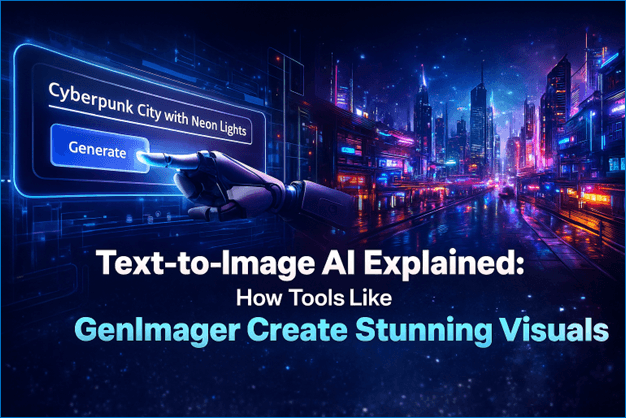
Example:
Prompt: “A futuristic cyberpunk city glowing with neon lights, 4K resolution”
Result: A high-quality, AI-generated digital artwork.
These tools use deep learning models like diffusion models and transformer-based neural networks to analyze the prompt, understand its meaning, and create visuals that match the user’s imagination.
It’s like having a designer, illustrator, and concept artist in one intelligent system.
How Text-to-Image AI Works (Explained Simply)
1. Understanding Your Prompt
The process begins with Natural Language Processing (NLP). The AI reads your text and breaks it down into:
Style (realistic, anime, 3D, watercolor, fantasy)
Subject (person, product, landscape, object)
Details (colors, lighting, mood, size)
Action (standing, flying, sitting, posing)
This allows the AI to create an image that aligns closely with your vision.
2. The Diffusion Process
Diffusion is the core of modern AI image generation. It works like this:
Start with random noise (static).
Gradually remove the noise using intelligent algorithms.
Replace it with shapes, colors, textures, and details.
Produce a clean, finished image.
This step-by-step refinement is why diffusion models produce images that are rich, realistic, and detailed.
3. Refinement & Rendering
After the initial image is formed, AI models perform:
Detail enhancement
Facial correction
Texture sharpening
Color balancing
Upscaling for HD clarity
GenImager’s Nano Banana 2 engine improves realism, reduces distortion, and creates smooth textures that look professional.
What Makes GenImager Different?
GenImager stands out because it combines simplicity, speed, and high-quality AI modeling—making it ideal for marketers, creators, businesses, and designers.
1. Ultra-Precise Prompt Understanding
Its advanced NLP engine interprets even complex prompts with superior accuracy, producing images that match your exact creative direction.
2. Nano Banana 2 – Hyper-Realistic AI Model
This next-gen rendering engine provides:
Sharper edges
More defined textures
Photorealistic lighting
Smoother skin details
Better color harmony
3. Multiple Output Modes
GenImager isn’t limited to text prompts. It includes:
Text-to-image
Image-to-image transformations
Style conversions
Photo upscaling
Digital art rendering
4. Fast, Simple, and Web-Based
No installation. No technical skill required.
Just type → generate → download.
This makes it ideal for:
Social media creators
Agencies
Brand owners
E-commerce stores
YouTubers
Designers
Real-World Use Cases of Text-to-Image AI
1. For Digital Marketers
GenImager can generate:
Instagram graphics
Ad creatives
Landing page visuals
Social media banners
Viral content assets
This helps marketers increase CTR, engagement, and conversions.
2. For E-Commerce Stores
AI images can instantly create:
Product mockups
Lifestyle photos
Background replacements
Model photos without photographers
Perfect for Amazon sellers, Shopify stores, and dropshippers.
3. For Content Creators & Influencers
Creators use GenImager to make:
YouTube thumbnails
Podcast covers
Reels & Shorts backgrounds
Story visuals
Digital characters
It saves hours of manual designing.
4. For Designers & Artists
Instead of starting from scratch, artists use AI for:
Concept art
Mood boards
Quick sketches
Style ideas
Brainstorming visuals
AI enhances creativity rather than replacing it.
How to Generate Stunning AI Images with GenImager
Step 1 — Start with a Clear Prompt
Include:
Subject
Style
Lighting
Mood
Composition
Example:
“A hyper-realistic portrait of a young woman in natural light, soft shadows, 4K photography style"
Step 2 — Choose Your Model or Style
GenImager offers diverse styles:
Photorealistic
3D character
Anime
Digital art
Watercolor
Fantasy
Minimalist
Each style affects sharpness, color, and character design.
Step 3 — Adjust Settings for Better Quality
Fine-tune options such as:
Resolution
Aspect ratio
Rendering steps
Creativity level
Seed control
These tweaks help you generate the exact visual you need.
Step 4 — Download, Edit, or Upscale
With built-in upscaling, you can:
Improve clarity
Enhance details
Remove artifacts
Make images social-media ready
Benefits of Using Text-to-Image AI for Businesses
Faster visual creation
Zero design dependency
Cost-effective graphics
Unlimited creativity
Brand consistency
Higher engagement on social media
Ideal for rapid A/B testing
Future of Text-to-Image AI – What’s Coming Next?
The next generation of AI visuals will include:
Fully photorealistic humans
AI-generated videos from text
Real-time art rendering
Better control over poses and angles
Automated brand-style generation
Full scene creation with multiple characters
Platforms like GenImager are already adapting to these future capabilities.
Conclusion – AI Visuals Are the Future of Content Creation
Text-to-image AI has revolutionized how creators and brands produce visual content. Tools like GenImager make it possible to create stunning, high-quality visuals with just a few words—saving time, cost, and effort.
Whether you're a marketer, business owner, designer, or content creator, AI-powered visuals unlock unlimited creative potential.
Start exploring today and see how GenImager can elevate your content.
Frequently Asked Questions (FAQ)
1. What is text-to-image AI?
Text-to-image AI is a technology that transforms written prompts into visual images. It uses deep learning models such as diffusion and NLP to interpret your text and generate realistic or artistic visuals based on your instructions.
2. How accurate are AI-generated images?
Modern AI tools like GenImager produce highly accurate visuals that match the prompt’s style, mood, and details. With engines like Nano Banana 2, users can generate photorealistic images with improved textures, lighting, and clarity.
3. Do I need design skills to use GenImager?
No. GenImager is designed for beginners and professionals. You only need to type a prompt, choose a style, and generate your image. It’s completely web-based and easy to use.
4. Can AI-generated images be used for commercial purposes?
Yes. Many businesses use AI visuals for ads, product photos, thumbnails, blogs, and branding. However, always check specific licensing rules of the platform you use.
5. What types of images can GenImager create?
GenImager supports:
Photorealistic portraits
Product mockups
Digital art
Anime and 3D styles
Landscape scenes
Social media graphics
Artistic concepts
Image-to-image transformations
6. How does GenImager differ from other AI image generators?
GenImager offers faster rendering, more accurate prompt interpretation, multiple creative modes, and its advanced Nano Banana 2 AI model delivers higher realism with better textures, details, and color accuracy.
7. Can I upload my own images for AI editing?
Yes. GenImager supports image-to-image, allowing you to enhance, restyle, or transform your existing photos.
8. Is GenImager suitable for businesses and agencies?
Absolutely. It helps marketers, brands, agencies, and creators produce high-quality visuals quickly, reducing costs and speeding up creative workflows.