Human-AI Hybrid Design: How Creatives Balance Authenticity with Automation
Artificial intelligence has changed how designers create visuals. Tools that generate images in seconds are now part of everyday workflows. However, one major challenge remains. Many AI visuals look technically impressive but feel cold, generic, or repetitive. Instead of letting automation replace creativity, designers are learning how to combine AI speed with human artistic judgment. The result is faster production, stronger brand identity, and visuals that feel authentic rather than robotic.
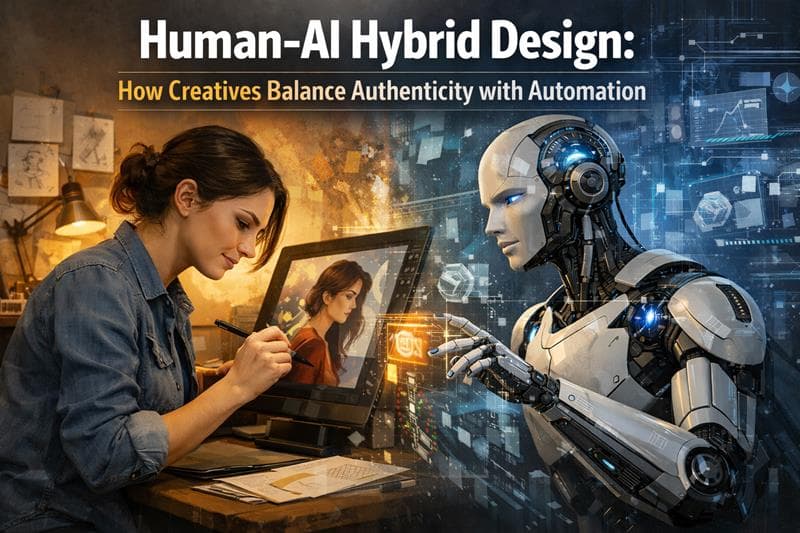
Artificial intelligence has changed how designers create visuals. Tools that generate images in seconds are now part of everyday workflows. However, one major challenge remains. Many AI visuals look technically impressive but feel cold, generic, or repetitive.
This is where human-AI hybrid design becomes essential.
Instead of letting automation replace creativity, designers are learning how to combine AI speed with human artistic judgment. The result is faster production, stronger brand identity, and visuals that feel authentic rather than robotic.
In this guide, you will learn how creatives blend AI output with human finishing techniques to produce professional visuals that stand out.
Why AI-Generated Designs Often Feel Generic
AI image generation tools are trained on massive datasets. While this helps them create detailed visuals quickly, it also creates a common problem.
Lack of originality
AI models often produce designs that follow popular visual patterns. Without human guidance, the output may look polished but lacks personality.
Common issues include:
Overly perfect compositions
Repetitive color palettes
Generic facial expressions in portraits
Stock-photo style lighting
Brand-neutral design elements
This is why designers are shifting toward a hybrid workflow where AI handles ideation and speed, while humans refine emotion, storytelling, and brand alignment.
What Is Human-AI Hybrid Design?
Human-AI hybrid design is a creative process where AI assists in generating ideas or base visuals, while the designer enhances, edits, and contextualizes the output.
Think of AI as a creative co-pilot, not the final artist.
In this workflow:
AI generates concept visuals
Designers curate the best outputs
Human editing refines style, emotion, and brand identity
Final assets are polished for marketing or product use
This process combines automation efficiency with human creativity, producing visuals that are both scalable and authentic.
Step 1: Use AI for Concept Exploration
The biggest advantage of AI image tools is speed.
Instead of spending hours sketching ideas, designers can generate dozens of visual directions within minutes.
For example, when designing a campaign banner, AI can quickly produce variations such as:
Different art styles
Lighting moods
Color palettes
Composition layouts
Designers can then select the most promising concepts and move into refinement.
This stage is about creative exploration, not final production.
Using platforms like Genimager allows creators to experiment rapidly without sacrificing workflow efficiency.
Step 2: Curate Instead of Accepting the First Output
A common mistake beginners make is accepting the first AI output.
Professional designers treat AI generations like raw material, not finished artwork.
A strong hybrid workflow includes:
Generating multiple variations
Comparing visual storytelling
Identifying elements that feel natural
Removing designs that appear overly synthetic
This selection process adds human judgment, which AI cannot replicate.
Curating outputs ensures the final design reflects intention rather than automation randomness.
Step 3: Apply Human Artistic Refinement
Once the base visual is selected, designers should enhance it using traditional design techniques.
Human finishing can include:
1. Color Grading
Adjusting tones can transform a flat AI image into a cinematic visual.
2. Composition Adjustments
Cropping, repositioning, or balancing elements improves visual hierarchy.
3. Typography Integration
AI images rarely include strong typography. Designers can add custom fonts, brand messaging, or overlays.
4. Texture and Imperfections
Adding grain, brush strokes, or subtle noise helps remove the artificial perfection common in AI visuals.
These finishing touches are what make the design feel human and emotionally engaging.
Step 4: Align AI Visuals with Brand Identity
Brand consistency is where human designers provide the most value.
AI tools generate content based on prompts, not brand strategy. Without adjustments, visuals may not match the identity of a company.
Designers should adapt AI outputs to align with:
Brand colors
Visual tone
Audience expectations
Marketing message
Platform format
For example, an AI-generated image for a SaaS landing page should feel clean and modern, while an image for a lifestyle brand might need warmth and storytelling.
Hybrid design ensures automation supports brand identity rather than diluting it.
Step 5: Build a Repeatable Hybrid Workflow
Creative teams benefit most when hybrid design becomes a structured process.
A simple workflow may look like this:
1. Idea Generation
Use AI prompts to explore multiple visual concepts.
2. Selection
Choose the most authentic and visually strong outputs.
3. Human Enhancement
Refine composition, colors, lighting, and storytelling.
4. Brand Alignment
Adapt the visual for brand guidelines and campaign goals.
5. Final Optimization
Prepare the design for web, social media, or marketing assets.
With this approach, teams can scale visual production without sacrificing creativity.
Benefits of Human-AI Hybrid Design
When implemented correctly, this model offers major advantages for designers and businesses.
1. Faster Creative Production
AI drastically reduces the time needed for brainstorming and concept creation.
2. Higher Visual Quality
Human refinement ensures visuals feel artistic rather than automated.
3. Stronger Brand Identity
Designers maintain control over brand voice and visual storytelling.
4. Scalable Content Creation
Marketing teams can produce more assets for campaigns, social media, and websites.
For companies creating high volumes of digital content, hybrid design becomes a competitive advantage.
The Future of Creative Workflows
The debate about AI replacing designers is gradually fading.
Instead, the creative industry is realizing that the best results come from collaboration between human creativity and artificial intelligence.
Designers who embrace hybrid workflows gain the ability to:
Work faster
Experiment more freely
Produce higher volumes of content
Focus on creative direction rather than repetitive tasks
This evolution is not about automation replacing artists. It is about technology expanding what creatives can achieve.
Conclusion: Creativity Wins When Humans Guide AI
AI image generation is transforming design workflows, but automation alone cannot produce truly authentic visuals.
The most effective approach is human-AI hybrid design, where technology accelerates ideation and humans refine the emotional and artistic details.
By combining AI speed with human creativity, designers can produce visuals that are both efficient and deeply engaging.
If you want to experience this workflow firsthand, try generating your next visual concept using Genimager and transform AI outputs into polished, brand-ready designs.
Start creating smarter visuals today and discover how human creativity and AI automation work better together.