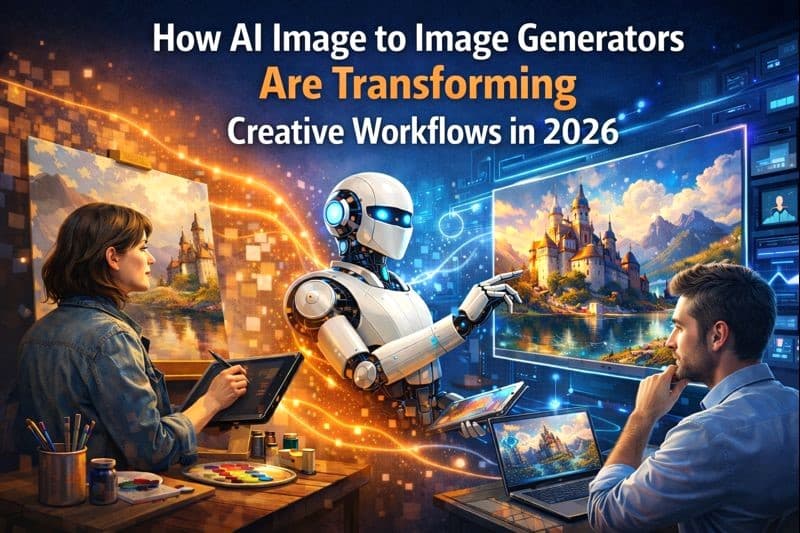
In 2026, AI image generators are no longer just experimental tools they have become an essential part of the creative process for designers, marketers, and businesses. Among platforms leading this revolution, GenImager stands out by offering powerful image-to-image capabilities, allowing users to transform existing visuals into high-quality, professional images quickly and efficiently. From e-commerce product visuals to marketing campaigns, these tools are reshaping the way creatives work.
What Is AI Image-to-Image Generators?
Unlike traditional AI image generators that create images from scratch using text prompts, image-to-image AI starts with an existing image. The AI then transforms or enhances it according to a prompt, maintaining key elements like composition, colors, or product features. This method ensures more control over the final output and reduces trial-and-error when creating visuals.
Platforms like GenImager, MidJourney, Adobe Firefly, Canva AI, and DALL·E now offer robust image-to-image features, making it easy for anyone from professional designers to small business owners to generate stunning visuals without advanced technical skills.
How Creative Workflows Are Changing
1. Speeding Up Visual Production
In traditional workflows, creating high-quality visuals can take hours or even days. Designers need to photograph products, edit images, and adjust layouts manually. With AI image generators, these steps can be completed in minutes. For example, GenImager allows users to upload a product photo and instantly create multiple styled versions suitable for e-commerce or social media.
2. Enhancing Consistency Across Projects
Consistency is crucial in branding. Using image-to-image AI, teams can maintain uniform styles, color palettes, and visual themes across campaigns. GenImager AI models ensure that every image variation retains the core identity of the original, whether it’s for a product shoot, social media post, or website banner.
3. Inspiring Creative Experimentation
Creatives can experiment more freely. Want to test different product colors, backgrounds, or styles? AI image-to-image platforms allow you to try dozens of variations instantly. This flexibility encourages innovation and enables designers to find unique visual solutions that may not have been possible manually.
4. Improving Product Visuals for E-Commerce
High-quality product images can significantly impact online sales. GenImager specifically focuses on e-commerce use cases, allowing businesses to generate multiple styled product visuals from a single photo. This not only saves time but also improves conversion rates by presenting appealing, professional imagery across online platforms.
Best Practices for Using AI Image-to-Image Tools
Start with a high-quality reference image: AI can only enhance what exists; a clear, detailed starting image ensures the best results.
Experiment with prompts: Describe style, mood, and specific changes to guide the AI. Platforms like GenImager allow prompt adjustments for precise control.
Use batch generation: Create multiple variations at once to save time and select the best output.
Combine with manual editing: While AI is powerful, small manual tweaks in software like Photoshop can perfect the final image.
Maintain brand consistency: Set rules for colors, fonts, and visual style to ensure outputs align with your brand identity.
Real-World Impact
Businesses that adopt AI image-to-image generators are already seeing results:
E-commerce brands can generate consistent product visuals in minutes.
Marketing teams can quickly create eye-catching social media posts and ads.
Design studios can experiment freely with concepts without high costs.
Platforms like GenImager are at the forefront, enabling teams to turn simple sketches or photos into professional-quality images ready for publication.
H2: Future Trends
In the next few years, we can expect:
Enhanced realism: AI will generate visuals indistinguishable from real photos.
Greater integration: Tools like Adobe Firefly and Canva AI will integrate more deeply into everyday creative software.
Collaborative AI: Teams will use AI as a co-creator, speeding up ideation and production cycles.
Conclusion
The rise of AI image generators and image-to-image tools is transforming creative workflows in 2026. Platforms like GenImager are enabling designers, marketers, and businesses to create high-quality visuals faster, more consistently. As AI technology continues to evolve, the possibilities for innovation in visual content are limitless. Adopting these tools now will give businesses and creatives a significant edge in producing professional, compelling imagery.
FAQs
1. What is the difference between text-to-image and image-to-image AI?
Text to image generates images from prompts, while image-to-image transforms existing images using AI, preserving key elements.
2. Can AI-generated images be used for e-commerce product visuals?
Yes. Platforms like GenImager allow high-quality product images ready for websites, social media, and ads.
3. How does image-to-image AI improve creative workflows?
By transforming existing images quickly, GenImager saves time, maintains visual consistency, and allows teams to produce multiple high-quality variations efficiently.
4. Can image-to-image AI help in product marketing?
Absolutely. GenImager can create multiple styled versions of a product photo, enhance campaigns and boost engagement with visually appealing content.
5. Do I need design skills to use image-to-image AI?
No. These tools are designed to be user-friendly, allowing even beginners to create professional visuals quickly.