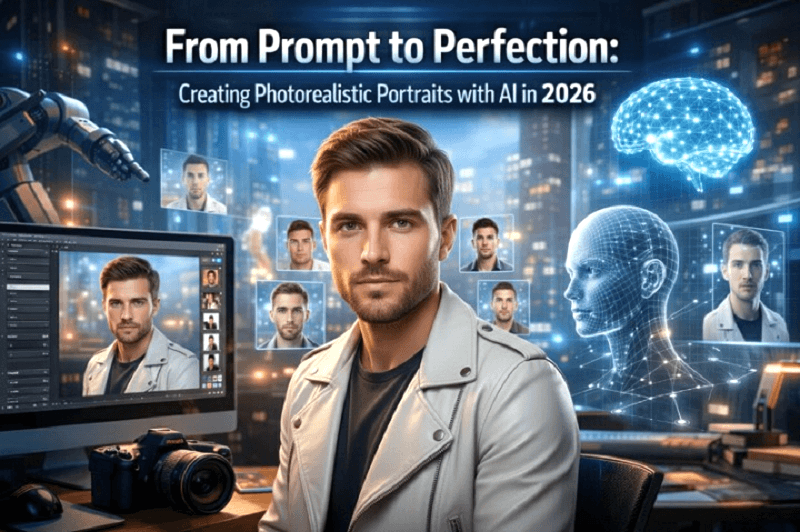
In 2026, creating professional-quality portraits no longer requires an expensive camera, studio lighting, or advanced editing skills. With the rise of AI image generators, anyone can turn a simple text prompt into stunning, photorealistic portraits within minutes.
From content creators and marketers to photographers and entrepreneurs, AI-powered tools are transforming the way portraits are created, edited, and shared. What once required hours of setup and post-production can now be accomplished with carefully written prompts and smart AI systems.
In this blog, we explore how AI image generation works, why it has become so powerful in 2026, and how platforms like Genimager help users move from prompt to perfection.
The Evolution of AI Portrait Creation
AI-generated portraits have improved over the past few years. Early versions produced unrealistic faces, distorted features, and artificial skin textures. But today’s AI visuals are more advanced than ever.
Modern AI systems understand:
Facial symmetry
Natural lighting
Skin tones and textures
Depth of field
Camera lens effects
Emotional expressions
Because of these improvements, photorealistic portraits created with AI now look almost identical to real photographs.
In 2026, AI is not just about creativity. It is about precision.
What Makes a Portrait Truly Photorealistic?
A photorealistic portrait must capture the fine details that make a face look real. These include:
1. Natural Skin Texture
Realistic pores, subtle imperfections, and soft lighting create authenticity.
2. Accurate Lighting and Shadows
Light direction, shadow depth, and reflections add realism.
3. Detailed Eyes
Sharp reflections and proper focus in the eyes bring life to the portrait.
4. Depth and Focus
Professional portraits use background blur and focal depth to highlight the subject.
An advanced AI image generator understands these elements and recreates them based on text instructions.
How AI Image Generators Work in 2026
Today’s AI systems use powerful machine learning models trained on massive image datasets. When a user enters a prompt such as:
“Create a studio-style portrait of a professional man with soft lighting and shallow depth of field.”
The AI analyzes the request and translates it into visual components like:
Facial structure
Pose and angle
Lighting direction
Background blur
Camera lens simulation
Within seconds, the system generates a realistic portrait that matches the description.
This ability to convert text into detailed AI visuals has made portrait creation more accessible than ever.
Why AI Portrait Generation Is Growing Fast
The demand for digital content continues to rise. Businesses need profile photos, social media visuals, website banners, and marketing images.
AI portrait generation offers:
Speed
Cost efficiency
Creative flexibility
Scalability
Instead of booking a studio session, users can create multiple variations instantly. This is especially useful for:
LinkedIn profile images
Branding photos
Creative campaigns
Website hero images
Personal projects
AI has made professional portraits available to everyone.
Comparing AI Tools in 2026
Several AI platforms have influenced portrait generation. GenImager, MidJourney, Adobe Firefly, Stable Diffusion 3, and DALL·E each play a role in the growth of AI-driven creativity. While many tools focus on artistic output, some platforms specialize in clean, high-quality, realistic results suitable for professional use.
When choosing a tool, users should consider:
Output quality
Ease of use
Customization options
Consistency
The best tool is one that balances creativity with precision.
Why Genimager Stands Out for Photorealistic Portraits
When it comes to creating professional AI visuals, Genimager offers a strong balance between realism and control.
Here’s why users prefer Genimager in 2026:
1. Clean and Realistic Output
Genimager focuses on structured lighting, accurate facial details, and natural expressions.
2. Easy Prompt Control
Users can adjust camera style, background, clothing, and mood easily.
3. Professional Quality
The platform is designed for business use, content creators, and digital professionals.
4. Fast Generation
Portraits are created quickly without sacrificing quality.
Instead of spending hours editing, users can achieve professional results in minutes.
Industries Using AI Portraits in 2026
AI-generated photorealistic portraits are now used across many industries:
1. Marketing
Brands create personalized campaign visuals.
2. E-commerce
Sellers create model-based visuals without hiring photographers.
3. Content Creation
Influencers use AI portraits for branding.
4. Education and Training
Institutions generate visual materials for presentations.
AI visuals are no longer limited to creative experiments. They are business tools.
The Future of AI Portrait Creation
Looking ahead, AI portrait generation will become even more advanced. Future improvements may include:
Real-time portrait customization
Voice-controlled prompt input
Automatic style suggestions
Live AI editing tools
Hyper-personalized avatars
As models continue to improve, the gap between AI-generated portraits and traditional photography will become even smaller.
The focus will shift from “Is this real?” to “How quickly can I create it?”
From Prompt to Perfection with Genimager
The journey from a simple idea to a polished portrait has never been easier.
With the right AI image generator, users can create photorealistic portraits that look professional, natural, and visually powerful.
Genimager makes this process smooth and efficient. Whether you are a marketer, entrepreneur, designer, or content creator, you can transform simple text into stunning AI visuals within minutes.
If you want high-quality results without complex editing, now is the time to explore Genimager.
Start creating your own photorealistic portraits with Genimager today and experience the future of AI-powered creativity.
FAQs
Q1. What is an AI image generator for portraits?
An AI image generator creates realistic portrait images from text prompts using machine learning models.
Q2. Are AI-generated photorealistic portraits suitable for professional use?
Yes, many AI portraits are high-quality enough for websites, marketing materials, and business profiles.
Q3. How can I improve the quality of AI portraits?
Use detailed prompts, specify lighting and camera style, and choose a reliable platform like Genimager.
Q4. Can AI portraits replace traditional photographers?
AI can complement photography by offering quick digital alternatives, but professional photographers still provide unique artistic value.
Q5. What makes AI portraits look more realistic in 2026 compared to earlier years?
AI portraits in 2026 look more realistic because of advanced deep learning models trained on high-resolution datasets. AI image generators now understand skin texture, lighting direction, facial anatomy, and even camera lens effects. This results in sharper details, natural expressions, and lifelike shadows that closely match professional photography.